
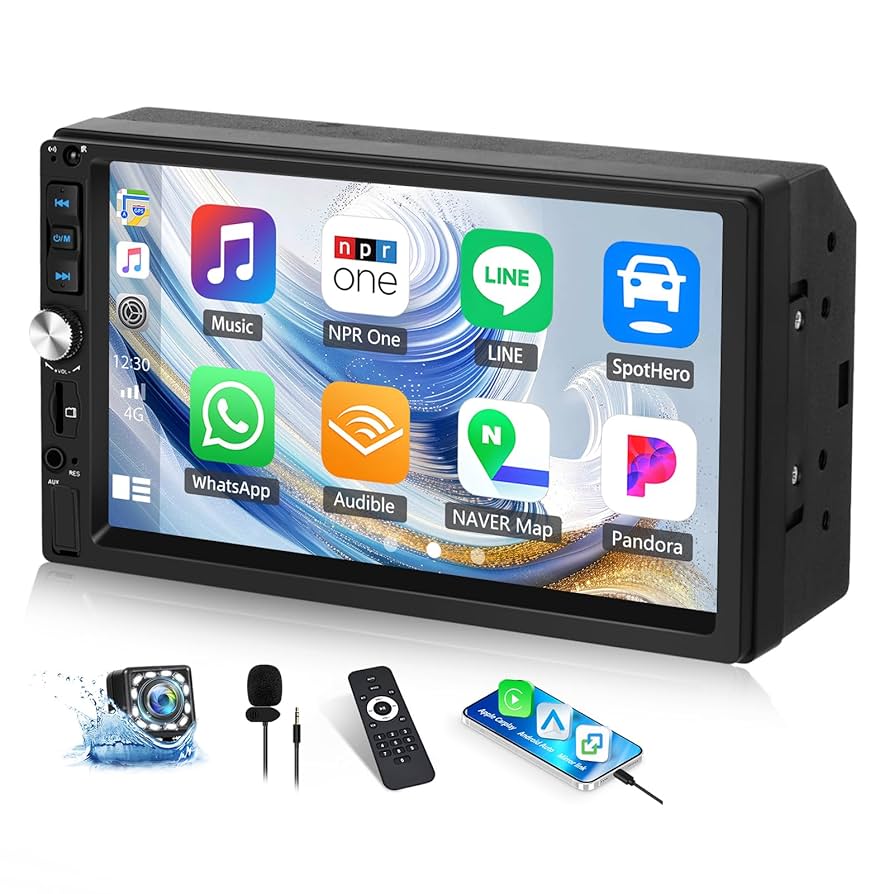
Have you ever wished your car stereo could show everything from your phone’s screen? Imagine controlling your favorite apps, maps, and music right from your car’s display, without fumbling with your phone.
That’s exactly what Android mirroring car stereo lets you do. It brings your phone and car together in a way that’s simple, safe, and smart. If you want to make every drive easier and more enjoyable, keep reading to discover how this technology can change the way you use your car stereo.
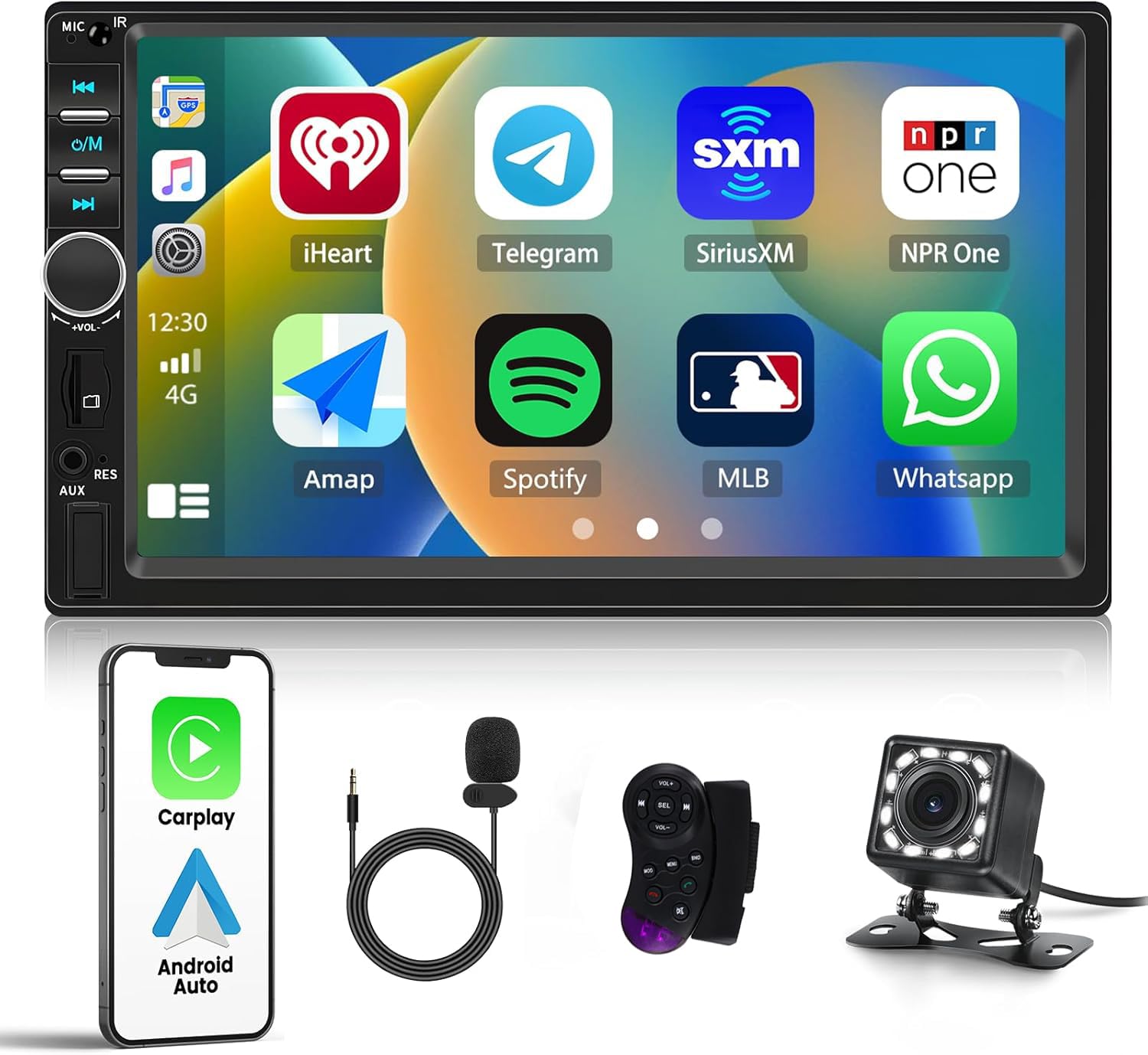
Credit: www.amazon.ca
Android Mirroring Basics
Understanding the basics of Android mirroring can transform how you interact with your car’s stereo system. It lets you bring your phone’s screen directly to your car’s display, making navigation, music, and calls easier and safer to manage. This technology blends your smartphone’s convenience with your vehicle’s interface, creating a seamless driving experience.
How Android Mirroring Works
Android mirroring works by sending the content from your phone’s screen to your car stereo’s display in real-time. This connection can be wired via a USB cable or wireless using Wi-Fi or Bluetooth. Your car stereo essentially acts as an external monitor, showing apps and functions from your phone.
Behind the scenes, the phone compresses the video signal and streams it to the car’s head unit. Controls on the car stereo or steering wheel can often control the mirrored interface, depending on the setup. This setup helps you keep your eyes on the road while accessing your apps.
Types Of Mirroring Technologies
- Wired Mirroring:Uses a USB cable to connect your phone to the car stereo. It offers a stable and high-quality connection without lag.
- Wireless Mirroring:Connects through Wi-Fi or Bluetooth, offering freedom from cables but sometimes with slight delays.
- Proprietary Systems:Some car brands use their own mirroring tech for enhanced integration, such as Android Auto or MirrorLink.
Choosing between these depends on your priority—speed and stability or convenience and flexibility.
Compatibility With Car Stereos
Not every car stereo supports Android mirroring, so check your system’s compatibility before setting up. Many newer models come with built-in support for Android Auto or MirrorLink, which are popular mirroring standards.
If your stereo doesn’t support these, aftermarket head units often provide mirroring capabilities. Some apps on your phone can also help bridge the gap by enabling mirroring over Wi-Fi, but quality and responsiveness vary.
Ask yourself: Is your current setup ready to handle Android mirroring, or will you need an upgrade? Understanding compatibility saves you from frustration and ensures a smoother experience behind the wheel.

Credit: www.amazon.ca
Key Features
Android mirroring car stereos offer a seamless way to connect your smartphone to your vehicle’s dashboard. Understanding the key features helps you get the most out of this technology. These features enhance safety, convenience, and entertainment while you drive.
Touchscreen Control
With Android mirroring, your car stereo’s touchscreen becomes an extension of your phone. You can tap, swipe, and scroll just like on your smartphone. This direct control means you don’t need to handle your phone while driving, reducing distractions.
Imagine adjusting your music or answering a call with a simple touch on the car display. It’s intuitive and keeps your focus on the road.
App Access And Navigation
Accessing your favorite apps on the car stereo is straightforward. Whether it’s Google Maps for navigation or Spotify for music, the apps run smoothly on the mirrored screen.
Do you find it frustrating switching between apps on your phone while driving? Mirroring lets you keep navigation and media apps open at the same time, making multitasking safer and easier.
Audio And Video Streaming
Stream your playlists, podcasts, and even videos directly through the car’s audio system. The stereo handles high-quality sound, so your music sounds better than ever.
Streaming videos might seem risky while driving, but it’s perfect for passengers. Next time you’re on a long trip, your backseat passengers can enjoy their favorite shows without extra devices.
Voice Command Integration
Voice commands let you control your Android mirror stereo without lifting a finger. Use simple phrases to make calls, send messages, or change music tracks.
Have you tried telling your car to play a specific song without taking your hands off the wheel? It’s not only convenient but also keeps your driving safer by minimizing distractions.
Setup And Installation
Setting up Android mirroring on your car stereo can transform your driving experience by giving you easy access to apps, navigation, and media directly from your phone. The installation process might seem tricky at first, but breaking it down helps you see what’s really needed. Understanding the connection types, necessary hardware, and exact steps makes the whole setup smooth and enjoyable.
Wired Vs Wireless Connections
You can connect your Android device to the car stereo either with a cable or wirelessly. Wired connections usually use a USB cable, offering a more stable and faster link with less chance of lag or disconnection.
Wireless connections, on the other hand, rely on Wi-Fi or Bluetooth. They provide freedom from cables but may face occasional interruptions or slower response times. Ask yourself if you prioritize stability or convenience when choosing your connection method.
Required Hardware And Software
To mirror your Android phone, you need a compatible car stereo system that supports Android mirroring features like Android Auto or a third-party mirroring app. Your phone should run on Android 5.0 or higher for better compatibility.
Besides the stereo and phone, a quality USB cable is essential for wired setups. For wireless, ensure your car stereo supports Wi-Fi Direct or Bluetooth mirroring. You might also need to download specific mirroring apps on your phone to enable the connection.
Step-by-step Installation Process
- Start by checking that your car stereo is powered on and compatible with Android mirroring.
- For wired connections, plug your phone into the stereo’s USB port using a reliable cable.
- Allow necessary permissions on your phone when the connection prompt appears.
- For wireless setups, enable Bluetooth or Wi-Fi on both your phone and stereo.
- Open the mirroring app or Android Auto on your phone and select the car stereo from the available devices list.
- Follow on-screen instructions to complete pairing and setup.
- Test the connection by playing a video or launching a navigation app to ensure smooth mirroring.
Have you noticed any lag or connection drops during your setup? Sometimes, restarting both devices or updating software can resolve these issues quickly.
Benefits For Drivers
Android mirroring car stereo offers many benefits for drivers. It makes driving safer and more comfortable. Drivers can control their phones without distraction. This technology links your phone directly to the car’s screen. It helps you stay focused on the road while accessing important apps and functions.
Improved Safety And Convenience
Mirroring reduces the need to handle your phone. You can use voice commands to make calls or send messages. This keeps your hands on the wheel and eyes on the road. Navigation apps appear clearly on the car’s display. It helps avoid wrong turns and distractions. Controls are easy to reach, making driving less stressful.
Seamless Smartphone Integration
Your phone’s apps and data sync instantly with the car stereo. Music playlists, contacts, and messages show up without extra setup. Incoming calls and notifications appear on the screen. You can respond using simple touch or voice controls. This smooth connection saves time and effort during your drive.
Enhanced Entertainment Options
Enjoy your favorite music and podcasts with better sound. Stream videos or radio apps directly through the car stereo. Passengers can easily access media without using separate devices. The system supports multiple apps for a variety of entertainment. Trips become more enjoyable with personalized audio and video options.
Common Issues And Troubleshooting
Android mirroring on car stereos offers an incredible way to access your apps and media on the go. Yet, it’s not always smooth sailing. You might face some common issues that can disrupt your driving experience. Understanding these problems and how to fix them can save you time and frustration.
Connectivity Problems
One of the biggest headaches is connection trouble between your phone and the car stereo. This can happen if the Bluetooth or USB connection is unstable or interrupted. Try restarting both devices and ensure your cables are in good condition.
Sometimes, your phone’s settings may block the connection, such as disabled USB debugging or restricted permissions. Double-check that your phone is set to allow data transfer and mirroring. Also, clearing cached data on your mirroring app can help restore a clean connection.
Lag And Performance Issues
Lag can make mirroring frustrating, especially when you need quick access to navigation or calls. This often results from slow data transfer or limited hardware capabilities. Closing background apps on your phone can free up resources and improve performance.
Also, using a high-quality USB cable instead of relying solely on wireless mirroring can reduce delays. If lag persists, check if your car stereo’s firmware needs an update to better handle the mirroring load.
Compatibility Challenges
Not all Android devices and car stereos play well together. Some older car models may lack support for the latest mirroring protocols. Before buying a stereo or app, verify compatibility with your phone’s make and model.
Sometimes, manufacturers release updates that improve compatibility, so keep your phone’s OS and the stereo’s software up to date. If your device still isn’t supported, consider alternative apps or hardware adapters designed for broader compatibility.
Popular Android Mirroring Apps
Android mirroring apps allow you to display your phone screen on your car stereo. This feature lets you use apps, navigation, music, and calls safely while driving. Many apps offer different functions and user experiences. Choosing the right app depends on your needs and the car system you have.
App Features Comparison
| App Name | Screen Quality | Connection Type | Supported Devices | Additional Features |
|---|---|---|---|---|
| MirrorLink | Good | USB/Wi-Fi | Many Android Phones | Hands-free control, voice commands |
| Android Auto | High | USB/Wi-Fi | Most Android Devices | Navigation, music apps, voice assistant |
| ApowerMirror | Very Good | Wi-Fi/USB | Android & iOS | Screen recording, full-screen mode |
| CarLink | Good | Wi-Fi | Android Phones | Easy setup, media control |
User Reviews And Ratings
- Android Auto scores high for stability and ease of use.
- MirrorLink is praised for broad phone compatibility.
- ApowerMirror is liked for sharp display and extra tools.
- CarLink users enjoy quick setup and simple interface.
- Some users report lag issues with wireless connections.
- USB connections tend to provide smoother performance.
Best Apps For Different Needs
- For Navigation:Android Auto offers reliable GPS and voice control.
- For Media Playback:ApowerMirror supports many audio and video formats.
- For Older Devices:MirrorLink works well with various phone models.
- For Quick Setup:CarLink is easy to install and start using.
- For Wireless Use:ApowerMirror and CarLink provide good Wi-Fi connections.
Future Trends
The future of Android mirroring car stereo is bright and full of innovation. New technologies will make mirroring faster, easier, and more reliable. Cars will become smarter, blending phone functions and vehicle systems seamlessly. Entertainment inside the car will be richer and more interactive.
Advancements In Mirroring Technology
Mirroring technology will improve with faster wireless connections. Latency will drop, making video and audio smoother. New protocols will support higher resolutions and better sound quality. Users will enjoy instant screen sharing without cables or delays.
Integration With Smart Cars
Smart cars will integrate mirroring deeply with their systems. Drivers can control apps using voice or touchscreens built into the car. Safety features will sync with mirroring to reduce distractions. Navigation, music, and calls will work together for a safer drive.
Impact On In-car Entertainment
In-car entertainment will become more personalized and dynamic. Passengers can stream videos, play games, or use apps from their phones on bigger screens. Multiple device mirroring will allow sharing content easily. This will make long trips more enjoyable and engaging.

Credit: www.amazon.ca
Frequently Asked Questions
What Is Android Mirroring Car Stereo Technology?
Android mirroring car stereo technology allows you to display your phone’s screen on your car’s stereo. This helps you access apps, navigation, and media safely while driving. It enhances convenience and connectivity without needing to handle your phone directly.
How Does Android Mirroring Work In A Car Stereo?
Android mirroring works by connecting your phone to the car stereo via USB or Bluetooth. The car stereo then replicates your phone’s screen, allowing control through the car’s display. This seamless connection improves usability and ensures safer driving.
Which Phones Support Android Mirroring Car Stereo?
Most modern Android smartphones support mirroring if they have compatible software like Android Auto. Compatibility depends on your phone’s Android version and the car stereo system. Check your device and stereo specs for smooth integration.
Is Android Mirroring Safe While Driving?
Yes, Android mirroring is designed to improve driving safety by minimizing distractions. It allows hands-free control through voice commands or car controls. Always follow local laws and avoid interacting with your phone while driving.
Conclusion
Android mirroring car stereos enhance driving experiences. They provide seamless connectivity. Drivers can access apps, music, and maps easily. These systems boost convenience on the road. Easy to set up and user-friendly. They offer a safer way to use smartphones while driving.
Many models suit different car types and budgets. Consider your needs before purchase. Explore features that enhance your daily commute. Stay connected, entertained, and informed effortlessly. Android mirroring car stereos offer modern solutions for tech-savvy drivers. Embrace this technology for a smarter driving experience.

