
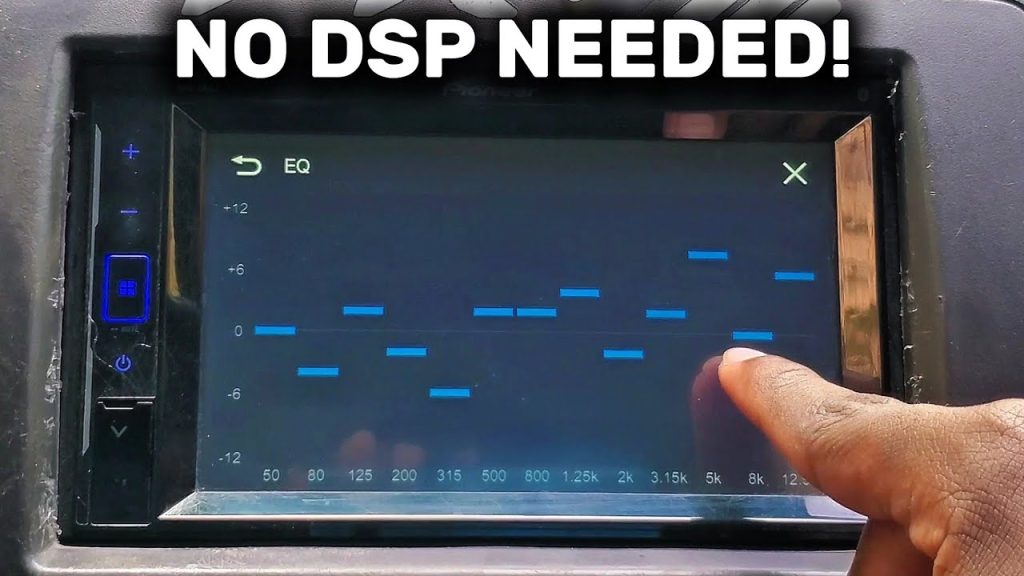
Do you want your car stereo to sound its absolute best every time you hit the road? Setting up the EQ on your car stereo is the secret to unlocking clear highs, deep bass, and perfect balance.
But if you’re unsure where to start or worried about messing up the settings, don’t worry—you’re not alone. In this guide, you’ll learn simple, step-by-step tips to customize your sound just the way you like it. Keep reading, and soon your favorite songs will sound better than ever while you drive.

Credit: www.reddit.com
Basics Of Car Audio Eq
Understanding the basics of car audio EQ is essential for getting the best sound experience from your car stereo. EQ, or equalization, adjusts different frequencies in your music to make it sound clearer and more balanced. Getting familiar with how EQ works lets you customize your audio to match your taste and your car’s acoustics.
What Eq Does In Your Car
EQ controls the volume of specific frequency ranges in your music. Think of it as a way to boost the bass or soften the treble. This helps fix common problems like muffled vocals or overpowering bass that can happen in a car’s unique environment.
If you’ve ever noticed your music sounds different in your car than on your headphones, EQ is the reason. It compensates for things like road noise and speaker placement to give you a clearer, richer sound.
Types Of Eq Settings
Car stereos usually offer two types of EQ settings: preset and manual. Preset EQs are quick and easy, with options like “Rock,” “Jazz,” or “Pop” already tailored for those genres. Manual EQ lets you adjust each frequency band yourself, giving you full control.
Manual EQ can feel tricky at first, but it’s worth the effort. You get to tweak the sound exactly how you want it, which presets can’t always deliver. Have you ever tried adjusting these settings yourself to see how it changes the music?
Common Eq Bands Explained
| Frequency Range | Effect on Sound | Typical Use |
|---|---|---|
| Bass (20Hz – 250Hz) | Controls the low-end thump and warmth | Boost for deeper bass, cut to reduce boominess |
| Midrange (250Hz – 4kHz) | Affects vocals and most instruments | Boost for clarity, cut if sound feels muddy |
| Treble (4kHz – 20kHz) | Adds brightness and detail | Boost for crispness, cut to soften harshness |
Knowing what each band does helps you make smarter adjustments. For example, if your music sounds flat, try boosting the mids to bring the vocals forward. Or if the highs hurt your ears, lowering the treble can make a big difference.
Preparing Your Car Stereo
Preparing your car stereo is the first step to achieving clear and balanced sound. Proper preparation ensures you adjust the equalizer (EQ) settings effectively. It makes a big difference in how your music sounds on the road.
Before changing any settings, your car stereo needs to be ready. This means knowing how to find the EQ controls and ensuring your system starts fresh. Also, the place where you adjust the settings matters. A quiet and calm environment helps you hear the changes better.
Accessing The Eq Settings
Start by turning on your car stereo. Look for the menu or settings button on the main screen or control panel. Many stereos have a dedicated EQ or sound option. Use the arrows or touch screen to find the equalizer settings. Some models require pressing a combination of buttons to access the EQ.
Once inside the EQ menu, you will see sliders or presets. These let you adjust bass, midrange, and treble frequencies. Knowing how to access these controls is key before making any changes.
Resetting To Default
Before fine-tuning your sound, reset the EQ to its factory settings. This clears any previous adjustments. Most car stereos have a reset option inside the EQ menu. Selecting this will return all sliders to neutral or flat positions.
Resetting helps you start from a balanced sound profile. It prevents old settings from affecting your new adjustments. This step ensures your efforts make a real difference in sound quality.
Choosing The Right Environment
Select a quiet place to adjust your car stereo EQ. Background noise can hide subtle sound changes. Park your car in a calm spot with minimal outside noise. Avoid busy streets or places with loud engines.
Turn off the radio or music and listen carefully as you adjust. Good lighting helps you see the screen clearly. A focused environment helps you hear the true effect of each EQ change.
Step-by-step Eq Setup
Setting up the EQ on your car stereo improves sound quality. It helps balance different frequencies for clear, rich audio. Follow these steps to adjust bass, midrange, treble, and the overall soundstage.
Setting The Bass Levels
Bass controls the low sounds like drums and bass guitar. Start by lowering the bass to the middle position. Play music with strong bass beats.
Slowly increase the bass until the sound feels full but not overwhelming. Avoid too much bass to prevent distortion or rattling.
Adjusting Midrange Frequencies
Midrange handles vocals and most instruments. Set the midrange to a neutral or flat level first. Listen carefully to voices and guitars.
Boost the midrange slightly to improve clarity. If vocals sound harsh, reduce the midrange a bit to soften them.
Tweaking The Treble
Treble controls high sounds like cymbals and high notes. Start with treble at the center or neutral position. Play songs with clear high tones.
Increase treble gradually for brightness and detail. Lower it if the sound becomes too sharp or tinny.
Balancing The Soundstage
Soundstage balance spreads audio evenly in your car. Adjust the fader to balance sound between front and rear speakers. Use the balance control to even out left and right speakers.
Find a position where sound feels centered and natural. This makes music immersive and pleasant to listen to.

Credit: www.reddit.com
Tips For Different Music Genres
Different music genres have unique sound qualities. Adjusting your car stereo’s EQ can improve how each genre sounds. Tailoring the EQ settings helps bring out the best in every song. Below are simple tips for popular music styles.
Eq For Rock And Metal
Rock and metal need strong, clear sounds. Boost the bass and lower mids slightly for punchy drums. Raise the midrange to highlight guitars and vocals. Avoid too much treble to prevent harshness.
- Increase bass for powerful drums
- Enhance midrange for guitars and vocals
- Keep treble moderate to avoid sharpness
Eq For Pop And Dance
Pop and dance music call for bright, lively sounds. Boost the bass for deep beats. Raise the treble to add sparkle to vocals and synths. Keep mid frequencies balanced for smoothness.
- Boost bass for strong rhythm
- Raise treble for vocal clarity
- Maintain balanced mids
Eq For Classical And Jazz
Classical and jazz need natural, clear tones. Lower the bass to avoid boominess. Slightly raise midrange for instrument detail. Keep treble soft to preserve warmth and smoothness.
- Reduce bass to prevent muddiness
- Enhance midrange for instrument clarity
- Soften treble for warmth
Troubleshooting Common Issues
Setting up the EQ on your car stereo can dramatically improve your listening experience, but it doesn’t always go perfectly the first time. Sometimes, the sound might seem off, and troubleshooting becomes necessary. Let’s look at some common issues you might face and how to fix them quickly so you can enjoy clear, balanced audio on every drive.
Dealing With Distortion
Distortion usually happens when the volume is too high or the EQ settings push certain frequencies beyond your stereo’s limits. If you hear crackling or buzzing, try lowering the bass or treble levels first. Reducing the overall volume can also help, especially if distortion occurs during louder songs.
Check if your speakers are compatible with the power output of your stereo. Mismatched equipment often causes distortion. Have you ever noticed distortion only with specific tracks? That might mean the audio file itself is low quality, not your setup.
Fixing Muffled Sound
Muffled sound can make your music feel dull or unclear. This often results from too much bass or midrange boosting. Try cutting down on the lower frequencies and gently boosting the highs to bring clarity back.
Another cause is poor speaker placement or dirty speaker covers. Make sure your speakers are clean and unobstructed. Have you cleaned your car speakers recently? It might just surprise you how much dirt affects sound quality.
Handling Uneven Volume
If some songs sound much louder or quieter than others, uneven volume is likely the culprit. Adjust the EQ so that no frequency range is overpowering the rest. Use the balance and fader controls to distribute sound evenly between the front and rear speakers, and left to right.
Sometimes, uneven volume comes from the audio source itself. Try using an app or device with volume normalization features to keep levels consistent. How often do you switch between different music apps? Consistency in source quality can save you a lot of tweaking time.
Advanced Eq Techniques
Advanced EQ techniques take your car stereo sound beyond basic adjustments. They help create a balanced, rich audio experience. Understanding these techniques allows precise control over frequencies and sound dynamics. This section explores key methods to refine your sound system.
Using Graphic Vs Parametric Eq
Graphic EQ offers fixed frequency bands with sliders. It is simple and fast to use. Great for quick adjustments to bass, mids, and treble. Parametric EQ gives control over frequency, bandwidth, and gain. It allows fine-tuning of specific sound areas. Choose parametric EQ for detailed sound shaping. Graphic EQ suits beginners or general fixes.
Customizing Presets
Presets provide ready-made EQ settings for music styles. Customizing them tailors sound to your taste and car acoustics. Save multiple presets for different genres or times of day. Adjust settings slightly to improve clarity or bass impact. Test and tweak while playing music for best results. Personalized presets help switch easily between sounds.
Incorporating Subwoofers
Subwoofers add deep bass that standard speakers lack. Proper EQ ensures subwoofers blend with other speakers well. Set low-frequency bands to boost bass without distortion. Avoid overpowering mids and highs with too much bass. Use crossover settings to direct bass frequencies to subwoofers only. This balance creates rich, full sound inside the car.

Credit: soundcertified.com
Frequently Asked Questions
How Do I Access The Eq Settings On My Car Stereo?
To access EQ settings, turn on your car stereo and find the menu or audio settings. Look for “EQ,” “Equalizer,” or “Sound” options. Use the touchscreen or buttons to enter the EQ menu and adjust frequencies like bass, midrange, and treble to your preference.
What Are The Best Eq Settings For Car Audio?
The best EQ settings vary by music type and car acoustics. Generally, boost bass slightly (60-250 Hz), keep mids flat (250 Hz-4 kHz), and enhance treble moderately (4-16 kHz). Test different settings to find a balanced sound that suits your taste and reduces distortion.
Can I Improve Sound Quality By Adjusting Car Eq?
Yes, adjusting the EQ can enhance clarity, bass, and overall sound balance. Proper EQ settings reduce unwanted frequencies and emphasize desired tones. This customization makes music sound richer and clearer inside your car, improving your listening experience significantly.
Should I Use Preset Or Custom Eq Settings?
Preset EQ settings offer quick, genre-based sound profiles. Custom EQ allows precise control over frequency bands for personalized sound. Beginners can start with presets, then tweak custom settings to match their car’s acoustics and personal audio preferences for optimal results.
Conclusion
Tuning your car stereo’s EQ can enhance your listening experience. Start by understanding your stereo’s settings. Adjust bass, midrange, and treble to match your music taste. Test different settings while driving. Notice how the sound changes with each adjustment. Keep experimenting until you find the perfect balance.
Remember, every car and stereo is unique. What works for one may not work for another. Patience is key. Trust your ears and enjoy the improved sound. With practice, you’ll get the hang of it. Enjoy your favorite tunes like never before.
Happy listening!

