
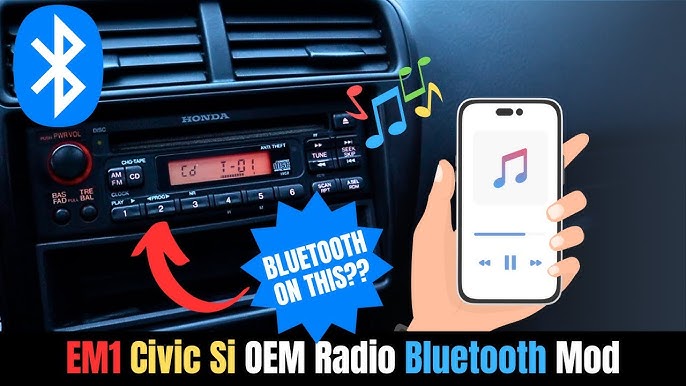
Have an old car stereo but want to enjoy the convenience of Bluetooth? You’re not alone.
Connecting Bluetooth to your classic system might seem tricky, but it’s easier than you think. Imagine playing your favorite playlists or taking calls hands-free without replacing your entire stereo. In this guide, you’ll discover simple, practical ways to upgrade your car’s audio without breaking the bank.
Ready to bring your car’s sound system into the modern age? Let’s get started.
Check Compatibility
Checking compatibility is crucial before connecting Bluetooth to an old car stereo. Some older models may not support modern Bluetooth devices directly. Confirming compatibility saves time and avoids frustration. Start by identifying your stereo model. Then, assess the Bluetooth options available for it. This approach ensures a smooth connection process.
Identify Stereo Model
Look for the brand and model number on your car stereo. This information is usually on the front panel or inside the unit. You may need to remove the stereo to find the label. Write down the exact model number for reference. Use this to search for the stereo’s specifications online. Knowing the model helps you find compatible Bluetooth adapters or kits.
Assess Bluetooth Options
Check if your stereo has built-in Bluetooth support. Some older models include basic Bluetooth features. If not, explore external Bluetooth adapters. Common types include:
- FM transmitters
- Auxiliary Bluetooth receivers
- Bluetooth cassette adapters
- Bluetooth car kits with wiring harnesses
Match the adapter with your stereo’s input options. Auxiliary input is the easiest to use. FM transmitters work well if aux input is missing. Choose the option that fits your stereo and budget. Confirm power needs and installation requirements too.

Credit: www.youtube.com
Choose Bluetooth Adapter
Choosing the right Bluetooth adapter for your old car stereo can make a huge difference in how easily you connect and enjoy wireless audio. Not all adapters are the same, and picking the best one depends on your car’s setup and your personal preferences. Let’s break down the types of adapters and how to select the right one for your ride.
Types Of Adapters
Bluetooth adapters come in various forms, each designed to fit different car stereo systems. Here are the most common types:
- FM Transmitters:These plug into your car’s cigarette lighter and broadcast Bluetooth audio over an FM frequency. They are easy to install but may suffer from interference or static.
- Auxiliary (Aux) Adapters:If your stereo has an aux input, this adapter connects directly and provides clear sound quality. It’s a reliable choice but requires an available aux port.
- Cassette Adapters:Perfect for cars with cassette players, these adapters use a cassette shell with a Bluetooth receiver inside. They offer a simple way to add Bluetooth without wiring.
- Direct Wiring Kits:These adapters connect directly to your stereo’s wiring harness. Installation is more involved but results in seamless integration and better sound quality.
Selecting The Right One
Think about how you use your car and what matters most: ease of installation, sound quality, or a clean look. Do you want a quick fix or a permanent upgrade? Your answer will guide your choice.
If your car has an aux input, an aux Bluetooth adapter is usually the best balance between simplicity and sound quality. However, if your stereo only has a cassette player, don’t overlook a cassette adapter—it’s surprisingly effective.
Consider power sources too. FM transmitters often need a cigarette lighter socket, so if you have limited ports, that might be a problem. Direct wiring kits require more effort but offer the best experience if you want a professional setup.
Have you checked what ports or inputs your stereo supports? Knowing this can save you from buying an incompatible adapter. Also, read user reviews to see how adapters perform in real cars, not just on paper.
Prepare Your Car Stereo
Preparing your car stereo is a crucial step before adding Bluetooth capabilities. It sets the foundation for a smooth and successful installation. Taking the time to get your stereo ready helps avoid damage and ensures everything fits perfectly.
Gather Necessary Tools
Start by collecting all the tools you will need. Common items include a screwdriver set, panel removal tools, and electrical tape. Having these ready saves time and frustration during the process.
Don’t forget to check if your Bluetooth adapter kit comes with any special tools or cables. Sometimes, a wiring harness or connector is included to simplify the connection. Missing one small tool can cause delays, so double-check your supplies before you begin.
Access The Stereo Unit
Next, you need to safely remove the car stereo from the dashboard. This usually means taking off trim panels or dashboard covers first. Use panel removal tools to avoid scratching or breaking any plastic parts.
Be patient and gentle when pulling out the stereo. Older cars might have screws hidden behind knobs or under panels. If you’re unsure, consult your car’s manual or look for online guides specific to your model. Knowing exactly how to access the stereo makes the entire Bluetooth installation easier and less stressful.
Install Bluetooth Adapter
Installing a Bluetooth adapter is a straightforward way to bring wireless audio streaming to your old car stereo. This simple device plugs into your existing system, allowing you to connect your phone or other Bluetooth-enabled devices effortlessly. The key is to handle the wiring carefully and secure the adapter properly for the best performance.
Wiring Connections
Start by identifying the audio input on your car stereo. Many older models have an auxiliary (AUX) input or RCA ports. If your stereo only has a cassette player, consider a Bluetooth cassette adapter instead.
Once you find the right input, connect the Bluetooth adapter’s audio output cable to the stereo. Most adapters come with a 3.5mm jack or RCA connectors, so match these to your stereo’s inputs. Don’t forget to connect the power supply; some adapters draw power from the car’s 12V outlet, while others may require wiring into the fuse box or cigarette lighter socket.
Double-check all connections to avoid loose wires that can cause static or disconnections. Have you ever experienced music cutting out unexpectedly? Secure wiring is often the culprit.
Mounting The Adapter
Where you place the Bluetooth adapter matters for both convenience and signal strength. Choose a location that keeps the device accessible but out of the way of your driving space. Common spots include under the dashboard, inside the glove box, or near the stereo itself.
Use double-sided tape or velcro strips to mount the adapter securely. Avoid locations where it might get exposed to heat or moisture, as these can damage the device over time. Good cable management also prevents accidental unplugging or damage during daily driving.
Think about your daily routine—will you need to adjust the adapter or check its status often? Positioning it within easy reach can make your Bluetooth experience smoother.
Pair Your Device
Pairing your device with a Bluetooth adapter is the key to streaming music through an old car stereo. This process creates a wireless link between your phone and the adapter. It lets you play audio without any cables. Follow simple steps to complete the connection quickly and easily.
Activate Bluetooth On Phone
Start by unlocking your phone and opening the settings menu. Look for the Bluetooth option and tap it. Switch the Bluetooth toggle to the “On” position. Your phone will begin searching for available devices nearby. Keep your phone close to the car adapter for better detection.
Connect To Adapter
Turn on the Bluetooth adapter connected to your car stereo. It will enter pairing mode, often indicated by a blinking light. On your phone, check the list of detected devices. Find the name of your adapter and tap it to connect. Wait for a confirmation message or steady light to know the devices are paired.

Credit: www.youtube.com
Test Audio And Controls
Testing the audio and controls ensures your Bluetooth connection works well with your old car stereo. This step helps you confirm sound quality and that buttons respond correctly. It also verifies the microphone functions for hands-free calls. Proper testing prevents frustration during drives and keeps your system reliable.
Play Music
Start by playing music from your Bluetooth device. Choose a song with clear vocals and steady beats. Listen for any crackling, delays, or low volume. Adjust your car stereo’s volume to a comfortable level. Make sure the sound flows smoothly without interruptions.
Try different music apps to check compatibility. Pause and play to see if the controls respond immediately. This confirms the connection is stable and working well.
Check Microphone And Buttons
Test the microphone by making a call or using voice commands. Speak clearly and listen for echo or muffled sound. Adjust the mic position if needed for better clarity.
- Press the volume buttons to raise and lower sound
- Use skip and rewind buttons to change tracks
- Try the call answer/end button during a phone call
Each button should respond without delay. If buttons do not work, check the connection or device settings. Proper button function makes driving safer and more convenient.
Troubleshoot Common Issues
Connecting Bluetooth to an old car stereo can sometimes lead to unexpected hiccups. Troubleshooting these issues helps you enjoy seamless music and calls without frustration. Let’s dive into common problems and simple fixes that keep your connection smooth and your audio clear.
Connection Problems
If your phone won’t connect to your car stereo, start by checking the Bluetooth settings on both devices. Make sure Bluetooth is turned on and your devices are in pairing mode.
Sometimes, previously paired devices can cause conflicts. Try removing old Bluetooth connections on your phone and stereo, then pair them again from scratch.
Distance matters. Keep your phone within a few feet of the stereo to maintain a strong signal. Walls or metal objects between devices can block the connection.
Does your stereo support the Bluetooth version your phone uses? Older stereos might struggle with newer Bluetooth standards. Updating your phone’s software or using a Bluetooth adapter designed for your stereo can solve this.
Audio Quality Fixes
Crackling or distorted sound often comes from interference. Check if other wireless devices nearby are causing the issue and turn them off temporarily.
Adjust the volume on both your phone and car stereo. Sometimes, having the phone volume too low or too high affects sound quality.
Try restarting your phone and stereo. A fresh start can clear glitches affecting audio playback.
If static noise persists, clean your stereo’s auxiliary or Bluetooth adapter ports. Dust and debris can disrupt audio signals.
Have you noticed better sound quality when using a different app or music source? Some apps compress audio more than others, impacting clarity. Experiment with different apps or streaming services to find what sounds best.

Credit: www.youtube.com
Frequently Asked Questions
How Can I Connect Bluetooth To My Old Car Stereo?
To connect Bluetooth to an old car stereo, use a Bluetooth adapter. Plug it into the auxiliary port or cigarette lighter. Ensure the adapter is compatible with your car model. Once connected, pair your smartphone via Bluetooth settings. Enjoy wireless streaming and hands-free calls.
What Bluetooth Adapter Is Best For Old Car Stereos?
The best Bluetooth adapter depends on your car stereo’s compatibility. Popular options include FM transmitters, auxiliary adapters, and cassette adapters. Research product reviews and ensure compatibility with your car model. Choose an adapter that offers good sound quality and ease of use for seamless connectivity.
Can I Use A Bluetooth Fm Transmitter?
Yes, a Bluetooth FM transmitter is a great option. It plugs into your car’s cigarette lighter and transmits audio via an FM frequency. Tune your car radio to the designated frequency. Enjoy wireless streaming from your phone. Ensure you select a transmitter with good sound quality and minimal interference.
Is It Difficult To Install A Bluetooth Adapter?
Installing a Bluetooth adapter is generally easy. Most adapters are plug-and-play, requiring no technical expertise. Simply plug the adapter into the auxiliary port or cigarette lighter. Follow the included instructions for pairing with your smartphone. If needed, consult your car’s manual or seek professional help for installation.
Conclusion
Connecting Bluetooth to an old car stereo is simple and useful. You can enjoy music and calls without wires. Choose the right adapter for your car model. Follow the steps carefully to avoid mistakes. This small upgrade makes driving more fun and safe.
Try it yourself and hear the difference today.

