How to Set Car Amplifier: Ultimate Guide for Perfect Sound Setup
Are you ready to take your car’s sound system to the next level? Setting up a car amplifier might seem tricky, but with the right steps, you can boost your music’s power and clarity like a pro.
Imagine feeling every beat and hearing every detail on your drives. In this guide, you’ll learn exactly how to set your car amplifier for the best performance. Stick with me, and by the end, you’ll have the confidence to get your sound system booming just the way you want it.
Let’s get started!
Choosing The Right Amplifier
Choosing the right amplifier can transform your car audio experience from average to exceptional. It’s not just about picking the most powerful device; it’s about finding the perfect match for your speakers and your power needs. Understanding what type of amplifier fits your setup will save you time, money, and frustration.
Types Of Car Amplifiers
There are three main types of car amplifiers: Class A/B, Class D, and Mono amps. Class A/B amps deliver rich, high-quality sound but tend to be larger and generate more heat. Class D amps are smaller, more efficient, and perfect if you want to save space without sacrificing too much sound quality.
Mono amplifiers are designed specifically for subwoofers and focus on delivering powerful bass. Think about what you want most—clarity, efficiency, or bass punch—and choose your amplifier type accordingly.
Matching Amplifier To Speaker
Matching your amplifier to your speakers is crucial. The amplifier’s output should align with the speaker’s power handling capacity, or you risk damaging your equipment. If your speakers handle 100 watts RMS, look for an amplifier that delivers between 80 to 120 watts RMS per channel to stay safe.
Consider the speaker impedance as well. An amplifier rated for 4 ohms won’t perform well with 2-ohm speakers. Double-check the specs on both components to ensure they work in harmony.
Power Ratings And Requirements
Understanding power ratings helps you avoid buying an underpowered or overpowering amplifier. RMS (Root Mean Square) power rating tells you the continuous power output an amplifier can provide, which is the number you should focus on. Peak power ratings are less important since they indicate maximum power for a short burst only.
Think about your car’s electrical system too. High-powered amplifiers demand more current and might require upgrading your battery or alternator. Are you ready to support the power your amplifier needs to perform at its best?
Preparing For Installation
Preparing for the installation of a car amplifier is a key step for a smooth process. It helps avoid mistakes and saves time. Proper preparation ensures the amplifier works well and lasts long. This stage involves gathering the right tools, choosing the best spot for the amplifier, and following safety rules. These actions set a strong base for a successful setup.
Gathering Necessary Tools
Having the correct tools ready makes the installation easier and faster. Common tools needed include:
- Wire cutters and strippers
- Screwdrivers (both flathead and Phillips)
- Socket wrench set
- Crimping tool
- Multimeter for testing connections
- Electrical tape and heat shrink tubing
Make sure all tools are in good condition. This prevents delays and ensures safe work.
Selecting The Installation Location
Pick a place that keeps the amplifier cool and safe. Ideal locations are under a seat or in the trunk. The spot should have enough space for air flow. Avoid areas near heat sources or moisture. Also, check that the wires can reach the amplifier easily. A good location protects the amplifier and improves sound quality.
Safety Precautions
Safety is important when working with electrical parts. Disconnect the car battery before starting the installation. Wear gloves and safety glasses to protect yourself. Avoid working in wet or damp areas. Use insulated tools to prevent shocks. Follow all safety instructions in the amplifier manual. These steps keep you safe and protect the car’s electrical system.
Wiring The Amplifier
Wiring the amplifier is a key part of setting up your car audio system. Proper wiring ensures the amplifier works safely and delivers clear, strong sound. Take your time to connect each wire correctly. This prevents damage and improves sound quality.
Power And Ground Connections
Start by connecting the power wire from the battery to the amplifier. Use a wire with the right thickness for your amplifier’s power needs. Attach a fuse close to the battery for safety.
Next, connect the ground wire from the amplifier to a clean metal part of the car chassis. Make sure the ground point is free of paint and rust. A solid ground connection stops noise and keeps the system stable.
Connecting The Remote Wire
The remote wire tells the amplifier to turn on with the car stereo. Connect this wire from the stereo’s remote output to the amplifier’s remote input. This wire is usually thin and blue. Without it, the amplifier won’t power up correctly.
Speaker Wire Setup
Use quality speaker wires to connect the amplifier to your speakers. Match the positive and negative terminals on both ends. Keep wires neat and avoid running them near power cables. This reduces interference and keeps sound clear.
Rca Cable Placement
RCA cables carry audio signals from the head unit to the amplifier. Use shielded RCA cables to reduce noise. Run these cables away from power wires to avoid interference. Secure the cables to prevent movement and wear over time.
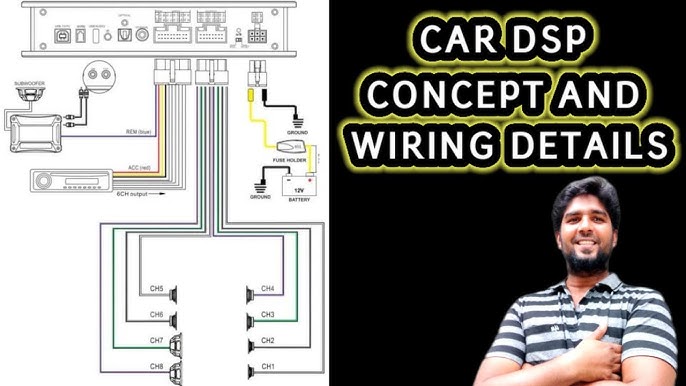
Credit: www.diymobileaudio.com
Setting Gain And Filters
Setting gain and filters on a car amplifier shapes the sound quality. Proper adjustment avoids distortion and protects speakers. Filters help control which frequencies reach your speakers. This section explains how to set gain, use filters, and adjust bass boost for clear, balanced audio.
Adjusting Gain For Clean Sound
Gain controls the amplifier’s input level. Too high gain causes distortion or clipping. Too low gain results in weak sound output. Turn the gain knob clockwise slowly while playing music at a moderate volume. Stop when the sound is loud but clear, without buzzing or crackling. Use a test tone or music with a steady bass for best results.
Using High-pass And Low-pass Filters
Filters direct specific sound frequencies to speakers. High-pass filters (HPF) block low frequencies. Use HPF for tweeters or midrange speakers to avoid damage from bass. Low-pass filters (LPF) block high frequencies. Use LPF for subwoofers to focus on bass sounds only.
- Set HPF to around 80-100 Hz for tweeters.
- Set LPF between 80-120 Hz for subwoofers.
- Adjust filter slope for smoother sound transitions.
Setting Bass Boost
Bass boost increases low-frequency output for deeper bass. Use it carefully to avoid speaker damage or distortion. Start with bass boost off, then slowly increase it if needed. Stop when the bass sounds fuller but not overpowering. Use bass boost to enhance music genres like hip-hop or EDM.
Tuning For Optimal Sound
Tuning your car amplifier for optimal sound is where your setup truly comes to life. It’s more than just turning knobs; it’s about finding the perfect balance that suits your ears and your music. Getting this right can transform your driving experience, making every note clear and every beat punchy without distortion.
Balancing Volume Levels
Start by adjusting the gain control on your amplifier. Too high, and you risk distortion; too low, and the sound will be weak. Aim for a level where the audio is loud and clear without any crackling or buzzing.
Next, balance the volume between your amplifier and your head unit. If your head unit’s volume is too high, it can overload the amp’s input and cause distortion. Try setting your head unit volume to around 75% and then fine-tune the amp gain from there.
Equalizer Settings
The equalizer is your tool to shape the sound to match your preferences and your car’s acoustics. Start with a flat EQ—no boosts or cuts—and listen carefully. Then, make small adjustments to bass, midrange, and treble frequencies.
Boost the bass if you like deep, punchy lows, but avoid pushing it too far to prevent muddy sound. Adjust midrange to bring out vocals and instruments, and tweak treble to add clarity without harshness.
Testing With Different Music Genres
Don’t settle for tuning your system with only one type of music. Test your settings using various genres—rock, jazz, classical, hip-hop—to check how your amplifier handles different sounds. Each genre highlights different frequency ranges and dynamics.
Notice if certain songs sound distorted or dull. Use these insights to tweak your gain and equalizer settings further. What sounds great with heavy bass might need adjustments for softer acoustic tracks. Have you tried switching genres mid-tune to catch issues you might miss otherwise?
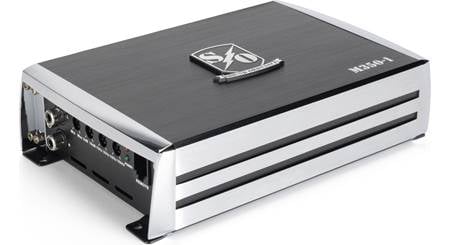
Credit: audiointensity.com
Troubleshooting Common Issues
Troubleshooting common issues helps keep your car amplifier running smoothly. Problems like noise, power faults, and distortion can reduce sound quality. Identifying these issues early saves time and money. This guide covers simple fixes anyone can try at home.
Eliminating Noise And Interference
Noise often comes from poor wiring or ground loops. Check all cables for damage or loose connections. Use shielded RCA cables to reduce interference. Avoid running power and audio cables close together.
- Make sure the amplifier ground wire connects to a clean metal surface.
- Try moving audio cables away from the car’s electrical components.
- Use noise filters if static or humming continues.
Fixing Power Problems
Power issues may cause the amplifier to shut off or not turn on. Inspect the fuse and replace it if blown. Check the battery voltage to ensure it is strong enough. Verify that the power and ground wires are thick and secure.
- Test the remote turn-on wire for correct voltage.
- Clean battery terminals to prevent poor connections.
- Use a multimeter to check continuity in wiring.
Addressing Distortion
Distortion often results from incorrect settings or speaker problems. Lower the amplifier gain to avoid overdriving the speakers. Verify speaker wiring is correct and secure. Replace damaged speakers or wiring to restore clarity.
- Adjust bass boost and equalizer settings carefully.
- Check speaker impedance matches the amplifier’s rating.
- Listen for distortion at different volume levels to find faults.
Maintaining Your Amplifier
Keeping your car amplifier in top shape is essential for consistent, high-quality sound. Regular maintenance can prevent common issues and extend the life of your equipment. Here’s how you can take care of your amplifier effectively.
Regular Cleaning
Dust and dirt can build up quickly, especially in a car environment. Use a soft brush or a can of compressed air to gently remove dust from vents and connectors. Avoid using water or cleaning solutions that might damage the electronics.
Pay special attention to the cooling fins and fan areas to prevent overheating. Have you noticed your amplifier running hotter than usual? Cleaning these spots can often solve that problem.
Checking Connections
Loose or corroded connections can cause distortion or even signal loss. Make it a habit to inspect all wiring and terminals regularly. Tighten screws and clean connectors with a contact cleaner to ensure solid, corrosion-free connections.
Check speaker wires, power cables, and ground connections for wear or damage. A simple cable replacement might improve your sound more than you expect. Are your speakers not sounding right? The issue might be in the wiring rather than the amplifier itself.
Upgrading Components
Sometimes, maintaining your amplifier means improving it. Upgrading parts like capacitors or fuses can enhance performance and reliability. These small changes can make a big difference, especially in older amplifiers.
If you want better sound quality or more power, consider replacing factory-installed components with higher-quality aftermarket ones. It’s worth investing in parts designed for durability and better electrical performance. What upgrade could push your system from good to great?

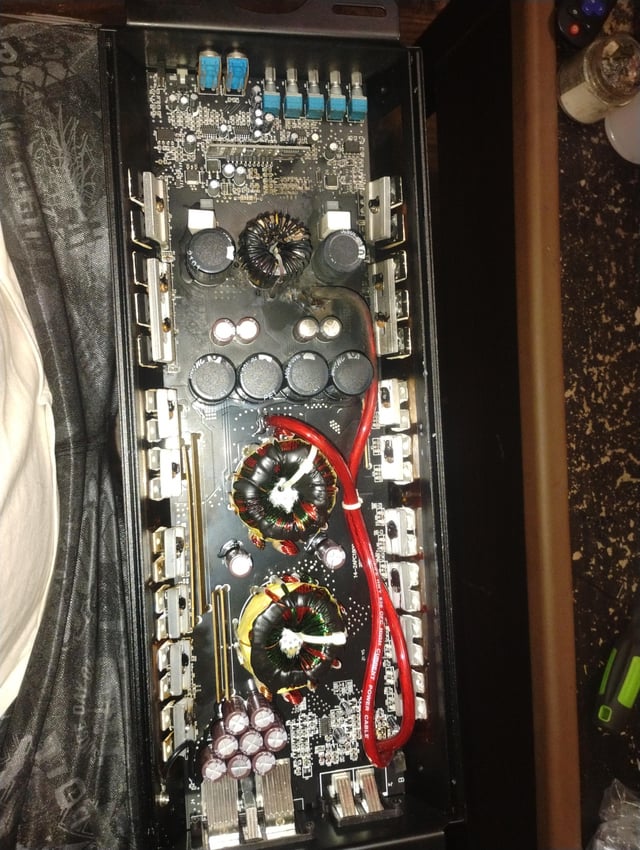
Credit: www.reddit.com
Frequently Asked Questions
How Do I Choose The Right Car Amplifier?
Choosing the right amplifier depends on your audio needs and car speaker specifications. Consider the power output, channel numbers, and compatibility with your car’s audio system. Ensure the amplifier matches your speaker’s impedance and power ratings for optimal performance.
What Is The Best Amplifier Wattage For My Car?
The best wattage depends on your speaker’s power handling capacity. Typically, match the amplifier’s RMS wattage to the speaker’s RMS. For most car audio systems, an amplifier with 50-100 watts per channel is sufficient. This ensures clear sound without distortion.
How Can I Safely Install A Car Amplifier?
To safely install a car amplifier, disconnect the battery first. Use the proper gauge wiring kit and follow the manufacturer’s instructions. Secure the amplifier in a ventilated area to prevent overheating. Ensure all connections are tight and insulated to avoid electrical issues.
Why Is My Car Amplifier Overheating?
Overheating can result from poor ventilation, incorrect installation, or insufficient power supply. Ensure the amplifier has proper airflow and is not overloaded. Check all connections and power supply for adequacy. If the issue persists, consult a professional technician.
Conclusion
Setting a car amplifier is easier than it seems. Follow the steps carefully and take your time. Check all connections twice to avoid issues. Adjust the settings slowly for the best sound. Test your system with different music styles. Enjoy clearer, louder sound while driving.
Remember, safety first—disconnect the battery before starting. With practice, you will get better at it. Now, your car audio can sound great and powerful. Keep learning and improving your setup over time.