

Imagine enjoying your favorite tunes from your car stereo, but with the clear, powerful sound of a Bluetooth speaker. Sounds great, right?
If you’ve ever wondered how to connect your car stereo to a Bluetooth speaker, you’re in the right place. This simple trick can transform your driving experience, making every ride more enjoyable. In this guide, you’ll discover easy steps to set it up quickly, even if you’re not tech-savvy.
Keep reading, and soon you’ll be blasting your music wirelessly like a pro.
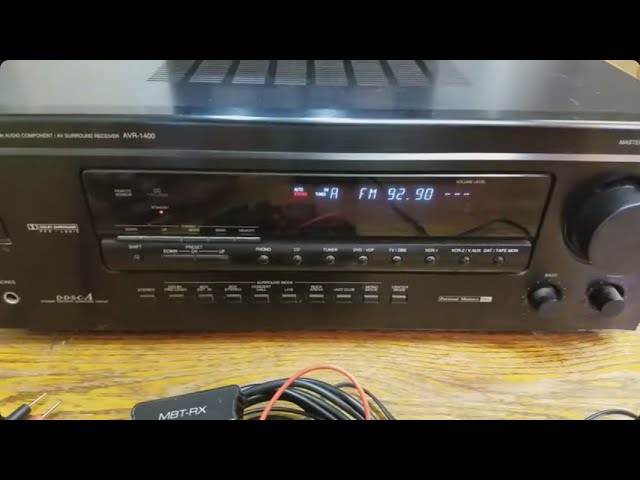
Credit: m.youtube.com
Prerequisites For Bluetooth Connection
Connecting your car stereo to a Bluetooth speaker needs some basic checks and preparations. These steps make sure the connection is smooth and the sound quality is good. Knowing what to prepare helps avoid frustration and saves time.
Check Car Stereo Compatibility
Not all car stereos support Bluetooth audio. Check your car stereo manual or model online. Look for Bluetooth logos or “Bluetooth audio” in the features list. Some older stereos may need a Bluetooth adapter. Confirm your stereo can pair with external Bluetooth devices.
Choose The Right Bluetooth Speaker
Pick a Bluetooth speaker that works well with car audio. Choose one with good battery life and clear sound. Smaller speakers might not deliver strong bass. Larger speakers often give better sound but take more space. Check if the speaker supports Bluetooth version 4.0 or higher for stable connection.
Gather Necessary Accessories
Prepare any cables or adapters needed for your setup. A Bluetooth receiver might be needed if your stereo lacks Bluetooth. You may also need a 3.5mm aux cable or USB adapter. Keep your phone or music device charged and ready. Having these ready makes the connection process faster.
Preparing Your Devices
Getting your devices ready is the first move to connect your car stereo to a Bluetooth speaker. Skipping this step often leads to frustrating connection issues that waste time and patience. Making sure both devices are charged, reset, and ready to pair sets you up for a smooth, hassle-free experience.
Charge Your Bluetooth Speaker
Before anything else, check the battery level of your Bluetooth speaker. A low battery can cause interruptions or prevent the speaker from entering pairing mode. Plug it in or use a power bank if you plan a long drive, so your music never cuts out unexpectedly.
I’ve learned that even a half-charged speaker can struggle with stable connections. Charging it fully before you start saves you from mid-journey audio problems. Don’t rely on the speaker’s blinking lights alone—verify the battery level if your model supports it.
Reset Previous Connections
Bluetooth devices often remember old connections, which can block new pairing attempts. Resetting your Bluetooth speaker clears these previous links and opens the door for your car stereo to connect without interference.
This step is crucial if your speaker has been paired with multiple devices. Check the manual or the manufacturer’s website for reset instructions tailored to your model. A quick reset can save you from hours of troubleshooting down the road.
Enable Bluetooth On Car Stereo
Next, activate Bluetooth on your car stereo. Most modern stereos have a dedicated Bluetooth button or an option in the settings menu. Without this, your car won’t be able to detect the speaker.
Sometimes the Bluetooth setting is hidden under “phone” or “media” menus, so explore your stereo’s interface thoroughly. If your stereo doesn’t support Bluetooth natively, you might need an external adapter. Have you checked if your stereo is ready to pair before moving forward?
Step-by-step Connection Process
Connecting your car stereo to a Bluetooth speaker can transform your driving experience. The process is straightforward, but some small details can make a big difference. Let’s walk through the essential steps to get your music playing wirelessly and clearly.
Activate Pairing Mode On Speaker
First, you need to put your Bluetooth speaker into pairing mode. Most speakers have a dedicated button for this—usually marked with a Bluetooth symbol or labeled “Pair.”
Press and hold this button until a light starts blinking or you hear a voice prompt confirming pairing mode. This step makes your speaker discoverable to your car stereo.
Search For Devices On Car Stereo
Next, turn on your car stereo and navigate to the Bluetooth settings menu. This is often found under “Settings” or “Connections.”
Choose the option to search or scan for new devices. Your stereo will start looking for nearby Bluetooth devices, including your speaker.
Select And Pair Your Speaker
From the list of available devices, find and select your Bluetooth speaker’s name. It might take a moment to appear, so be patient.
If your stereo asks for a PIN, try entering “0000” or “1234,” which are common defaults. Once paired, your car stereo will usually save the connection automatically for future use.
Test The Audio Connection
Finally, play some music or a podcast to check the connection quality. Listen closely for any delays or interruptions.
If the sound is clear and steady, you’re all set. If not, try moving the speaker closer to the stereo or re-pairing the devices. Have you ever noticed how a simple reset can fix most connection glitches?

Credit: www.youtube.com
Troubleshooting Common Issues
Troubleshooting common issues helps keep your Bluetooth connection smooth. Problems with sound, connection drops, or device visibility can disrupt your listening experience. Simple checks often solve most problems fast. Understanding common issues makes it easier to fix them.
No Sound From Speaker
Check if the speaker is powered on and volume is up. Confirm the car stereo is connected to the right Bluetooth device. Ensure the car stereo’s audio output is set to Bluetooth. Try disconnecting and reconnecting the Bluetooth connection. Test the speaker with another device to rule out speaker issues.
Connection Drops Frequently
Keep the car stereo and speaker close to each other. Remove any objects that block the Bluetooth signal. Turn off other Bluetooth devices nearby to reduce interference. Restart both the car stereo and the Bluetooth speaker. Update the firmware of both devices if updates are available.
Device Not Discoverable
Make sure the Bluetooth speaker is in pairing mode. Check if the car stereo’s Bluetooth is turned on and searching. Restart the Bluetooth speaker and try again. Clear previous Bluetooth connections on both devices. Reset the Bluetooth settings on the car stereo if needed.
Optimizing Audio Experience
Getting your car stereo connected to a Bluetooth speaker is just the start. To truly enjoy your music, you need to optimize the audio experience. Small adjustments can make a big difference in sound clarity and richness, turning a casual drive into a concert-like atmosphere.
Adjust Volume Levels
Balancing the volume between your car stereo and Bluetooth speaker is crucial. If one is too loud, it can cause distortion or overpower the other. Start by setting both devices to moderate levels, then fine-tune until the sound feels natural and clear.
Have you noticed how some songs lose their punch when the volume is too low or too high? Try adjusting the stereo volume first, then tweak the speaker’s level. This helps avoid sudden spikes or drops in sound, keeping your music smooth and enjoyable.
Positioning Your Speaker
Where you place your Bluetooth speaker inside the car affects sound quality more than you might think. Avoid placing it inside closed compartments or too far from the seating area. Ideally, position it on the dashboard or near the front seats to ensure even sound distribution.
Think about how sound waves travel—hard surfaces reflect sound, soft ones absorb it. Placing your speaker near soft upholstery can muffle the audio, while hard surfaces can amplify it but might create unwanted echoes. Experiment with different spots until you find the sweet spot.
Update Firmware For Compatibility
Keeping your car stereo and Bluetooth speaker firmware updated can fix bugs and improve connectivity. Manufacturers often release updates that enhance sound quality and reduce lag or dropouts. Check the user manuals or manufacturer websites regularly for firmware updates.
Imagine driving with perfect audio, only to experience sudden disconnections. Firmware updates can solve these frustrating issues. Don’t overlook this simple step—it might be the key to a seamless listening experience during every drive.
Alternative Connection Methods
Connecting your car stereo to a Bluetooth speaker can be done in different ways. These alternative connection methods help if your car stereo lacks built-in Bluetooth. Each option has its own setup style and benefits. Choose the one that fits your needs and equipment.
Using Bluetooth Adapters
Bluetooth adapters plug into your car stereo’s audio jack or USB port. They send audio wirelessly to your Bluetooth speaker. No need to replace your stereo or speaker. Adapters are small, easy to use, and affordable. Just pair the adapter with your speaker and enjoy music on the go.
Connecting Via Aux Cable
An AUX cable offers a direct connection between your car stereo and Bluetooth speaker. Connect one end to the stereo’s headphone or AUX out jack. Plug the other end into the speaker’s AUX input. This method works without Bluetooth. It gives clear sound and no signal delay. Keep the cable tidy to avoid interference while driving.
Utilizing Fm Transmitters
FM transmitters send audio from your stereo to your Bluetooth speaker using radio waves. Plug the transmitter into your car’s power outlet or AUX port. Tune your car stereo and speaker to the same FM frequency. This way, your speaker plays music wirelessly. It works well in cars without Bluetooth or AUX options.

Credit: www.amazon.com
Frequently Asked Questions
Can I Connect A Car Stereo To A Bluetooth Speaker?
Yes, you can connect them using a Bluetooth transmitter. Plug the transmitter into the car stereo’s audio output. Then, pair it with the Bluetooth speaker. Ensure both devices are within range for stable connectivity. This setup allows you to enjoy wireless audio from your car stereo.
What Devices Do I Need For Connection?
You need a Bluetooth transmitter and a Bluetooth speaker. The transmitter connects to your car stereo’s audio output. The speaker receives the audio wirelessly. Ensure both devices are compatible with each other. This combination enables seamless audio streaming from your car stereo to the Bluetooth speaker.
How Do I Ensure A Stable Bluetooth Connection?
Ensure both devices are within proximity and interference-free. Avoid obstacles blocking the signal between the transmitter and speaker. Regularly update both devices to the latest firmware. This helps in maintaining a stable and strong Bluetooth connection for uninterrupted audio streaming.
Is Sound Quality Affected By Bluetooth Connection?
Bluetooth may slightly reduce sound quality due to compression. However, modern Bluetooth technology minimizes this effect. Use high-quality devices to enhance sound performance. Ensure the Bluetooth speaker supports high-definition audio codecs. This setup can help maintain impressive sound quality during wireless audio streaming.
Conclusion
Connecting your car stereo to a Bluetooth speaker is simple and useful. Just follow the steps carefully for a smooth setup. Enjoy clear sound and wireless freedom on the road. This small change can improve your driving experience. Keep your devices charged and within range for best results.
Try it yourself and hear the difference today.

