
Do you want to enjoy your favorite music from your phone or MP3 player through your car’s stereo system? Adding an aux input to your car stereo can make that possible—and it’s easier than you might think.
Whether your car is older or just lacks this feature, you don’t have to settle for limited options anymore. In this guide, you’ll discover simple steps to connect an aux input to your car stereo, giving you better sound and more control over your tunes.
Keep reading, and you’ll be ready to upgrade your driving soundtrack in no time.
Credit: www.discountcarstereo.com
Tools And Materials Needed
Before adding an aux input to your car stereo, gather all the necessary tools and materials. Having the right items ready makes the installation easier and faster. This section covers what you need to complete the project without hassle.
Essential Tools
- Screwdrivers (Phillips and flathead) for removing panels
- Wire strippers to prepare wires for connection
- Electrical tape or heat shrink tubing for insulation
- Multimeter to check voltage and continuity
- Panel removal tool to prevent damage to car interior
- Soldering iron (optional) for secure wire connections
Choosing The Right Aux Cable
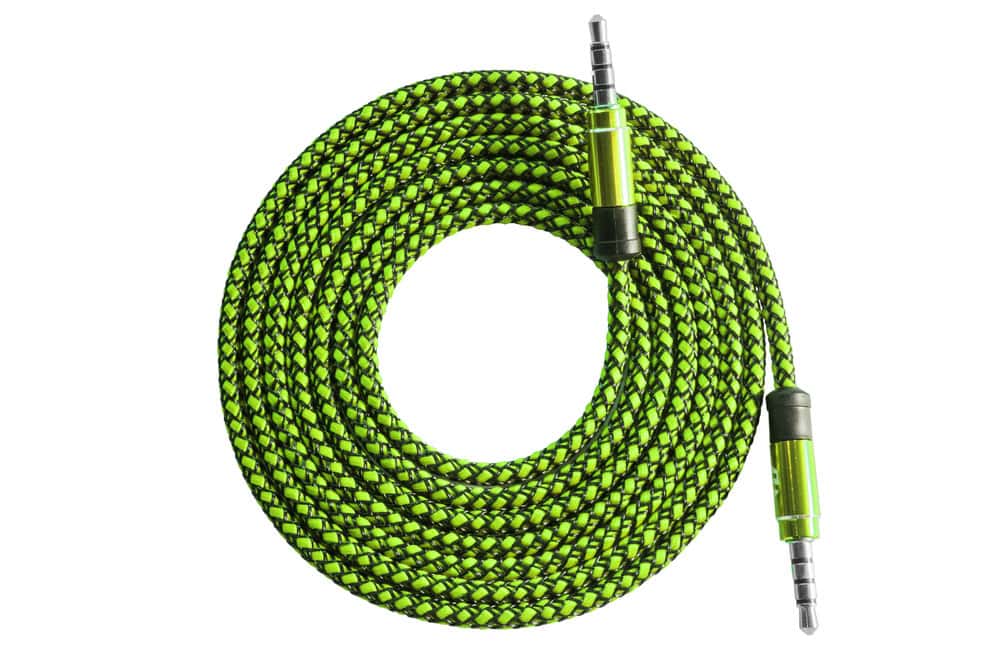
Select an aux cable that fits your car stereo input. Most use a 3.5mm male-to-male audio cable. Check the stereo’s input port type before buying.
Consider cable length based on your car’s interior size. A longer cable offers flexibility but avoid excess slack. Look for cables with good shielding to reduce noise.
Additional Accessories
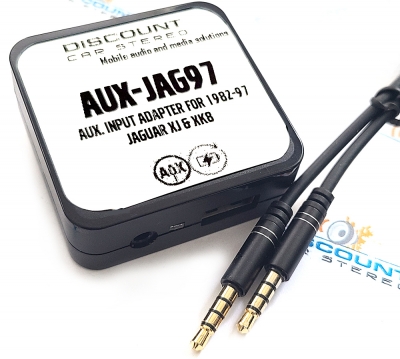
- Aux adapter or interface module compatible with your stereo model
- Wire connectors or crimp terminals for secure joins
- Zip ties to organize cables neatly
- Fuse tap or inline fuse for added electrical safety

Credit: www.youtube.com
Locating Your Car Stereo
Finding your car stereo is the first step to adding an aux input. Most stereos are tucked into the dashboard, but their exact location varies by car make and model. Knowing where to look saves you time and frustration before you start any work.
Accessing The Stereo Unit
Start by checking the center console of your dashboard. Many cars have the stereo unit directly behind the faceplate you see, but some require removing trim panels first.
Look for visible screws or clips around the stereo area. Sometimes, these are hidden under small plastic covers or inside the glove box. Don’t rush—forcing panels can cause damage.
If you’re unsure, your car’s manual often has diagrams showing stereo placement. Online forums for your car model can also provide detailed photos and advice from others who’ve done the same upgrade.
Removing The Stereo Safely
Before pulling out your stereo, disconnect your car’s battery to avoid short circuits. This simple step protects both you and your vehicle’s electronics.
Use the right tools, typically a screwdriver or a specialized stereo removal key. Applying gentle, even pressure helps prevent breaking clips or scratching your dashboard.
Keep track of every screw and part you remove. A small container or magnetic tray works well for this. Have you ever lost a tiny screw only to spend hours searching? Avoid that hassle now.
Identifying Input Options
Adding an aux input to your car stereo can make a huge difference in how you enjoy music on the road. Before you start buying cables or devices, it’s important to know what input options your car stereo already offers. Identifying these options helps you choose the simplest and most cost-effective way to connect your phone or music player.
Checking For Existing Aux Ports
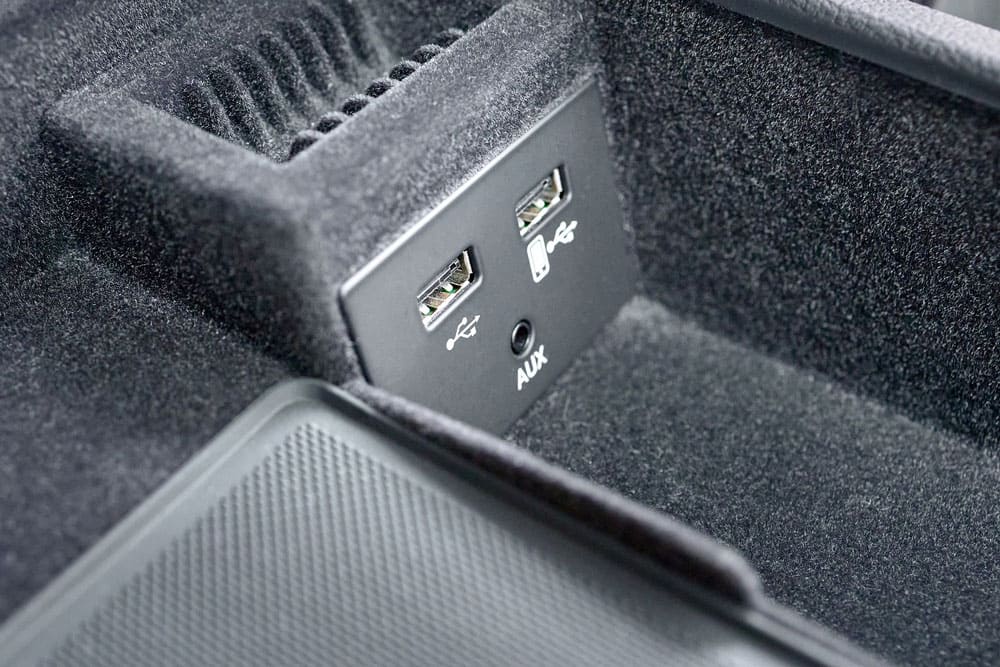
First, look closely at your car stereo’s front panel or near the dashboard. Many modern cars come with a built-in 3.5mm aux port, usually labeled “AUX” or showing a headphone symbol. If you find one, connecting your device is as easy as plugging in a standard aux cable.
If you don’t see an obvious port, check the owner’s manual or the stereo’s back panel. Sometimes the aux input is hidden behind a panel or integrated inside the glove box or center console. Finding this can save you from buying extra adapters.
Using Cd Changer Ports
Older stereos often have a CD changer port, originally intended for connecting an external multi-disc CD player. This port can be repurposed for an aux input using a special adapter cable designed for your stereo model. These adapters convert the CD changer connection into a usable aux input.
Keep in mind, not all CD changer ports are compatible with these adapters. It helps to know your stereo’s make and model before purchasing. Many car audio forums or retailer websites provide compatibility lists to guide you.
Exploring Fm Transmitter Alternatives
If your stereo lacks aux or CD changer ports, an FM transmitter might be your best bet. This device plugs into your phone and broadcasts your music over an unused FM radio frequency, letting you listen through your car’s radio. It’s a wireless option that doesn’t require any stereo modifications.
However, FM transmitters can sometimes suffer from static or interference, especially in urban areas with many radio stations. Testing different frequencies and using a high-quality transmitter can improve sound clarity. Are you ready to try this simple workaround to get your tunes on the road?
Wiring The Aux Input
Wiring the aux input to your car stereo is a key step to enjoy your favorite tunes directly from your phone or MP3 player. It can seem tricky at first, but with the right approach, you can make a clean, secure connection that lasts. Let’s look at practical ways to connect your aux input effectively.
Connecting To The Stereo Harness
The stereo harness is the bundle of wires that connects your car stereo to the vehicle’s electrical system. Tapping into this harness allows you to add an aux input without major modifications.
Start by locating the wiring diagram for your car model and stereo. This helps you identify the correct audio input wires. Usually, you’ll need to find the line-in or auxiliary input wires.
Use a multimeter to test the wires before making any connections. Once confirmed, splice the aux input cable into the harness using solder or crimp connectors. Secure the wires with electrical tape or heat shrink tubing to prevent shorts.
Using An Fm Modulator
If accessing the stereo harness seems daunting, an FM modulator is an easy alternative. This device broadcasts the audio from your aux input over an unused FM radio frequency.
Plug the modulator into your aux device and tune your car radio to the designated frequency. This method requires no wiring changes inside the dashboard, making it a quick and non-invasive solution.
Keep in mind, FM modulators may suffer from static interference depending on your location. Have you noticed static when using FM tuners in busy urban areas? This could affect sound quality.
Integrating With The Head Unit
Some aftermarket head units come with dedicated aux input ports. These make integration straightforward, often involving just plugging the aux cable into the back of the stereo.
If your current head unit lacks an aux input, replacing it with one that has this feature can be worth considering. This swap improves sound quality and offers a neat, factory-like finish.
Before buying, check the compatibility of the new head unit with your car’s dashboard and wiring. It’s a chance to upgrade your stereo system and enjoy a seamless aux connection.
Testing The Aux Connection
Testing the aux connection is a key step after installation. It ensures the audio plays clearly through your car’s stereo. Confirming the connection works prevents future frustration. Follow simple checks to verify everything functions properly.
Powering On And Setup
Turn on your car stereo and set it to aux input mode. This mode allows the stereo to receive sound from the connected device. Plug your phone or music player into the aux cable. Play a song or audio file to test the connection.
Adjust the volume on both the device and the car stereo. The sound should be clear without distortion. If there is no sound, double-check the cable is firmly plugged in. Sometimes the stereo needs a moment to recognize the aux input.
Troubleshooting Common Issues
Check these points if you face problems with the aux connection:
- Ensure the aux cable is not damaged or frayed.
- Try using a different aux cable to rule out cable failure.
- Verify the device’s volume is turned up and not muted.
- Confirm the car stereo is set to aux input mode.
- Test the audio device with headphones to check its output.
- Restart your audio device and the car stereo if needed.
Following these steps helps identify common problems quickly. Fixing them allows you to enjoy your music without interruptions.
Finalizing Installation
Finalizing the installation of an aux input ensures everything works safely and looks clean. Properly securing wires and components prevents damage and keeps connections stable. Carefully reassembling the dashboard restores the car’s interior to its original condition. This step completes the project and guarantees a professional finish.
Securing Wiring And Components
Organize all wires neatly to avoid tangling or pinching. Use zip ties or electrical tape to bundle wires together. Keep wires away from moving parts and sharp edges. Check that all connections are tight and insulated. Secure the aux input jack firmly to prevent movement during driving. Double-check the ground wire to ensure a solid connection.
Reassembling The Dashboard
Place all dashboard panels back carefully in their original positions. Align clips and screws correctly before tightening. Avoid forcing any parts to prevent breaking clips or plastic. Test the aux input and stereo before fully securing the dashboard. Use the original screws and fasteners to maintain stability. Clean the dashboard surfaces to remove fingerprints or dust.
Alternative Solutions
Adding an aux input to a car stereo can be tricky without built-in ports. Alternative solutions offer easy ways to connect your devices. These options work well with older systems and avoid complex installations. Choose the best fit based on your car and budget.
Bluetooth Adapters
Bluetooth adapters turn your car stereo into a wireless receiver. Just plug the adapter into the stereo’s aux or USB port. Pair your phone or device with the adapter to play music wirelessly. Many adapters also support hands-free calling. They provide clear sound and easy control without cables. No need to change the stereo or run wires through the car.
Cassette Aux Adapters
Cassette aux adapters work with cars that have cassette players. Insert the adapter like a regular tape. Connect your phone or music player to the adapter via a 3.5mm aux cable. The adapter plays audio through the car’s speakers using the cassette deck. This solution is simple and low cost. It does not require any technical skills or tools.
Credit: autowiringpro.com
Frequently Asked Questions
How Do I Find The Aux Input Location?
Locate the stereo’s rear panel for available input ports. Typically, it’s near the CD changer port. Check your car’s manual for specifics. You may need to remove the stereo to access it. Ensure you use the correct cable for the input type.
What Tools Are Needed For Aux Input Installation?
You’ll need a screwdriver set, wire cutters, and possibly a panel removal tool. A suitable aux cable and adapter are essential. Some installations might require a drill for mounting. Always ensure you have the right tools before starting to avoid delays.
Can I Use Bluetooth Instead Of Aux Input?
Yes, a Bluetooth adapter can be used as an alternative. It’s a wireless solution and often easier to install. Connect the adapter to your stereo’s input port. This method provides similar audio quality and eliminates cable clutter.
Is Professional Installation Necessary For Aux Input?
Professional installation ensures safety and quality, but it’s not mandatory. If you’re confident with tools, you can DIY. Follow the car’s manual and online guides carefully. If unsure, seek professional help to avoid damaging your stereo.
Conclusion
Adding an aux input to your car stereo is simple and useful. It lets you play music from phones or other devices easily. You only need a few tools and some basic steps. This small upgrade can improve your driving experience a lot.
Enjoy clear sound and more music choices on the road. Try it yourself and hear the difference today.

