How to Hook Up Aux to Car Stereo: Easy Steps for Perfect Sound
Want to play your favorite songs from your phone or MP3 player through your car’s stereo? Connecting an aux cable might sound tricky, but it’s actually simple—and you’ll get crystal-clear sound in no time.
If you’ve ever struggled with confusing wires or wondered if your car even supports an aux input, this guide is made just for you. Keep reading, and you’ll learn easy, step-by-step tips to hook up your aux cable quickly and enjoy your music like never before.
Credit: dashcamtalk.com
Check Your Car Stereo Inputs
Before you connect your device to your car stereo, it’s important to check what inputs your stereo actually supports. Knowing this helps you avoid buying the wrong cables or adapters and saves you time. It also ensures you get the best audio quality without frustrating trial and error.
Locate The Aux Port
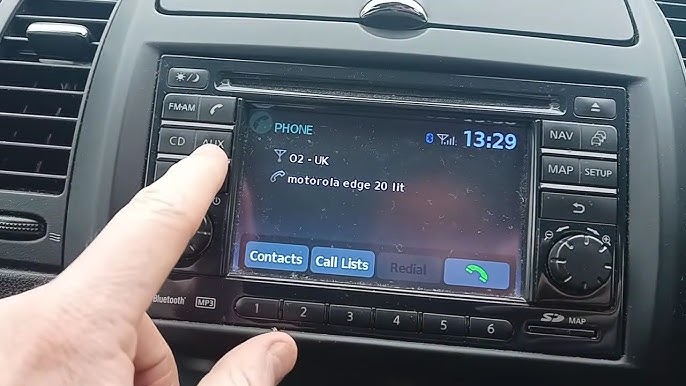
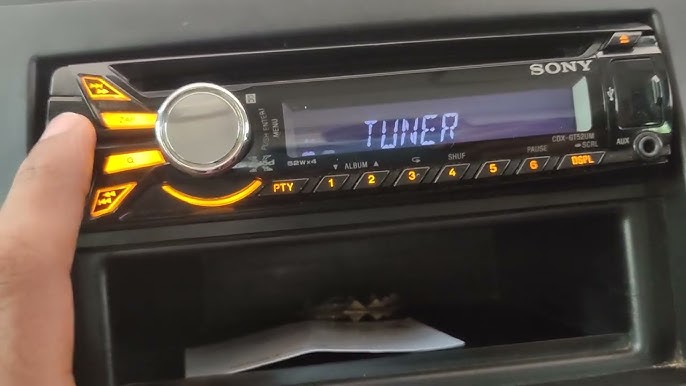
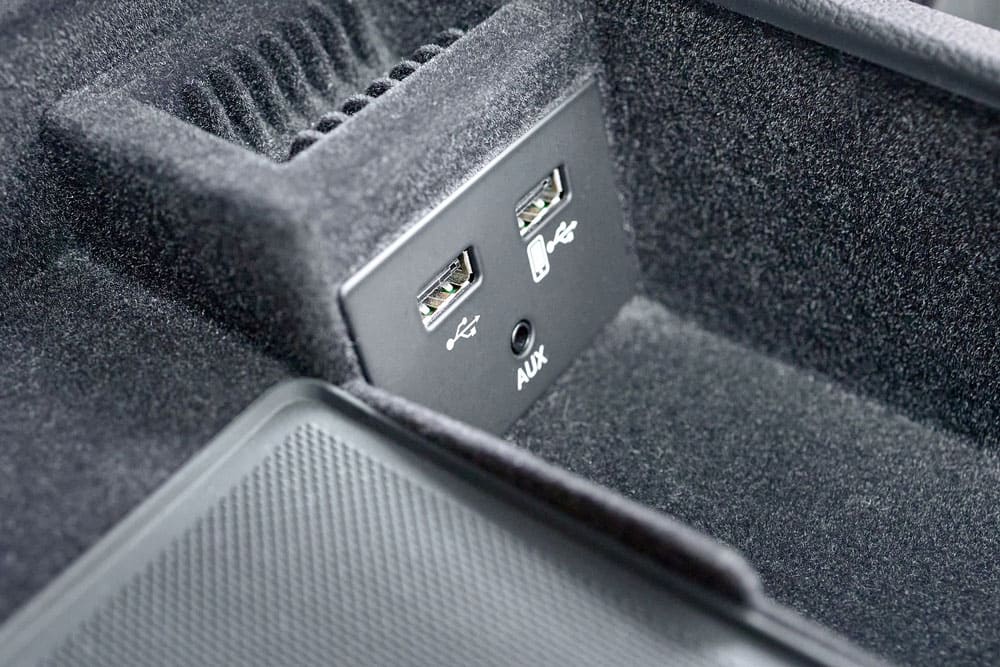
Start by looking around your car stereo system for a small, round port labeled “AUX” or “Auxiliary.” This port is usually a 3.5mm jack, similar to a headphone jack. You might find it on the front panel, the side, or even inside the glove compartment or center console.
Sometimes, the aux port can be hidden or combined with other inputs, so don’t overlook less obvious spots. If you can’t find a label, check your car’s manual or do a quick online search with your car’s make and model. Have you ever been surprised by where the aux port was located in your own car?
Identify Compatible Connections
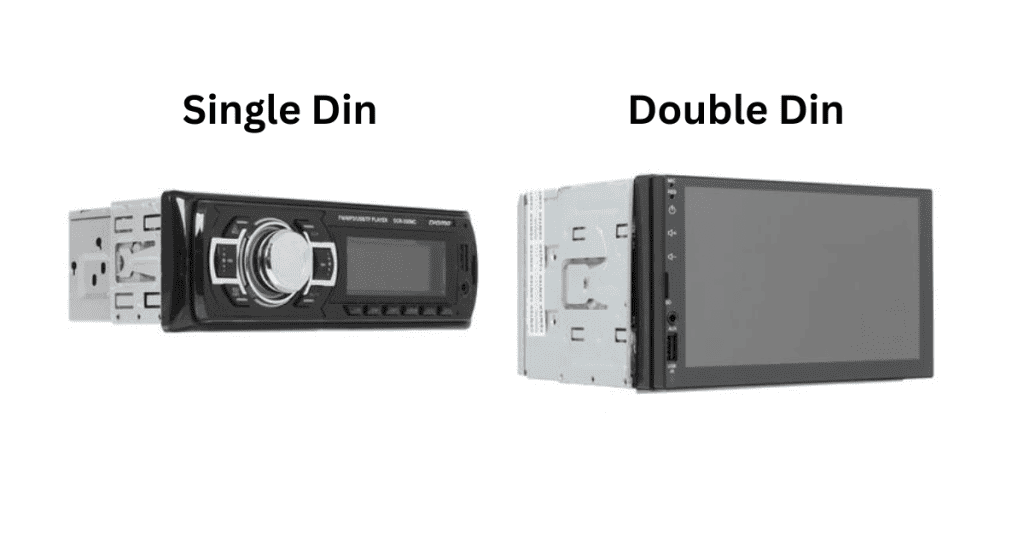
Not all car stereos have a dedicated aux port. Some might use USB, Bluetooth, or even RCA connectors for audio input. Understanding which connections your stereo supports will help you pick the right cable or adapter.
- 3.5mm Aux Input:The most common and straightforward option for connecting your phone or MP3 player.
- USB Port:Often used for charging and sometimes for audio input, but compatibility varies by stereo.
- RCA Inputs:These red and white ports are typically found on older or premium stereo systems and may require a special cable.
- Bluetooth:Wireless and convenient, but check if your stereo supports it and if pairing is easy.
Knowing these details helps you avoid buying an aux cable only to find out your stereo needs a different connection. What connection options does your car stereo have? Identifying this will guide your next steps clearly.
Choose The Right Aux Cable
Choosing the right aux cable is essential to get clear, uninterrupted sound from your device to your car stereo. The wrong cable can cause static, poor connection, or even no sound at all. Let’s look at your options so you can pick the best cable for your setup.
Standard 3.5mm Jack
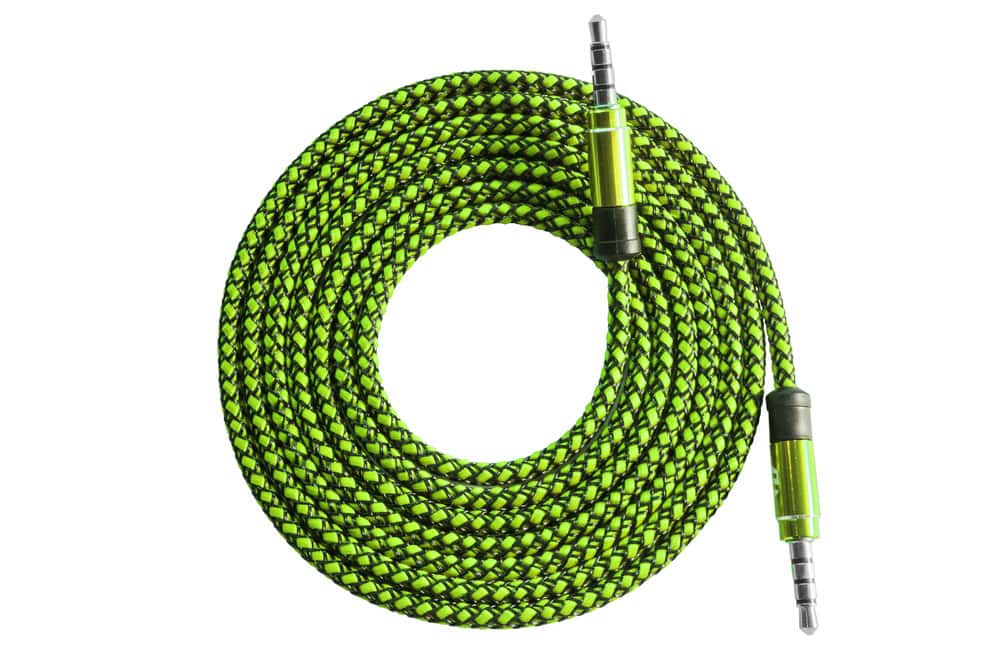
The most common aux cable uses a 3.5mm jack on both ends. This is the small, round plug you find on most headphones and portable speakers. It’s simple, affordable, and works with almost any smartphone, tablet, or MP3 player.
Make sure you choose a cable with good build quality. Cheap cables may look fine but often have poor shielding, which leads to buzzing sounds. I once bought a budget cable that kept cutting out during my drive—investing a little more solved that problem instantly.
Look for features like gold-plated connectors and thick insulation. These improve sound quality and durability. How often do you want to replace your cable? Choosing the right one can save you frustration down the road.
Alternative Cable Options
If your device or car stereo lacks a 3.5mm input, don’t worry—there are other options. Some cars support USB aux cables, which can offer better sound quality and even charge your device while playing music.
Bluetooth adapters are another great alternative. They let you connect wirelessly, so you avoid cables altogether. However, Bluetooth can sometimes introduce delays or audio dropouts, especially in older car models.
There are also RCA to 3.5mm cables, which work if your car stereo has RCA inputs. These cables split the audio into left and right channels, providing a solid connection for older systems. Do you know which inputs your car stereo supports? Checking this first saves you from buying incompatible cables.
- 3.5mm to 3.5mm standard aux cable: Best for most smartphones
- USB aux cable: Ideal for newer car stereos with USB ports
- Bluetooth adapter: Wireless and convenient but may vary in quality
- RCA to 3.5mm cable: Good for older stereos with RCA inputs
Choosing the right aux cable depends on your device and car stereo inputs. Take a moment to inspect both before making a purchase. It’s a small step that guarantees better sound and less hassle.
Prepare Your Devices
Preparing your devices is a key step before hooking up an aux cable to your car stereo. This ensures a smooth connection and clear sound. Taking time to set up properly avoids common issues like static noise or no sound at all.
Follow simple steps to get both your car stereo and audio source ready. This makes the process fast and trouble-free.
Turn Off Car Stereo
Switch off your car stereo before connecting the aux cable. This protects the stereo from sudden power surges. It also stops loud noises that can damage your speakers.
Turning off the stereo helps the system recognize the new input once you turn it back on. Wait a few seconds after switching it off for safety.
Set Up Your Audio Source
Prepare the device you want to play music from. This could be a phone, tablet, or MP3 player.
- Make sure the device is charged or has enough battery.
- Open the music app or playlist you want to listen to.
- Set the volume to a medium level to avoid loud bursts.
Having the audio source ready speeds up the connection process. You can start enjoying your music right after plugging in the aux cable.
Connect The Aux Cable
Connecting the aux cable is a simple way to play music from your device through the car stereo. The aux cable has two ends, each with a 3.5mm plug. One end goes into the car stereo, and the other connects to your audio device. This setup allows clear sound without wires inside the car.
Plug Into Car Stereo
Locate the aux input on your car stereo. It is usually labeled “AUX” or marked with a headphone symbol. The port is round and fits the 3.5mm plug. Gently insert one end of the aux cable into this port. Make sure it fits snugly to avoid loose connections.
Plug Into Audio Device
Find the headphone jack or audio output on your device. This can be a phone, tablet, or MP3 player. Insert the other end of the aux cable into this port. Ensure the connection is secure. Avoid forcing the plug to prevent damage.
Adjust Car Stereo Settings
Adjusting your car stereo settings is essential for clear and balanced sound. Proper settings help you enjoy music without distortion or low volume. This step ensures the aux connection works perfectly with your stereo system.
Select Aux Mode
Turn on your car stereo and look for the input source button. Press it until you find the “Aux” mode. This mode lets the stereo receive audio from your external device. Some stereos show “AUX,” “Line In,” or a headphone icon. Make sure the aux cable is connected before selecting this mode.
Set Volume Levels
Start with a low volume on both your car stereo and the connected device. Slowly increase the volume to avoid loud bursts of sound. Adjust the car stereo’s volume to a comfortable level. Use the device’s volume control to fine-tune the sound. Avoid setting either volume too high to prevent distortion or damage to speakers.
Credit: www.santaclaritaautosound.com
Troubleshoot Common Issues
Troubleshooting is essential when your aux connection to the car stereo doesn’t work as expected. Small glitches can stop the music and cause frustration. Understanding common issues helps you fix problems quickly and get back to enjoying your favorite tunes.
No Sound Output
If you plug in your aux cable but hear nothing, check the basics first. Is the aux cable fully inserted into both your device and the car’s aux port? Loose connections often cause silence.
Also, verify the car stereo is set to the correct input mode, usually labeled “AUX” or “Line In.” Sometimes the volume on your device or car stereo is turned down or muted—have you checked both?
Try using another aux cable or device to rule out a faulty cable or port. If another device plays sound, the issue might be with your original device’s audio output.
Static Or Interference
Static or crackling sounds can ruin your listening experience. This often happens because of a damaged aux cable or a poor connection. Inspect your aux cable for visible wear or bent connectors.
Electrical interference from other devices or the car’s electronics can cause noise. Try moving your device away from other electronics or turning off nearby gadgets to see if the interference stops.
Sometimes, the problem lies in the car stereo itself. Cleaning the aux port gently with a dry cloth can remove dust or debris causing bad contact. Have you noticed if static appears only with certain cables or devices? That can be a clue.
Enhance Sound Quality
Enhancing the sound quality of your car stereo when hooking up an aux cable can transform your driving experience. It’s not just about connecting the cable; small adjustments and smart choices can make the music clearer and more enjoyable. Let’s look at ways you can get the best sound from your setup.
Use Quality Cables
The cable you use plays a huge role in sound clarity. Cheap or worn-out aux cables often cause static, crackling, or muffled audio. Investing in a well-shielded, gold-plated cable can reduce interference and deliver cleaner sound.
Think about your last frustrating moment with a fuzzy connection. A better cable can eliminate that annoyance, letting your music shine without interruptions. Also, check cable length — too long can weaken the signal, too short might limit your device placement.
Adjust Equalizer Settings
Your car stereo’s equalizer (EQ) settings let you tailor the sound to your taste and vehicle acoustics. Don’t just leave it on the default setting; spend some time tweaking bass, treble, and midrange levels. This can bring out details in your favorite songs that you never noticed before.
Try adjusting the EQ while playing different music genres. Notice how boosting bass might enhance hip-hop but overwhelm classical music. Have you experimented with presets like “rock” or “jazz” to find what suits your ears best? Small changes here can make a big difference in sound quality.
Credit: autowiringpro.com
Frequently Asked Questions
How Do I Connect An Aux Cable To My Car Stereo?
Plug one end of the aux cable into your device’s headphone jack. Insert the other end into the car stereo’s aux input port. Select the “AUX” mode on your stereo to start playing audio from your device through the car speakers.
Can Any Car Stereo Support Aux Input?
Most modern car stereos include an aux input port. Older models might lack this feature. You can add an aux adapter or use a Bluetooth receiver to enable aux functionality if your stereo doesn’t have a built-in port.
What Type Of Aux Cable Is Best For Car Stereo?
A standard 3. 5mm male-to-male aux cable is best for car stereos. Choose a cable with good shielding to reduce interference. Keep the cable length reasonable to avoid signal loss and ensure easy connection inside your vehicle.
How Do I Troubleshoot Aux Connection Issues?
Check that both cable ends are firmly plugged in. Make sure the car stereo is set to aux mode. Test the cable with another device to rule out damage. Clean the aux port if audio is unclear or intermittent.
Conclusion
Connecting an aux cable to your car stereo is simple. Follow the steps, and enjoy your music quickly. First, check your car stereo’s aux input. Then, connect the aux cable to your device. Adjust the stereo settings to “Aux” mode.
Play your favorite songs or podcasts. Always ensure your aux cable is in good condition. This enhances sound quality. With these easy steps, you can enjoy better audio. Now, your road trips will be more enjoyable. Remember, a good connection ensures great sound.
Safe travels, and happy listening!