How to Connect Alpine Bluetooth Car Stereo: Easy Step-by-Step Guide
Are you struggling to get your Alpine Bluetooth car stereo connected? You’re not alone.
Many people find it tricky to pair their devices quickly and enjoy seamless music and calls on the road. But don’t worry—this guide will walk you through every simple step to connect your Alpine stereo without any hassle. By the end, you’ll be ready to enjoy crystal-clear sound and hands-free control, making every drive safer and more enjoyable.
Keep reading, and you’ll have your stereo paired in no time!

Credit: www.amazon.ca
Preparing For Installation
Preparing for the installation of your Alpine Bluetooth car stereo sets the foundation for a smooth and successful upgrade. Taking time to organize your workspace and gather the right tools will save you frustration later. It’s not just about having the equipment; it’s about being ready mentally and physically to handle the process.
Gathering Necessary Tools
Before you start, make sure you have all the essential tools on hand. This usually includes:
- Phillips and flathead screwdrivers
- Wire strippers and crimpers
- Electrical tape or heat shrink tubing
- Socket wrench set
- Multimeter (for checking connections)
Having these tools ready helps avoid interruptions. Imagine halfway through the job, realizing you’re missing a screwdriver—that can kill momentum fast.
Checking Compatibility
Not every Alpine Bluetooth stereo fits every car model perfectly. Double-check your vehicle’s make, model, and year against the stereo’s specifications. You’ll want to confirm the wiring harness and mounting kit match your car’s setup.
Did you know some cars require additional adapters or dash kits to install aftermarket stereos? Skipping this step can lead to poor fit or even damage. Take a few minutes to read user manuals or forums specific to your car and Alpine model.
Ensuring Safety Precautions
Safety is crucial when working with your vehicle’s electrical system. Always disconnect the negative terminal of your car battery before starting. This prevents accidental shorts or shocks.
Wear gloves to protect your hands from sharp edges in the dashboard area. Also, avoid working in wet or damp conditions to reduce electrical hazards. Do you have a plan for safely managing small screws and parts? A magnetic tray or container can keep everything secure and prevent loss.
Credit: www.crutchfield.ca
Removing Old Stereo
Removing the old stereo is the first task before installing your new Alpine Bluetooth car stereo. This step needs care to avoid damage to your vehicle’s interior or electrical system. Follow these clear actions to safely take out the existing unit.
Disconnecting The Battery
Start by disconnecting the car battery. This stops any electrical short circuits during the removal. Use a wrench to loosen the negative battery terminal. Remove the cable and keep it away from the battery. This simple step protects both you and your car’s electronics.
Removing Dashboard Panels
Next, remove the dashboard panels around the stereo. These panels hold the stereo in place and hide screws. Use a plastic trim tool to gently pry off the panels. Avoid metal tools to prevent scratches. Keep all screws and clips safely for reassembly later.
Taking Out The Existing Unit
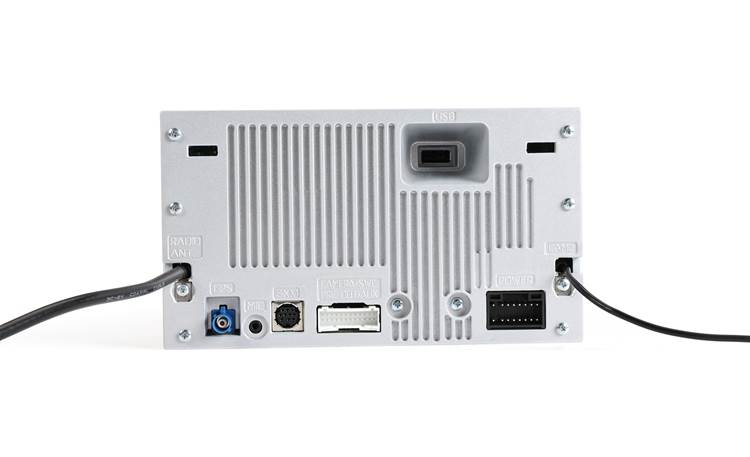
After panels are off, locate and unscrew the mounting bolts holding the stereo. Carefully slide the stereo out from the dashboard. Disconnect all wiring harnesses and antenna cables from the back. Handle the wires gently to avoid damage. Now, the old stereo is ready to be replaced.
Wiring The Alpine Stereo
Wiring the Alpine Bluetooth car stereo is a crucial part of the installation. Proper wiring ensures clear sound and safe operation. It also allows the stereo to connect with your car’s power and speakers. Follow the wiring instructions carefully to avoid damage or poor performance.
Identifying Wire Colors
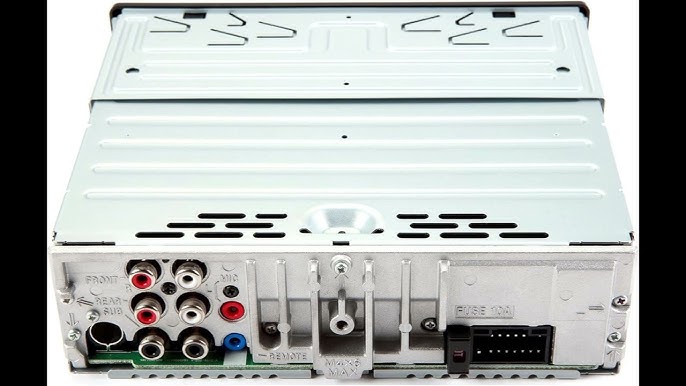
Each wire in the Alpine stereo has a specific color and purpose. Knowing these colors helps you connect the wires correctly. Here is a common color code for Alpine stereos:
- Yellow:Constant power (battery)
- Red:Switched power (ignition)
- Black:Ground
- Blue:Power antenna or amplifier turn-on
- White and White/Black:Front left speaker (+ and -)
- Gray and Gray/Black:Front right speaker (+ and -)
- Green and Green/Black:Rear left speaker (+ and -)
- Purple and Purple/Black:Rear right speaker (+ and -)
Always check the stereo manual for exact wire colors. They may vary by model.
Connecting Power And Ground Wires
Start by connecting the power wires. Attach the yellow wire to the car battery’s constant 12V source. This keeps the stereo’s memory saved.
Connect the red wire to a switched 12V source. This wire powers the stereo only when the ignition is on.
The black wire must go to a clean metal ground point. This completes the electrical circuit. Use a ring terminal for a secure connection.
Hooking Up Speaker Wires
Match each speaker wire pair to the correct car speaker wires. Use the color codes to avoid mistakes. Connect positive and negative wires carefully.
Strip about ½ inch of insulation from each wire. Twist the corresponding wires together. Secure them with wire connectors or solder for best results.
Check all speaker connections for tightness. Loose wires cause poor sound or no sound at all.
Attaching Antenna Cable
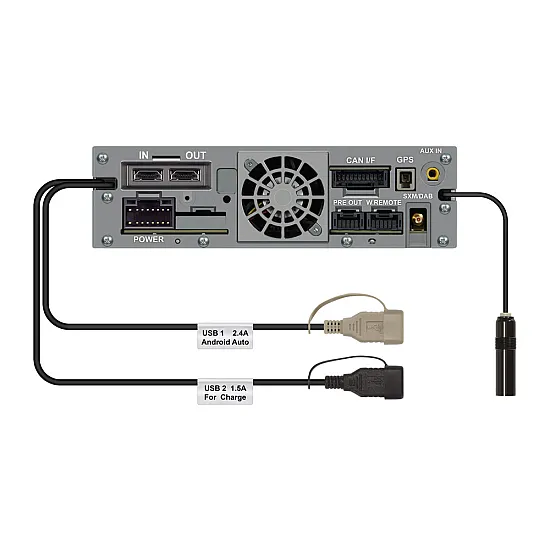
Locate the car’s antenna cable near the stereo opening. It usually has a round plug with a metal pin.
Plug the antenna cable into the Alpine stereo’s antenna port. Push it firmly until it clicks into place.
This connection ensures good radio reception. Avoid bending or damaging the antenna cable during installation.
Credit: www.carcommunications.co.uk
Mounting The New Unit
Mounting your new Alpine Bluetooth car stereo is where your hard work starts to pay off. This step demands precision to ensure your stereo fits snugly and functions properly. Taking your time here saves you from future headaches with a loose or misaligned unit.
Securing The Stereo In The Dash
First, slide the Alpine stereo into the dash opening carefully. Make sure the wires behind are not pinched or tangled as you push it in.
Use the mounting brackets that came with your unit to lock it in place. These brackets keep the stereo from moving while driving, which is crucial for safety and sound quality.
Double-check that the stereo is flush with the dashboard surface. A stereo sticking out can be distracting and less secure.
Reattaching Dashboard Panels
Once the stereo is secured, it’s time to snap the dashboard panels back on. Check for any clips or screws you removed earlier and align the panels carefully.
Press firmly but gently to avoid cracking plastic parts. If any clips don’t snap back easily, don’t force them—recheck alignment or fasteners.
After reattaching, test all buttons and knobs to ensure nothing is obstructed. How often have you tried to fix something only to realize a panel was blocking a control?
Pairing Bluetooth Devices
Pairing Bluetooth devices with your Alpine car stereo is a straightforward process that lets you enjoy hands-free calls and wireless music streaming. It involves activating Bluetooth on both your stereo and your phone, finding the stereo on your device, and completing the connection. This section will guide you through each step clearly and simply.
Turning On Bluetooth Mode
Start by powering on your Alpine car stereo. Navigate to the settings or Bluetooth menu using the stereo’s control panel.
Look for the option to enable Bluetooth and switch it on. Your stereo should now be discoverable by other devices.
Remember, if you don’t see Bluetooth mode immediately, check the user manual or the display screen for Bluetooth activation instructions specific to your model.
Searching For Alpine Stereo
Next, grab your smartphone or Bluetooth-enabled device and open its Bluetooth settings.
Make sure Bluetooth is turned on, then select the option to search for new devices. Your Alpine stereo will appear on the list, usually under a name like “Alpine” followed by a model number.
If you don’t see it right away, try moving closer to the stereo or refreshing the device list. Some devices take a few seconds to detect new connections.
Completing The Pairing Process
Tap on the Alpine stereo name on your phone to begin pairing. You may be prompted to enter a PIN or confirm a code shown on both devices.
Common default PINs are “0000” or “1234,” but check your stereo’s manual if these don’t work. Confirm the pairing request on both devices to complete the connection.
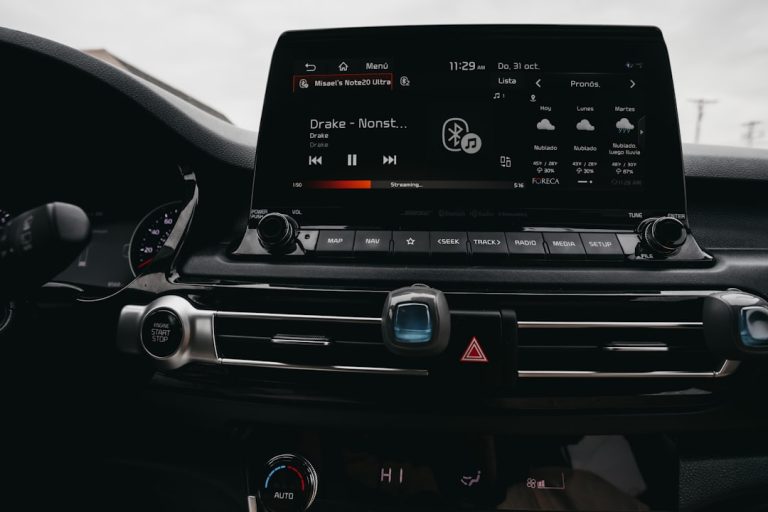
Once connected, you’ll usually see a Bluetooth icon on the stereo display. Now you can enjoy wireless audio and hands-free calls with your Alpine system.
Testing And Troubleshooting
Testing and troubleshooting your Alpine Bluetooth car stereo is essential to ensure it performs perfectly every time you hit the road. This part of the process helps you identify any issues early and gives you the chance to fine-tune your system for the best audio experience. Let’s dive into simple ways to check your setup and fix common problems.
Checking Audio Playback
Start by playing music from your phone or another Bluetooth-enabled device. Make sure your device is paired correctly with the Alpine stereo and that the volume is turned up on both devices.
Listen carefully for clear sound without interruptions, static, or distortion. If the audio cuts out or sounds muffled, it might be a sign of weak Bluetooth connection or interference.
- Try moving your device closer to the stereo to strengthen the signal.
- Switch to a different song or app to rule out file-specific issues.
- Test with another device to see if the problem persists.
Adjusting Settings
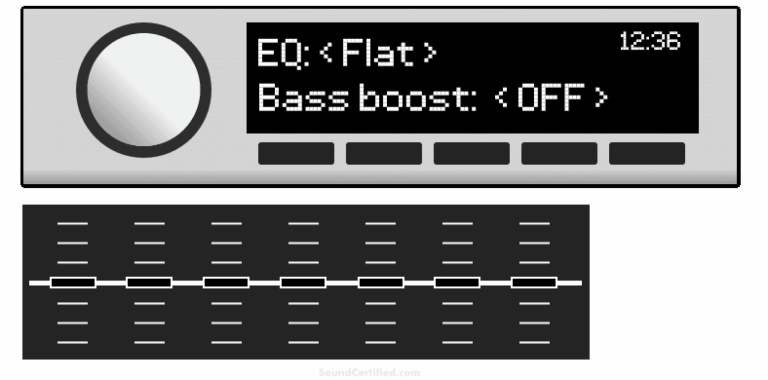
Once audio playback is smooth, fine-tune the stereo settings to match your preferences. Alpine systems usually offer options like equalizer presets, balance, fade, and volume control.
Adjust the bass, treble, and midrange settings to suit your music style. Don’t hesitate to experiment with balance and fade to ensure sound is evenly distributed inside your car.
- Access the settings menu via the stereo’s touchscreen or physical buttons.
- Save your favorite settings so you can easily revert if needed.
- Remember, small tweaks can make a big difference in sound quality.
Resolving Common Issues
Even with careful setup, you might encounter issues like Bluetooth connection drops, no sound, or the stereo not recognizing your device. These problems often have straightforward fixes.
| Issue | Possible Cause | Solution |
|---|---|---|
| No Bluetooth connection | Device not paired or out of range | Re-pair your device and keep it within range |
| Audio cuts out | Signal interference or low battery on device | Move device closer and charge it fully |
| No sound | Volume muted or incorrect input selected | Check volume levels and input source |
Have you ever faced a frustrating moment when your stereo suddenly stops working? Taking a few minutes to troubleshoot can save you from hours of annoyance. Keeping your system updated and checking connections regularly helps avoid many problems before they start.
Frequently Asked Questions
How Do I Pair My Phone With Alpine Stereo?
To pair your phone with an Alpine Bluetooth car stereo, first enable Bluetooth on your phone. Then, access the Bluetooth settings on the stereo and search for available devices. Select your phone from the list. Confirm the pairing code on both devices, and they will be connected.
Why Won’t My Alpine Bluetooth Connect?
If your Alpine Bluetooth won’t connect, ensure both devices have Bluetooth enabled and are in range. Restart both the stereo and your phone. Clear any previous pairings and try reconnecting. Check for firmware updates for your stereo and ensure your phone’s software is up-to-date.
How Do I Reset My Alpine Bluetooth Settings?
To reset your Alpine Bluetooth settings, navigate to the Bluetooth menu on your stereo. Select the option to clear all paired devices. This will remove all existing pairings. After clearing, restart your stereo. Your Bluetooth settings will be reset, allowing you to pair devices afresh.
Can I Connect Multiple Devices To Alpine Stereo?
Yes, you can connect multiple devices to an Alpine stereo, but only one device can be active at a time. To switch devices, disconnect the current one and connect another from the list of paired devices. This allows you to manage multiple connections easily and switch as needed.
Conclusion
Connecting your Alpine Bluetooth car stereo is simple and quick. Follow the steps carefully to pair your device without trouble. Enjoy clear sound and hands-free calls on every drive. Keep your phone’s Bluetooth on and stay connected safely. This setup helps you focus on the road while listening to music.
Try it today and experience easy, wireless control in your car.