
How to Connect Mp3 Player to Car Stereo With Aux: Easy Steps Guide
Want to listen to your favorite tunes from your MP3 player while driving? Connecting it to your car stereo using an aux cable is one of the easiest and most reliable ways to do this.
But if you’re unsure how to set it up or worried about sound quality, don’t worry—you’re in the right place. You’ll discover simple steps to get your MP3 player hooked up to your car stereo quickly and enjoy crystal-clear music on the road.
Keep reading, and you’ll be jamming to your playlist in no time.

Credit: aluratek.com
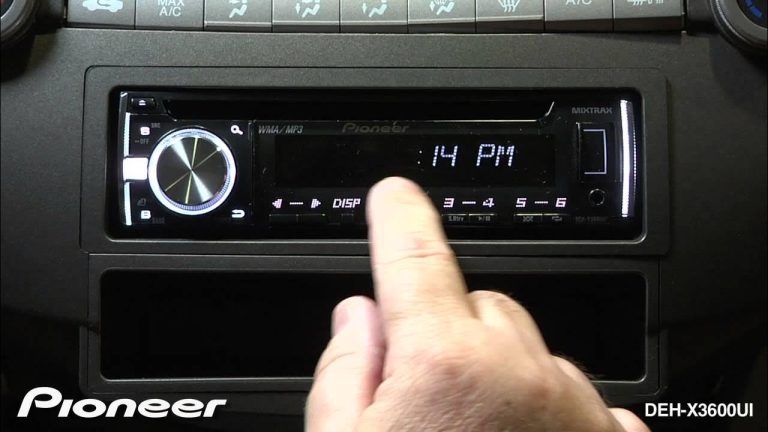
Check Your Car Stereo Aux Input
Checking your car stereo aux input is the first step to connect your MP3 player. This ensures your device can link properly to your car’s audio system. Aux inputs allow easy audio transfer using a simple cable.
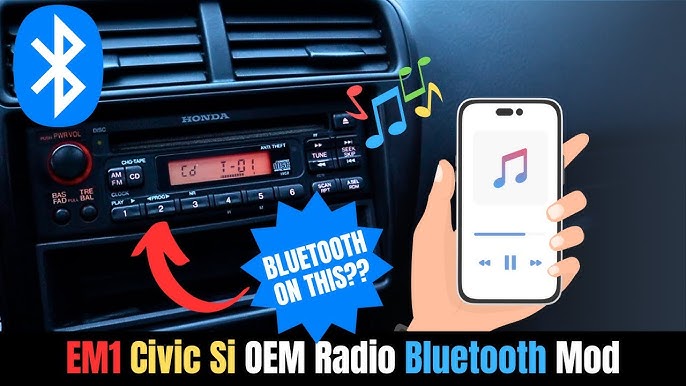
Not all car stereos have the same aux input type or location. Knowing where to find it and what cable fits is key. This saves time and prevents buying the wrong accessories.
Locate The Aux Port
The aux port usually looks like a small round hole. It is often labeled “AUX” or “Line In.” Common locations include:
- Front panel of the stereo
- Center console near the gear shift
- Inside the glove box
- Under the armrest
Some older models may not have an aux port at all. Check your car stereo’s manual if unsure. Look for a 3.5mm jack similar to a headphone plug.
Identify Compatible Aux Cable
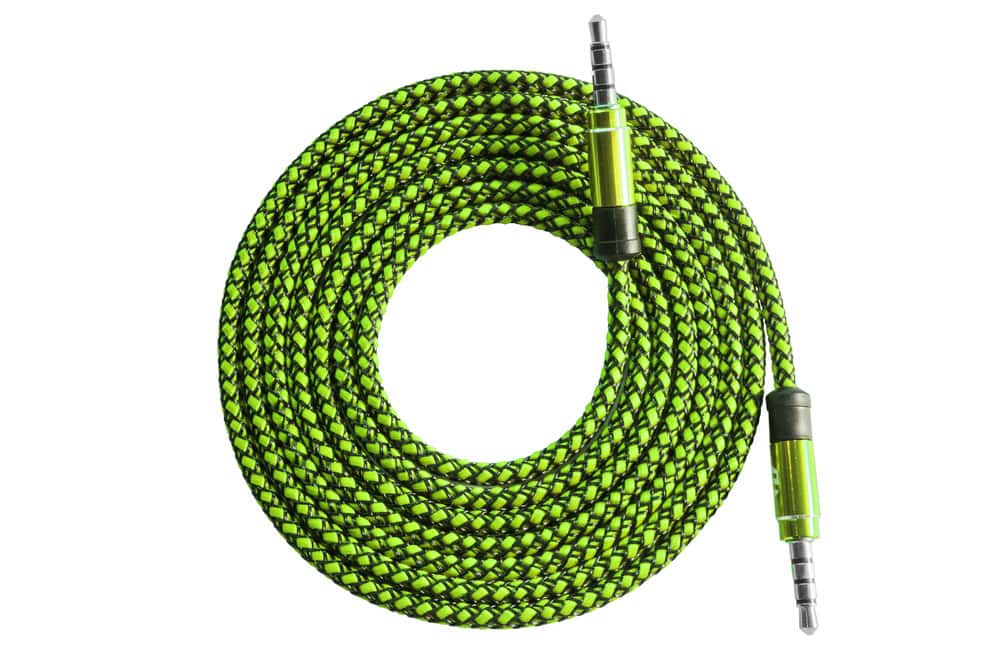
Most aux inputs use a 3.5mm male-to-male audio cable. This cable has two identical plugs on each end. Your MP3 player’s headphone jack usually fits one end.
Some cars use different connectors like RCA or USB ports for audio. Confirm your car’s input type before buying cables. If your MP3 player has only a USB port, a different connection method may be needed.
Choose cables with good build quality. This ensures clear sound and durability. Avoid very cheap cables that might break or cause static noise.
Credit: autowiringpro.com
Prepare Your Mp3 Player
Getting your MP3 player ready is the first step to enjoy music in your car. Proper preparation ensures clear sound and avoids interruptions. Checking the device settings helps improve the listening experience.
Select Audio Output
Choose the correct audio output on your MP3 player. Most devices have a headphone jack or line out port. Use the headphone jack to connect the aux cable. This setting sends audio to the car stereo. Avoid Bluetooth or other wireless outputs for aux connection.
Adjust Volume Settings
Set the MP3 player volume to a medium level. Too low volume causes weak sound. Too high volume may distort the audio. Adjust the volume before connecting to the car stereo. You can fine-tune the sound after the connection is made. This prevents sudden loud noises that can damage speakers.
Choose The Right Aux Cable
Choosing the right aux cable makes a big difference in sound quality and ease of use. The correct cable ensures a steady connection between your MP3 player and car stereo. This helps avoid static, interruptions, or weak signals while driving.
Knowing which cable fits your devices saves time and prevents frustration. Some cables work perfectly with most MP3 players and car stereos. Others need adapters to match different ports. Picking the right cable type gives a smooth listening experience on the road.
Standard 3.5mm Aux Cable
The standard 3.5mm aux cable is the most common choice. It has a small headphone jack on both ends. Many MP3 players and car stereos come with this port.
This cable is easy to find and usually affordable. It transfers sound clearly without lag or noise. A good quality 3.5mm cable lasts long and resists wear.
Use this cable if both your MP3 player and car stereo have 3.5mm ports. Plug one end into the player and the other into the stereo’s aux input. Simple and effective.
Adapters For Different Ports
Not all MP3 players have a 3.5mm headphone jack. Some use USB-C, Lightning, or other ports. Car stereos may also have different input options.
Adapters convert one type of port to another. For example, a Lightning to 3.5mm adapter works with newer iPhones. USB-C to 3.5mm adapters fit many modern MP3 players.
Choose an adapter that matches your device’s port. Then connect it to a standard aux cable. This setup allows your MP3 player to link with the car stereo’s aux input.
Connect The Aux Cable
Connecting the aux cable is the key step to play music from your MP3 player through the car stereo. The aux cable acts as a bridge that carries audio signals between the two devices. Proper connection ensures clear sound without interruptions or noise.
Handling the aux cable carefully helps avoid damage. The cable usually has two 3.5mm jacks, one for the MP3 player and one for the car stereo. Each jack fits into a matching port, making the process simple and quick.
Plug Into Mp3 Player
Locate the headphone or audio out port on your MP3 player. It is often a small round hole labeled with a headphone icon. Take one end of the aux cable and insert it firmly into this port.
Ensure the plug fits snugly to avoid loose connections. A loose plug can cause static or interrupted sound. Push the plug all the way in until you hear a click or feel resistance.
Plug Into Car Stereo
Find the aux input port on your car stereo. This port is typically labeled “AUX” and looks like a 3.5mm jack. It might be on the front panel, near the radio controls, or inside the center console.
Insert the other end of the aux cable into this port. Press the plug firmly to secure the connection. Avoid forcing it if it does not fit easily; check if you are using the correct port.
After connecting both ends, set the car stereo to the AUX mode. This allows the stereo to play audio from the MP3 player through the car speakers.
Set Car Stereo To Aux Mode
Setting your car stereo to Aux mode is essential to play music from your MP3 player. This mode allows the car’s audio system to receive sound through the auxiliary input. Without switching to Aux, the stereo will not play audio from your device, even if connected.
Getting the stereo ready involves a few simple actions. These steps help ensure the connection works smoothly and the sound comes through clearly. Follow the instructions below to set the car stereo to Aux mode correctly.
Switch Input Source
Find the “Source” or “Mode” button on your car stereo. It is often located on the front panel or the steering wheel controls. Press this button repeatedly to cycle through available audio inputs.
- Look for “Aux,” “AUX,” or a headphone icon on the display.
- Stop pressing once the Aux input shows up on the screen.
- Some stereos may have a dedicated Aux button to press directly.
Switching to Aux tells the stereo to listen to the external device connected through the auxiliary port.
Confirm Connection
After selecting Aux mode, test the connection to ensure it works. Play music or audio from your MP3 player. Adjust the volume on both the MP3 player and car stereo.
- Check if the sound comes through the car speakers clearly.
- If no sound plays, verify the aux cable is firmly plugged in.
- Try unplugging and reconnecting the cable to secure the connection.
- Ensure the MP3 player is not muted or paused.
Confirming the connection helps avoid issues while driving and keeps the music playing without interruptions.

Credit: www.amazon.ca
Test Audio Playback
Testing audio playback is a crucial step after connecting your MP3 player to your car stereo with an aux cable. It ensures that the connection is properly established and that sound quality meets your expectations. Without this test, you might miss out on catching issues like poor sound, static, or no audio at all.
Play Music On Mp3 Player
Start by selecting a song or playlist on your MP3 player. Press the play button and watch for any signs that music is playing, such as the screen lighting up or the play icon showing. If you don’t hear anything, double-check the aux cable is firmly plugged into both the MP3 player and the car stereo’s aux input.
Sometimes the issue might be as simple as the MP3 player being muted or paused. Try increasing the volume directly on your MP3 player if you don’t hear sound initially. Are you noticing any distortion or crackling? If yes, consider trying a different aux cable or cleaning the headphone jack.
Adjust Stereo Volume
Once you confirm that the MP3 player is sending audio to the car stereo, adjust the volume on the stereo itself. Start with a low volume and slowly increase it to avoid sudden loud noise. This helps protect your speakers and ears.
Notice how the sound changes as you adjust the stereo volume. Is it clear and balanced, or does it become distorted at higher levels? If distortion occurs, you might want to check your car stereo’s equalizer settings or try a different audio source.
Have you ever experienced a volume mismatch between your device and car stereo? Balancing both volumes is key for a smooth listening experience. Don’t forget to test multiple tracks with different sound levels to get a better sense of your setup’s performance.
Troubleshoot Common Issues
Troubleshooting common issues when connecting your MP3 player to a car stereo with an aux cable can save you time and frustration. Problems like no sound, poor audio quality, or connection difficulties often have simple fixes. Let’s explore how to identify and resolve these issues effectively.
No Sound Output
If you’re not hearing any sound, first check that the aux cable is fully plugged into both the MP3 player and the car stereo. Loose connections are a common culprit.
Make sure your MP3 player’s volume is turned up and not muted. Sometimes the car stereo might be set to a different input source—verify it’s set to “AUX.”
Try testing the cable with another device or use a different aux cable to rule out a faulty wire. Have you ever found that a simple volume check solved what seemed like a big problem?
Poor Audio Quality
Distorted or low-quality sound can stem from a damaged or low-grade aux cable. Using a high-quality, shielded cable often improves audio clarity.
Check if your MP3 player’s audio settings or equalizer are causing the distortion. Resetting these settings can sometimes restore normal sound.
Also, interference from other electronic devices in your car might affect sound quality. Experiment with moving your device or cable to reduce interference.
Connection Problems
If the connection keeps dropping or isn’t recognized, inspect the aux port on both devices for dust or debris. Cleaning gently with a soft brush can help.
Some older car stereos might have compatibility issues with newer MP3 players. In such cases, testing with another MP3 player or smartphone can identify if the issue lies with the device.
Consider whether your aux cable is too long or tangled, as this can weaken the connection. Keeping your cables neat and using shorter cables might improve stability.
Tips For Better Sound Experience
Getting the best sound from your MP3 player and car stereo connection makes every drive more enjoyable. Simple tips can improve audio quality and reduce problems. Small changes help you hear your music clearly and loudly.
Use High-quality Cables
Choose cables with thick insulation and good connectors. Cheap cables often cause noise and signal loss. A well-made aux cable keeps sound clean and strong. Look for cables with gold-plated plugs to reduce corrosion and improve connection.
Keep Devices Charged
Low battery levels on your MP3 player or car stereo can reduce sound quality. Charge your devices fully before driving. A strong battery helps maintain consistent audio output without drops or distortions. Avoid playing music when devices are almost dead.
Avoid Interference
Interference can cause static or crackling sounds. Keep your aux cable away from power cables and electronic devices. Turn off nearby gadgets that may cause signal noise. Position your MP3 player away from metal objects or other sources of interference.
Frequently Asked Questions
How Do I Connect My Mp3 Player To Car Stereo Aux?
Use a 3. 5mm aux cable to link your MP3 player’s headphone jack to the car stereo’s aux input. Select the aux mode on your car stereo to play audio from the MP3 player.
Can All Car Stereos Use An Aux Connection?
Most modern car stereos have an aux input, but some older models may lack one. Check your stereo’s manual or look for a 3. 5mm aux port before trying to connect.
Do I Need Special Cables To Connect Mp3 Player?
A standard 3. 5mm male-to-male aux cable is usually all you need. Avoid using adapters unless your MP3 player or stereo has unique ports.
Will Connecting Via Aux Affect Sound Quality?
Aux connection transmits audio directly and generally offers clear sound quality. However, quality depends on cable condition and device audio output.
Conclusion
Connecting your MP3 player to your car stereo is simple. Use an aux cable to enjoy your favorite tunes on the go. Start by plugging one end into the MP3 player. Then, connect the other end to your car’s aux input.
Adjust your stereo settings to aux mode. Now, you can listen to music during your drive. This method is quick and budget-friendly. No complicated steps. Just pure music bliss. Always keep your aux cable handy. Enjoy your road trips with your favorite playlist.
Safe travels and happy listening!