How Does Bluetooth Car Stereo Work: Ultimate Guide to Seamless Audio
Have you ever wondered how your Bluetooth car stereo connects your phone to your car’s sound system without any wires? It feels like magic—just a simple tap, and your favorite music or calls come through crystal clear.
But behind that ease is a clever technology working silently to make your drive more enjoyable. If you want to understand exactly how your Bluetooth car stereo works and how it keeps you connected on the road, keep reading. This article will break it down in simple terms, so you’ll never look at your car’s audio system the same way again.
Bluetooth Technology Basics
Understanding Bluetooth technology is key to appreciating how your car stereo connects seamlessly with your devices. This wireless standard allows gadgets to communicate over short distances without cables. Let’s break down the basics so you get why your music plays instantly once paired.
How Bluetooth Connects Devices
Bluetooth works by creating a small wireless network called a “piconet” between your car stereo and your phone or other device. When you turn on Bluetooth on both devices, they search for each other and “pair” through a simple authentication process.
Once paired, they establish a secure link to exchange data like audio signals. This connection is automatic after the first setup, so you don’t need to fiddle with settings each time you get in your car.
Frequency And Range
Bluetooth operates at a frequency of 2.4 GHz, which is the same band used by many Wi-Fi devices. This frequency enables reliable communication but can sometimes face interference from other gadgets.
The typical range is about 30 feet (10 meters), which is perfect for car use since your device stays within close proximity. Ever wondered why your music cuts out if you walk away from the car? This limited range is why.
Bluetooth Versions And Their Impact
Bluetooth has evolved through multiple versions, each improving speed, range, and energy efficiency. Newer versions like Bluetooth 5.0 offer faster connections and longer reach compared to older versions.
If your car stereo uses an outdated Bluetooth version, you might experience slower pairing or lower sound quality. Checking your device’s Bluetooth version can help you understand its capabilities and limitations better.
Components Of A Bluetooth Car Stereo
Understanding the components of a Bluetooth car stereo helps you appreciate how your favorite tunes stream seamlessly while driving. Each part plays a key role in delivering clear sound, easy controls, and hands-free communication. Let’s break down these essential components so you know what powers your in-car audio experience.
Head Unit Features
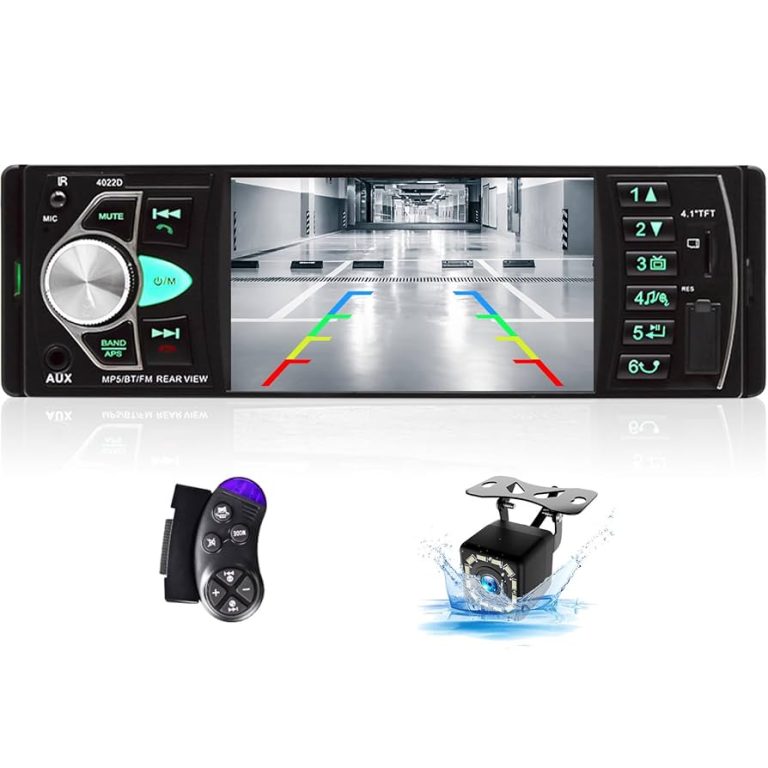
The head unit is the control center of your Bluetooth car stereo. It usually includes a touchscreen or buttons to manage music, calls, and settings. Many modern units support multiple Bluetooth connections, USB ports, and even smartphone integration apps.
Some head units also let you customize sound profiles, making your music sound just right. Have you ever noticed how adjusting bass and treble can transform a song’s feel? That’s the head unit at work.
Built-in Microphone And Speakers
Bluetooth car stereos often come with a built-in microphone to enable hands-free calling. This feature lets you keep your eyes on the road and your hands on the wheel while chatting. The microphone is designed to pick up your voice clearly, minimizing background noise from the road or wind.
Your car’s speakers then deliver the audio from calls or music. Quality speakers can make a big difference in clarity and volume. If you’ve ever struggled to hear a phone call over engine noise, upgrading speakers might be the solution.
External Antennas And Signal Boosters
Sometimes, Bluetooth signals weaken inside a vehicle due to interference or distance. External antennas help improve the connection by capturing stronger signals from your phone or other devices. Signal boosters can further enhance this by amplifying the Bluetooth range.
Have you noticed that some cars maintain a steady Bluetooth connection even in areas with heavy signal interference? That’s often thanks to these external components working behind the scenes. They make sure your music keeps playing without annoying dropouts.
Pairing Your Device
Pairing your device with a Bluetooth car stereo is the first step to enjoy wireless audio and hands-free calls. It creates a secure connection between your smartphone and the car’s system. This process is simple and only takes a few moments.
Once paired, your phone can stream music, receive calls, and access voice commands through the car stereo. The key is to follow clear steps and know how to fix common issues.
Steps To Connect Smartphones
- Turn on your car stereo’s Bluetooth mode.
- Open Bluetooth settings on your smartphone.
- Search for available devices.
- Select your car stereo from the list.
- Enter the PIN or confirm the pairing request.
- Wait for the connection confirmation.
- Test by playing audio or making a call.
Troubleshooting Connection Issues
- Ensure Bluetooth is active on both devices.
- Restart your smartphone and car stereo.
- Delete old paired devices to avoid conflicts.
- Check for software updates on your phone and stereo.
- Move away from other Bluetooth devices causing interference.
- Reset the car stereo’s Bluetooth settings if needed.
Managing Multiple Devices
Many car stereos support more than one phone connection. You can switch between devices easily.
- Pair all devices following the basic steps.
- Set a primary device for automatic connection.
- Disconnect one device to connect another.
- Use the car stereo menu to select active devices.
- Remove old devices to keep the list manageable.

Credit: www.reddit.com
Audio Transmission Process
The audio transmission process in a Bluetooth car stereo is what allows your favorite tunes to play wirelessly from your phone or device. It involves several technical steps to ensure the sound you hear is clear, timely, and enjoyable. Understanding these steps can help you appreciate why some setups sound better or lag less than others.
Data Compression And Streaming
Bluetooth technology compresses audio data before sending it to your car stereo. This compression reduces the file size, making transmission faster and less power-consuming. However, this means some audio details are trimmed off to fit the limited bandwidth.
Streaming happens continuously as the stereo decodes the compressed data and plays it in real time. If you’ve ever noticed a sudden drop in sound quality during streaming, it’s likely due to how the data is being compressed or transmitted.
Latency And Its Effects
Latency refers to the delay between sending the audio signal and hearing it from your car speakers. Even a small delay can disrupt synchronization, especially if you use Bluetooth for phone calls or GPS navigation prompts.
Have you ever experienced your voice echoing during a call? That’s often caused by latency. Lower latency codecs like aptX or AAC help reduce this delay, making audio and calls feel more natural.
Audio Quality Factors
Several factors affect the audio quality of Bluetooth car stereos. The Bluetooth version, supported codecs, and the quality of both your device and car stereo play key roles.
- Bluetooth Version:Newer versions like 5.0 support faster data rates and more stable connections.
- Codecs:Codecs like aptX HD or LDAC provide higher quality sound compared to the standard SBC codec.
- Hardware Quality:Better speakers and amplifiers in your car stereo enhance the final sound output.
Next time your music sounds off, consider which part of the transmission process might be causing it. Could upgrading your device or stereo improve your audio experience?
Hands-free Calling Functionality
Hands-free calling functionality transforms your Bluetooth car stereo into a powerful communication tool. It lets you answer calls without touching your phone, keeping your focus on the road. This feature combines convenience with safety, making your driving experience smoother and less distracting.
Voice Commands And Controls
Voice commands let you control calls simply by speaking. You can say “answer” or “reject” to manage incoming calls without lifting a finger. Many systems also allow you to initiate calls by saying a contact’s name or a phone number.
Imagine driving through busy traffic and needing to make a quick call. Instead of fumbling for your phone, you just say the contact’s name. This hands-free approach saves time and reduces the risk of accidents.
Noise Cancellation Features
Noise cancellation technology improves call clarity by filtering out background sounds. Whether it’s engine noise, wind, or road sounds, these features ensure the person on the other end hears you clearly.
Some car stereos use multiple microphones to pick up your voice while canceling unwanted noise. This way, even in noisy environments, your conversations stay crisp and understandable.
Safety Benefits While Driving
Hands-free calling keeps your hands on the wheel and eyes on the road. This reduces distractions and the chance of accidents caused by handling your phone.
Have you noticed how much safer you feel when you don’t have to reach for your phone? This technology helps maintain your focus and control, making every drive safer for you and others around you.
Advanced Features In Modern Systems
Modern Bluetooth car stereos offer more than just wireless music streaming. They come packed with advanced features that enhance your driving experience and put you in control like never before. These systems adapt to your preferences, making every journey more enjoyable and personalized.
App Integration And Customization
Many Bluetooth car stereos now connect seamlessly with smartphone apps. These apps let you customize sound settings, update playlists, and even control the stereo remotely. Imagine adjusting bass levels or switching sources without touching the stereo itself—it’s all at your fingertips.
Have you ever wanted your car audio to match your mood instantly? Apps often provide presets for different music styles or environments. This means you can switch from a podcast-friendly setting to a bass-heavy mode in seconds.
Multi-zone Audio Support
Multi-zone audio lets you play different audio streams in various parts of your car. For instance, the driver can listen to navigation instructions while passengers enjoy their own music. This feature keeps everyone happy without the need for headphones.
Think about family road trips where kids want cartoons and adults want news updates. Multi-zone support handles this effortlessly, improving the overall travel vibe. Wouldn’t it be great if your car stereo knew exactly what each passenger wants to hear?
Firmware Updates And Enhancements
Modern Bluetooth car stereos receive firmware updates that improve performance and add new features over time. This means your system gets better without needing a hardware upgrade. Regular updates can fix bugs, enhance connectivity, and introduce fresh functionalities.
Have you experienced improved Bluetooth connection or new app features after a system update? These enhancements keep your stereo current and more enjoyable, extending its useful life. Staying updated ensures you don’t miss out on the latest tech benefits.
Installing And Upgrading Bluetooth Stereos
Upgrading your car stereo to include Bluetooth can transform your driving experience. It lets you stream music, make hands-free calls, and control your phone without fumbling with wires. But before you dive in, understanding your options and the installation process can save you time and frustration.
Factory Vs Aftermarket Options
Factory Bluetooth stereos come pre-installed in many modern vehicles. They often integrate seamlessly with your car’s existing controls and display. However, these systems can be limited in features and might not support the latest Bluetooth standards.
Aftermarket stereos offer a wider range of features and customization. You can choose models with touchscreen displays, app integration, or enhanced sound quality. Keep in mind that aftermarket units usually require some level of installation effort and might need adapters to work with your car’s wiring.
Diy Installation Tips
If you decide to install a Bluetooth stereo yourself, preparation is key. Start by gathering the right tools: screwdrivers, wire strippers, electrical tape, and a wiring harness adapter specific to your car model.
Disconnect your car battery before starting to avoid short circuits. Carefully remove the old stereo, noting how wires are connected. Labeling wires can save you from confusion during reassembly.
Test the new stereo before securing it in place. This way, you can troubleshoot issues without disassembling everything again. Remember to follow the manufacturer’s instructions closely and keep safety in mind.
Compatibility Considerations
Not all Bluetooth stereos fit every car or phone perfectly. Check your car’s dashboard size and wiring to ensure the stereo will physically and electronically fit. Some cars require special mounting kits or wiring adapters.
Bluetooth version matters too. Older car stereos might support only basic profiles, limiting functionality. Make sure your phone and stereo support compatible Bluetooth profiles like A2DP for audio streaming and HFP for hands-free calls.
Have you checked whether your favorite apps work with the stereo’s interface? Some models support Android Auto or Apple CarPlay, giving you smoother control over navigation and media. These details can make a big difference in daily use.

Credit: www.youtube.com
Future Trends In Car Audio Technology
The future of car audio technology promises more than just clearer sound. Advances focus on smarter, faster, and more seamless connectivity. These trends will change how drivers and passengers experience music and communication in vehicles.
New Bluetooth versions will offer stronger connections and better sound quality. Integration with smart assistants will make hands-free control easier and safer. Wireless charging and connectivity will reduce clutter and enhance convenience inside the car.
Bluetooth 5.0 And Beyond
Bluetooth 5.0 improves range and speed significantly over older versions. It supports higher data transfer rates for better audio quality. Future versions aim to lower power consumption and increase device compatibility. This means fewer connection drops and clearer sound during drives.
Integration With Smart Assistants
Smart assistants like Alexa, Google Assistant, and Siri are becoming common in car audio systems. Voice commands allow drivers to play music, make calls, or get directions without distraction. Future systems will offer deeper integration for more personalized and natural interactions.
Wireless Charging And Connectivity
Wireless charging pads in cars keep devices powered without cables. Combined with wireless audio streaming, this creates a neat, cable-free environment. Future trends point to faster wireless charging and more stable wireless connections between devices and car systems.

Credit: www.youtube.com
Frequently Asked Questions
What Is A Bluetooth Car Stereo?
A Bluetooth car stereo is an audio system that connects wirelessly to devices. It enables hands-free calling, music streaming, and more. By using Bluetooth technology, users can connect smartphones, tablets, or other compatible devices. This allows for a seamless audio experience without the need for cables.
How Do You Connect Bluetooth To Car Stereo?
To connect Bluetooth, activate Bluetooth on your device and car stereo. Search for available devices on your phone. Select your car stereo from the list. Follow any on-screen instructions to complete the pairing process. Once paired, your device should automatically connect when in range.
Can All Cars Use Bluetooth Stereos?
Not all cars come equipped with Bluetooth-enabled stereos. However, many modern vehicles have them as standard or optional features. For older models, aftermarket Bluetooth adapters or stereos can be installed. These options provide similar wireless connectivity, enhancing your driving experience with modern audio capabilities.
What Are The Benefits Of Bluetooth Car Stereos?
Bluetooth car stereos offer several benefits, including hands-free calling and wireless music streaming. They enhance driving safety by reducing distractions. With Bluetooth, you can easily switch between devices and access various audio sources. It also eliminates the need for messy cables, providing a cleaner, clutter-free car interior.
Conclusion
Bluetooth car stereos connect your phone wirelessly to your car’s sound system. They use radio waves to send music and calls without cables. Pairing your device is quick and easy. Sound quality stays clear while you drive. This technology lets you enjoy hands-free calls and music safely.
Understanding how it works helps you use it better. Now, you can keep your focus on the road and still enjoy your favorite audio. Simple, smart, and useful for every driver.