How to Connect Ipod Classic to Car Stereo: Easy & Quick Guide
Want to enjoy your favorite tunes from your iPod Classic while driving? Connecting your iPod Classic to your car stereo might seem tricky, but it’s easier than you think.
Whether you’re tired of static-filled radio or want to relive your music collection on the road, this guide will show you simple, step-by-step ways to make the connection. By the end, you’ll know exactly how to bring your music to life in your car—no frustration, no hassle.
Keep reading to discover the best methods that work for your setup and get ready to upgrade your driving experience with your own soundtrack.
Check Your Car Stereo Compatibility
Before connecting your iPod Classic to a car stereo, check if the stereo supports your device. Not all car stereos work with every audio source. Knowing your stereo’s compatibility saves time and avoids frustration. It helps you choose the right cables or adapters for a smooth connection.
Identify Available Input Options
Look at your car stereo’s front and back panels. Find any audio input ports. Common types include:
- Auxiliary (AUX) input – a 3.5mm headphone jack
- USB port – for direct digital connection
- CD changer port – some support iPod adapters
- Bluetooth – wireless connection option
- RCA inputs – red and white audio connectors
Check your stereo manual for exact input types. AUX and USB are the easiest ways to connect an iPod Classic. If your stereo lacks these inputs, consider adapters or FM transmitters.
Confirm Supported Audio Formats
Car stereos only play certain audio file formats. The iPod Classic uses formats like MP3, AAC, WAV, and AIFF. Verify which formats your stereo supports. This info is usually in the manual or product specs.
If your stereo cannot play iPod file types, sound may not work. Some stereos support MP3 and WAV but not AAC. Others may only play files from CDs or USB drives. Knowing this lets you convert files if needed.

Credit: www.youtube.com
Choose The Right Connection Method
Choosing the right connection method for your iPod Classic to car stereo ensures clear sound and easy control. Different cars and stereos support different inputs. Some connections provide better sound quality, while others offer convenience. Consider your car stereo’s features and your preferences before connecting your iPod Classic.
Using Auxiliary Cable
An auxiliary (aux) cable is a simple and common way to connect your iPod Classic. It plugs into the headphone jack of the iPod and the aux input in your car stereo. This method offers good sound quality and low latency. Most modern cars have an aux input, making this option widely available. It requires a 3.5mm audio cable and no extra power source.
Connecting With Fm Transmitter
An FM transmitter sends your iPod’s music to your car stereo over a radio frequency. Tune your car radio to the transmitter’s frequency to hear your music. This option works well if your car lacks aux input or Bluetooth. The sound quality may vary depending on signal strength and interference. FM transmitters are portable and easy to use.
Employing Cassette Adapter
A cassette adapter fits into your car’s cassette player and connects to your iPod Classic. It uses a 3.5mm cable for audio input. This method suits older cars with cassette decks but no aux input. Sound quality is decent but not as clear as digital connections. It requires no batteries and is simple to install.
Utilizing Bluetooth Adapter
A Bluetooth adapter allows wireless connection between your iPod Classic and car stereo. It plugs into the aux or USB port of your stereo. This method offers hands-free convenience and no cables. Sound quality depends on the adapter and stereo compatibility. Bluetooth adapters are perfect for a clutter-free setup.
Step-by-step Connection Process
Connecting your iPod Classic to your car stereo might seem tricky at first, but breaking it down into clear steps makes the process straightforward. Understanding each part of the connection helps you avoid common frustrations like poor sound quality or compatibility issues. Let’s walk through what you need to do to get your favorite playlists playing through your car speakers.
Prepare Your Ipod Classic
Start by making sure your iPod Classic is fully charged. A low battery can interrupt playback or cause connection problems. Also, check that your iPod’s software is up to date; outdated firmware might not work well with some car stereo systems.
Next, organize your music library for easier navigation in the car. Creating playlists can save you from fumbling through thousands of songs while driving. Have your iPod in hand and make sure the screen is unlocked before proceeding.
Connect Via Selected Method
Identify how you want to connect your iPod Classic to the car stereo. Common options include:
- Auxiliary Cable:Plug a 3.5mm audio cable into your iPod’s headphone jack and the car’s AUX input.
- FM Transmitter:Use an FM transmitter that broadcasts your iPod’s audio to an unused FM frequency on your car radio.
- USB Connection:Connect via USB cable if your car stereo supports iPod integration for charging and control.
Each method has its own benefits. For instance, USB connections often allow better sound quality and easier control, but not all cars support them. Consider what works best for your setup and plug in accordingly.
Adjust Car Stereo Settings
Once connected, switch your car stereo to the input mode that matches your connection method. If you used an AUX cable, select “AUX” or “Line In” on your stereo. For FM transmitters, tune your car radio to the same frequency as the transmitter.
Adjust the volume on both your iPod and car stereo to avoid distortion. Start at a lower volume and increase gradually for the best sound. If your car stereo has sound settings like bass or treble, tweak them to enhance your listening experience.
Have you noticed your music sounds muffled or too quiet after connecting? Small adjustments here can make a big difference in sound clarity and enjoyment during your drives.
Troubleshooting Common Issues
Connecting your iPod Classic to a car stereo should be simple. Yet, some common issues can disrupt your music experience. Troubleshooting these problems helps keep your tunes playing smoothly. Below are typical problems and easy fixes.
No Sound Or Poor Audio Quality
Check the volume on both your iPod and car stereo. Make sure the connection cable is fully plugged in. A dirty or damaged cable can cause bad sound. Try a different cable if needed. Also, clean the headphone jack on your iPod to remove dust. Sometimes, the car stereo input mode needs to be set correctly. Double-check the input source is on the right setting for your iPod.
Connection Drops Or Interference
Loose connections often cause music to cut out. Firmly plug all cables into their ports. Avoid running cables near power wires that create interference. Some car stereos may have weak input connections. Test the iPod in another car or device to isolate the problem. If using an FM transmitter, change the frequency to avoid radio signal overlap. Keeping the iPod and cables away from other electronic devices reduces interference.
Charging While Playing
Charging the iPod during playback can cause noise or interruptions. Use a high-quality car charger designed for your iPod. Avoid cheap or incompatible chargers that cause static sounds. If noise occurs, try disconnecting the charger and play on battery power. Some car stereos handle charging and audio better than others. Check your car manual for recommended charging practices. Keeping the battery charged before driving helps reduce the need for charging while playing.
Tips For Better Audio Experience
Enhancing your iPod Classic audio experience in the car requires more than just connecting the device. Small details can make a big difference in sound quality and overall enjoyment. Focus on using the right tools and settings to get clear, crisp audio during every drive.
Use Quality Cables And Adapters
Low-quality cables can cause static and poor sound. Choose cables made with durable materials and good shielding. Proper adapters ensure a stable connection between your iPod Classic and car stereo. Avoid cheap, worn-out cables to reduce audio dropouts and interference.
Keep Software Updated
Regular updates improve your iPod’s performance and compatibility. Apple often releases firmware updates that fix bugs and enhance audio output. Connect your iPod Classic to a computer and check for available updates using iTunes. Updated software helps maintain smooth playback and better sound quality.
Optimize Car Stereo Settings
Adjust your car stereo’s equalizer to suit your music style. Lower bass or treble settings if the sound is distorted. Use preset modes like “Rock” or “Jazz” for a quick audio boost. Make small tweaks to volume and balance for clear, balanced sound throughout the car cabin.

Credit: www.reddit.com
Credit: www.dodgedurango.net
Frequently Asked Questions
How Do I Connect My Ipod Classic To My Car Stereo?
To connect your iPod Classic, use an AUX cable or an FM transmitter. Plug the AUX cable into your car’s AUX input. For FM transmitters, tune both the car stereo and transmitter to the same frequency. This will allow you to play music through your car’s speakers.
Can I Use A Usb Cable To Connect My Ipod?
Yes, if your car stereo has a USB port, you can use a USB cable. Simply connect the iPod Classic using the USB cable. The stereo should recognize the iPod as an audio source. This allows you to control music playback through your car stereo system.
What Is The Best Adapter For An Ipod Classic?
The best adapter depends on your car’s stereo system. For cars with AUX inputs, an AUX cable is best. If your car lacks AUX input, consider an FM transmitter. Look for adapters that offer clear sound quality and compatibility with your iPod Classic model.
Is Bluetooth An Option For Ipod Classic?
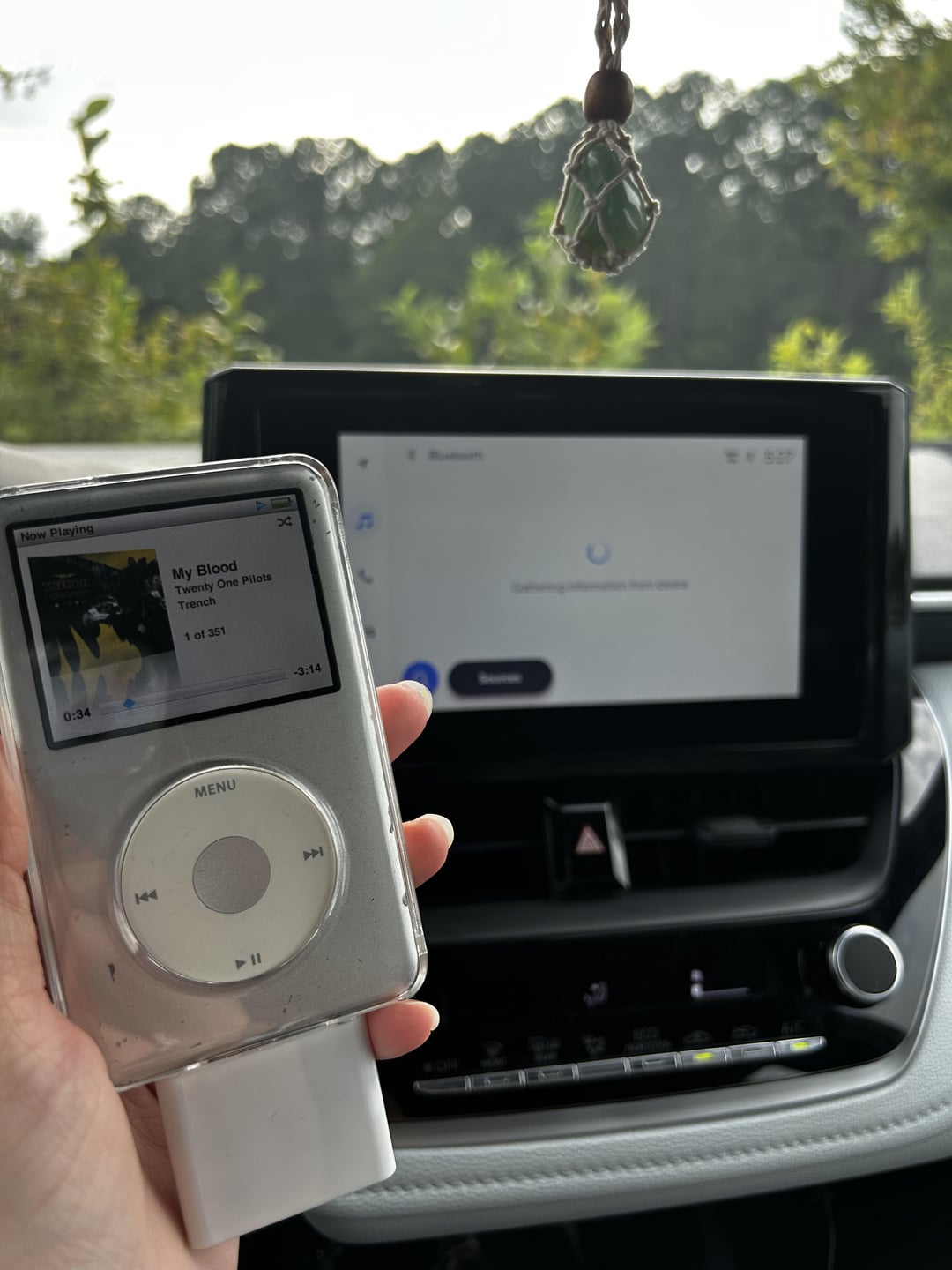
The iPod Classic lacks built-in Bluetooth, but you can use a Bluetooth adapter. This adapter connects to the iPod’s headphone jack. Then, pair the adapter with your car’s Bluetooth system. This provides a wireless connection for streaming music to your car stereo.
Conclusion
Connecting your iPod Classic to your car stereo can be simple and quick. Use the right cable or adapter for your car model. Check your car stereo’s input options before starting. Play your favorite music safely while driving. Enjoy clear sound and easy controls on the road.
Keep your iPod charged for longer trips. Try different connection methods if one does not work. Now, your music travels with you everywhere. Music makes every drive better, right?