How to Watch Youtube on Car Stereo

How to Watch Youtube on Car Stereo: Easy & Safe Methods Revealed

Have you ever wanted to watch your favorite YouTube videos right on your car stereo? Imagine turning your daily drive into a fun, entertaining experience with just a few simple steps.

Whether you’re waiting in the car or on a long road trip, having YouTube on your car stereo can make all the difference. In this guide, you’ll discover easy ways to connect YouTube to your car’s system without any hassle.

Keep reading, and you’ll be enjoying videos in your car faster than you think!

Requirements For Youtube On Car Stereo

Watching YouTube on your car stereo needs some basic requirements. These ensure smooth video playback and clear audio. This section covers what you need for the best experience.

Compatible Car Stereo Systems

Your car stereo must support video playback or screen mirroring. Many modern systems come with Android Auto or Apple CarPlay. These platforms allow YouTube streaming through your phone. Some stereos have built-in apps for YouTube. Check if your stereo supports:

  • Touchscreen display
  • Video input options (like HDMI or USB)
  • Screen mirroring features
  • Android Auto or Apple CarPlay compatibility

Necessary Devices And Cables

You need devices that connect your phone or tablet to the car stereo. A smartphone is the most common device for YouTube streaming. You may also use tablets or portable media players. Cables or adapters link your device to the stereo. Common cables include:

  • USB cable for data and charging
  • HDMI cable for high-quality video
  • Auxiliary (AUX) cable for audio only
  • Wireless adapters for Bluetooth or Wi-Fi

Make sure cables match your stereo’s input ports. Wireless connections reduce cable clutter.

Internet Connectivity Options

Streaming YouTube requires an internet connection. Your phone’s mobile data is the easiest option. Many cars also support Wi-Fi hotspots or tethering. Some vehicles have built-in SIM cards for direct internet access. Options include:

  • Mobile data via smartphone hotspot
  • Car’s built-in Wi-Fi system
  • Public Wi-Fi where available
  • Offline YouTube videos saved on your device

Choose a stable internet source for smooth video streaming. Data limits may affect how long you can watch.

How to Watch Youtube on Car Stereo: Easy & Safe Methods Revealed

Credit: www.youtube.com

Using Smartphone Screen Mirroring

Using smartphone screen mirroring allows you to watch YouTube directly on your car stereo. This method connects your phone’s display to the car’s screen. It offers a larger view and better sound quality. Screen mirroring works with both wireless and wired connections. Choose the best option based on your car stereo and phone compatibility.

Wireless Screen Mirroring Methods

Wireless mirroring uses Wi-Fi or Bluetooth to connect your phone to the car stereo. Popular technologies include:

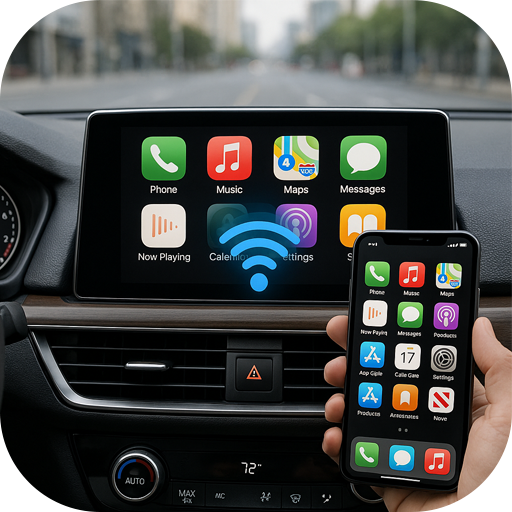
  • Apple CarPlay for iPhones
  • Android Auto for Android devices
  • Miracast or Chromecast for other smartphones

These allow you to stream YouTube without cables. Just enable screen mirroring on your phone and car system. The connection is quick and easy. Wireless mirroring keeps your car cabin clutter-free.

Wired Screen Mirroring Options

Wired mirroring requires a USB or HDMI cable. Connect your phone directly to the car stereo. This method provides a stable connection and high-quality video. Most cars support USB connections for Apple CarPlay or Android Auto.

  • Use a compatible USB cable
  • Plug the cable into the car’s port
  • Enable screen mirroring on your phone

Wired connections reduce lag and interruptions. It is a reliable choice for long drives.

Setting Up Screen Mirroring Safely

Safety is key while using screen mirroring in your car. Avoid watching videos while driving. Set up the connection before you start your trip. Use voice commands to control YouTube playback. Keep your eyes on the road, not the screen.

Check your car’s manual for specific mirroring instructions. Disable notifications to minimize distractions. Always prioritize safe driving over entertainment.

Utilizing Android Auto And Apple Carplay

Utilizing Android Auto and Apple CarPlay offers a practical way to connect your smartphone to your car stereo. These systems help you access apps safely while driving. They provide a simple interface that limits distractions. Streaming YouTube videos directly is not straightforward due to safety and policy rules. Still, some options let you enjoy content with caution.

Youtube Access Limitations

Both Android Auto and Apple CarPlay restrict video playback. Watching YouTube videos on the car screen is blocked to prevent driver distraction. Audio streaming from YouTube is allowed only through some official apps. The systems focus on voice commands and simple controls to keep drivers safe. Direct YouTube app support is missing by design.

Third-party App Workarounds

Some third-party apps claim to enable YouTube on car stereos. These apps often require sideloading or special permissions. They may allow background audio or limited video viewing. Use caution with these apps as they can cause safety issues. Always check app reviews and compatibility before installation. Remember, these workarounds can void warranties or break terms of service.

Installation And Setup Tips

  • Ensure your smartphone software is up to date for better compatibility.
  • Download the official Android Auto or Apple CarPlay app if needed.
  • Use a good quality USB cable or wireless connection for stable use.
  • Adjust car stereo settings to allow app access and audio playback.
  • Test audio and video functions before driving to avoid distractions.
  • Enable voice commands to control playback safely.

Streaming Via Bluetooth And Usb

Streaming YouTube content through your car stereo is simple using Bluetooth or USB connections. These methods let you enjoy audio and, in some cases, limited video playback safely while driving. Understanding the differences and limitations helps you choose the best option for your setup.

Audio Streaming From Youtube

Bluetooth allows wireless audio streaming from your phone to the car stereo. Just pair your device with the car’s Bluetooth system and play YouTube videos. Only the audio will transmit, so you hear music, podcasts, or talks without cables.

USB connections can also play audio by linking your phone or USB drive to the stereo. Some car systems read audio files directly or stream sound from your phone via USB. This often provides clearer sound than Bluetooth.

Limitations Of Video Playback

Car stereos rarely support YouTube video playback directly. Most systems focus on audio for driver safety. Watching videos on the car screen while driving is unsafe and often blocked by the system.

Some newer car models may mirror video from your phone, but this feature is limited and depends on your car’s software. Always prioritize driving safety over video playback.

Optimizing Connection Quality

  • Keep your phone close to the car stereo for strong Bluetooth signals.
  • Avoid obstacles like metal objects that block Bluetooth waves.
  • Use high-quality USB cables to prevent connection drops.
  • Close other apps on your phone to improve streaming stability.
  • Update your car’s firmware and phone software regularly.

Dedicated Youtube Apps For Car Stereos

Watching YouTube on your car stereo can enhance your driving experience, especially during long trips or while waiting in your vehicle. Dedicated YouTube apps designed specifically for car stereos offer a user-friendly way to access video content without complicated setups. These apps optimize the interface and functionality for in-car use, keeping things straightforward and convenient.

Popular Apps And Features

Several apps stand out for streaming YouTube on car stereos. Apps like CarTube and YouTube Auto provide interfaces tailored for in-car screens, minimizing distractions while you drive.

  • CarTube:Offers voice control and large buttons for easy navigation.
  • YouTube Auto:Focuses on audio playback, allowing you to listen to videos safely.
  • AutoTube:Supports background play so you can listen while using other apps.

These apps often include features like voice commands, simple menus, and automatic screen dimming to improve safety and usability. Have you tried any of these apps yet? Their design really changes how you interact with YouTube on the road.

Installation Steps

Installing a dedicated YouTube app on your car stereo is usually straightforward but depends on your stereo’s operating system. For Android Auto-compatible systems, you can download apps directly from the Google Play Store via your car’s interface or your phone.

  1. Check if your car stereo supports Android Auto or Apple CarPlay.
  2. Download the desired YouTube app on your smartphone or directly on the stereo if possible.
  3. Connect your phone to the car stereo using USB or Bluetooth.
  4. Launch the app through the car’s app menu and grant necessary permissions.

Sometimes, you may need to update your car stereo’s firmware to support new apps. Have you checked your stereo’s compatibility before attempting installation?

Safety Considerations

Your safety is the top priority when using YouTube apps in the car. Many dedicated apps limit video playback to when the car is parked, or switch to audio-only mode while driving.

  • Never watch videos while driving; focus on the road instead.
  • Use voice commands to control playback without taking your hands off the wheel.
  • Prefer apps that automatically disable video display when the vehicle is moving.

Think about how you can enjoy YouTube content without compromising safety. Is audio playback enough for your needs during a drive?

How to Watch Youtube on Car Stereo: Easy & Safe Methods Revealed

Credit: www.youtube.com

Safety Tips For Watching Youtube In Car

Watching YouTube videos in the car can be fun, but safety must come first. Distractions can cause accidents. Follow these safety tips to keep your drive safe while enjoying videos on your car stereo.

Avoiding Driver Distraction

Never watch videos while driving. Your focus must stay on the road. Use YouTube only when the car is parked. If you want to listen, choose audio-only mode. Avoid looking at the screen to prevent accidents.

Using Voice Commands

Voice commands help control YouTube hands-free. Use your car’s voice assistant to play, pause, or skip videos. This keeps your hands on the wheel and eyes on the road. Set up voice control before starting your trip.

Legal Restrictions And Compliance

Check local laws about video playback in cars. Many places forbid watching videos while driving. Follow these laws to avoid fines and ensure safety. Always use YouTube responsibly and respect traffic rules.

Troubleshooting Common Issues

Watching YouTube on your car stereo can be a fun way to pass time during long drives. However, it’s common to face some hiccups along the way. Troubleshooting these issues quickly helps you get back to enjoying your videos without frustration.

Connection Problems

Connection issues are one of the most frequent obstacles. If your car stereo and phone or device aren’t syncing, check whether Bluetooth or USB cables are properly connected. Sometimes, simply turning Bluetooth off and on again or unplugging and reconnecting the cable fixes the problem.

If your device isn’t showing up on the car’s media system, make sure both devices are compatible. Also, verify that your phone’s permissions allow media sharing. Have you tried restarting both your phone and stereo? This often resolves hidden glitches.

Audio And Video Sync Issues

Audio lagging behind video can ruin your viewing experience. This usually happens due to poor network speed or outdated software on either your phone or car stereo system. Try closing other apps that may be using bandwidth or processing power.

Updating your car stereo’s firmware and the YouTube app can also help. If the audio and video still don’t line up, switching from Bluetooth to a wired connection might offer more stability. Ever noticed if the problem happens only with certain videos? That can hint if it’s a network or app-related issue.

App Crashes And Freezes

Nothing’s more annoying than the YouTube app freezing while you’re watching a video. Make sure your app is updated to the latest version. Clearing the app’s cache often resolves freezing issues without deleting your data.

If crashes persist, consider uninstalling and reinstalling the app. Also, check your phone’s storage and close unused apps to free up memory. Have you tested the app outside your car environment to see if the problem is device-specific?

How to Watch Youtube on Car Stereo: Easy & Safe Methods Revealed

Credit: www.youtube.com

Frequently Asked Questions

How Can I Watch Youtube On My Car Stereo?

You can watch YouTube on your car stereo using a compatible Android Auto or Apple CarPlay system. Alternatively, use a smartphone HDMI adapter or mirror your phone’s screen via Bluetooth or USB connection for video playback.

Is It Safe To Watch Youtube While Driving?

Watching YouTube while driving is unsafe and illegal in many places. Always focus on driving and use YouTube only when the vehicle is parked to avoid distractions and ensure road safety.

What Devices Support Youtube On Car Stereos?

Most modern car stereos with Android Auto or Apple CarPlay support YouTube via smartphone integration. Additionally, some aftermarket head units with screen mirroring or HDMI input can display YouTube videos directly.

Do I Need An Internet Connection To Watch Youtube In My Car?

Yes, an active internet connection via mobile data or Wi-Fi is required to stream YouTube videos on your car stereo. Downloading videos offline beforehand can also help if connectivity is limited during travel.

Conclusion

Watching YouTube on your car stereo is now easier. Follow the steps discussed. Enjoy your favorite videos during road trips. Stay entertained without distractions. Remember, safety first while driving. Ensure your device is securely mounted. Explore various apps and tools available.

They offer seamless connectivity options. Keep your software updated for the best experience. Share these tips with friends and family. They might find them useful too. Embrace the journey with music and videos. Make each drive more enjoyable. Happy driving and safe travels!


Similar Posts
Leave a Reply

Your email address will not be published. Required fields are marked *