How to Add Aux to Car Stereo: Easy Steps for Instant Audio Upgrade
Do you want to play your favorite music through your car stereo but don’t know how to connect your phone or device? Adding an aux input to your car stereo can be a game changer.
It lets you enjoy any song, podcast, or audiobook with crystal-clear sound, without complicated setups. In this guide, you’ll discover simple steps to add an aux connection to your car stereo, even if you’re not a tech expert. Keep reading, and soon you’ll be driving with your perfect soundtrack right at your fingertips.
Credit: www.santaclaritaautosound.com
Benefits Of Adding Aux To Car Stereo
Adding an aux input to your car stereo opens up a world of possibilities for your driving experience. It allows you to connect your favorite devices directly to your car’s audio system, enhancing the way you listen to music, podcasts, and more. Let’s look at some clear benefits of making this simple upgrade.
Improved Sound Quality
Using an aux connection gives you direct audio input, which often means better sound clarity compared to FM transmitters or Bluetooth. You’ll notice richer tones and less interference, especially on long drives.
When I added an aux port to my older car stereo, the difference was immediate. The music felt fuller, and even subtle details in songs became clearer. Wouldn’t you want to enjoy your playlists the way they were meant to be heard?
Compatibility With Modern Devices
Many smartphones, tablets, and MP3 players still have headphone jacks or support aux output. Adding an aux input to your car stereo ensures you can easily connect these devices without hassle.
This versatility means you don’t have to rely solely on Bluetooth, which can sometimes drop the connection or drain your phone’s battery faster. Plus, aux works with most devices, so you’re future-proofing your car’s audio setup in a simple way.
Cost-effective Upgrade
Installing an aux input is often one of the cheapest ways to enhance your car’s audio system. It doesn’t require replacing your stereo or investing in expensive wireless tech.
Many kits and adapters are affordable and easy to install yourself, saving money on professional help. Have you considered how a small investment could make your daily commute or road trips much more enjoyable?
Types Of Aux Inputs For Cars
Adding an aux input to your car stereo can transform your driving experience by letting you play music from your phone or other devices with ease. But before you start, it’s important to understand the different types of aux inputs available for cars. Knowing your options helps you pick the best fit for your vehicle and audio setup.
Built-in Aux Ports
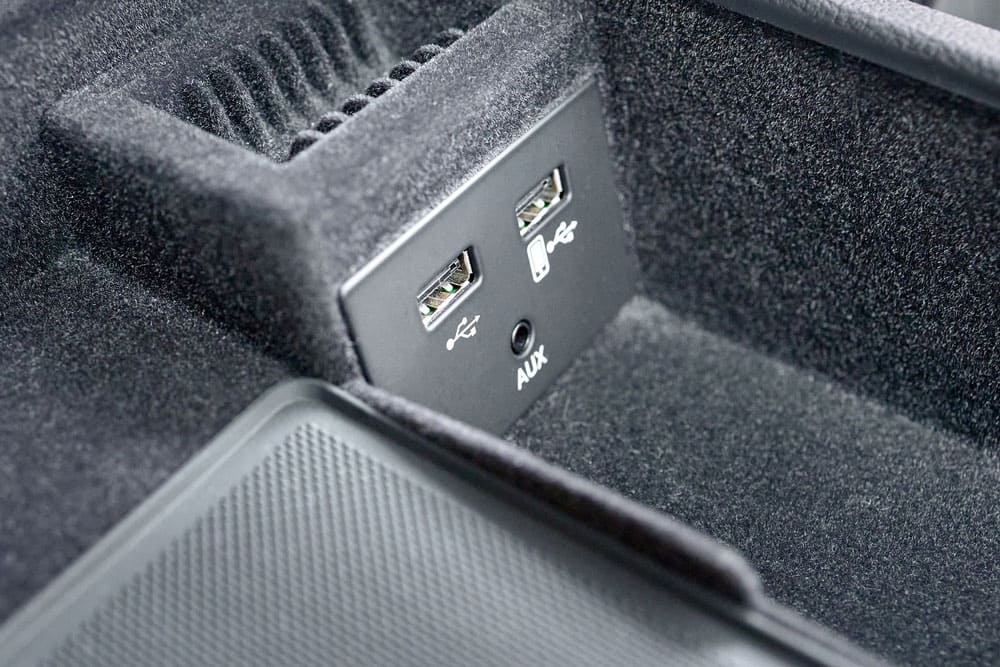
Many modern cars come with built-in aux ports, usually a 3.5mm jack located on the dashboard or center console. This direct connection offers clear sound quality with minimal setup. If your car already has one, simply plug in your device and enjoy instant access to your playlist.
If you don’t see a port, check your car’s manual or look inside the glove box or armrest—it might be hidden. Having a built-in aux port is the easiest way to connect, but not all vehicles have this feature, especially older models.
Aux Adapter Cables
What if your car stereo doesn’t have a built-in aux port? Aux adapter cables can bridge that gap. These cables often connect to your car’s CD changer port or the back of the stereo unit, providing an aux input where none exists.
These adapters vary by car make and model, so you’ll need to find one compatible with your stereo system. Installing might require removing the stereo or consulting a professional, but once set up, it feels like a built-in aux port.
Bluetooth Aux Adapters
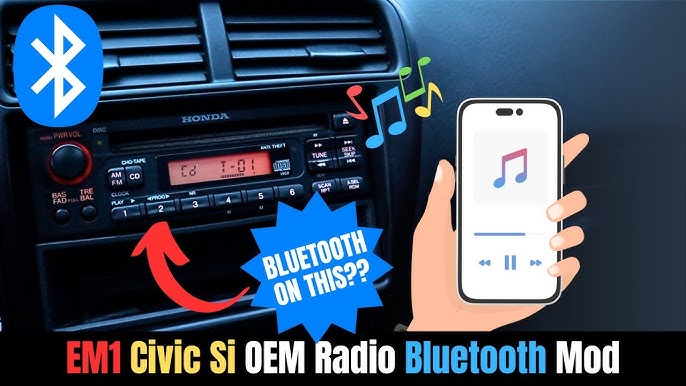
If you want to avoid wires altogether, Bluetooth aux adapters are a smart choice. They plug into your car’s aux port or power outlet and pair wirelessly with your phone or tablet. This means you can stream music without physically connecting your device.
These adapters often include a built-in microphone, allowing hands-free calls as well. Have you tried a Bluetooth adapter before? Many find it offers both convenience and decent sound quality, making it a popular upgrade for cars without modern connectivity options.
Tools And Materials Needed
Adding an aux input to your car stereo is a straightforward way to boost your driving soundtrack. But before you dive in, gathering the right tools and materials can save you time and frustration. Having everything ready ensures a smoother, more enjoyable installation experience.
Aux Cable Types
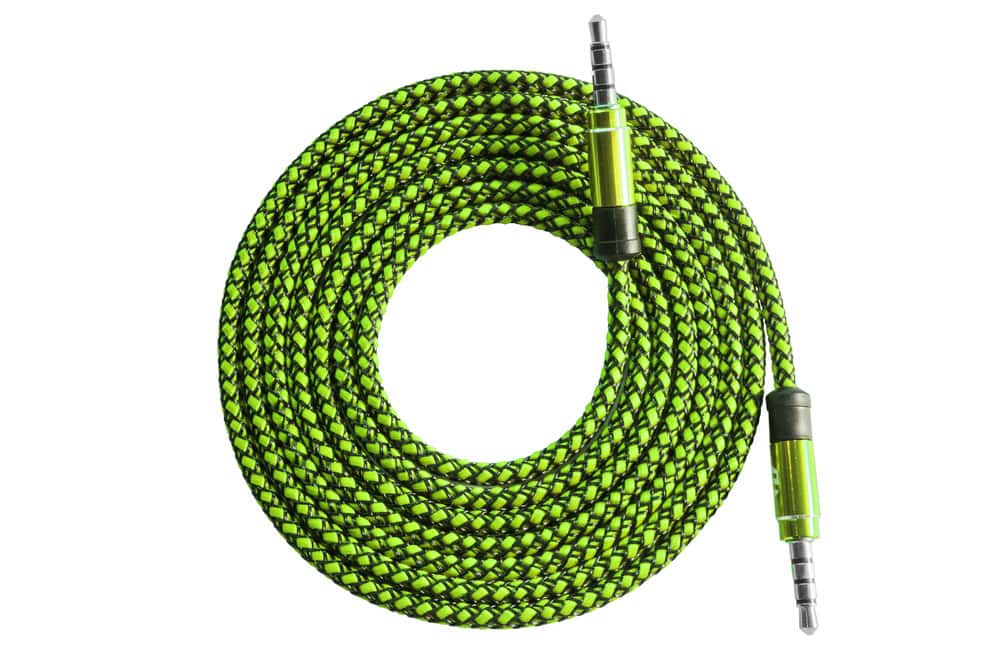
Choosing the correct aux cable is essential. Most car stereos use a 3.5mm male-to-male aux cable, which is the standard headphone jack size. However, some vehicles might require a specialized cable with RCA connectors or even adapters depending on your stereo model.
Think about where you want to place the aux input. If it’s far from the stereo, a longer cable or an extension might be necessary. Have you checked your stereo’s manual or existing ports to confirm the right cable type?
Installation Tools
- Screwdrivers:Both flathead and Phillips screwdrivers help open panels and remove the stereo unit.
- Wire strippers:These come in handy if you need to connect wires or strip insulation.
- Electrical tape:Secure your wire connections and prevent shorts.
- Multimeter:Useful to test voltage and ensure proper wiring before finalizing connections.
- Panel removal tool:Protect your car’s interior by avoiding scratches when prying off trim pieces.
Having these tools ready will make your work cleaner and faster. I once tried to install an aux input without a panel remover and ended up scratching the dashboard—definitely not worth the hassle.
Optional Accessories
- Bluetooth receiver:If you want wireless audio, this can be plugged into the aux port.
- USB adapter:Some setups allow for USB input along with aux, providing more options.
- Extension cables:Useful if your aux cable is too short to reach your preferred location.
- Fuse tap:Protects your car’s electrical system during installation.
Consider what extras might improve your listening experience. Are you aiming for simplicity, or do you want to future-proof your setup with wireless options?
Step-by-step Installation Guide
Adding an aux input to your car stereo lets you play music from your phone or other devices. This guide walks through the installation in clear, easy steps. Follow each part carefully for a smooth setup.
Locate The Stereo System
Start by finding your car’s stereo unit. Usually, it sits in the center console. You may need to remove some panels. Use a screwdriver if needed. Be gentle to avoid damage. Check your car manual for exact location and instructions.
Choose The Right Aux Input Method
Choose how you want to add the aux input. Common methods include:
- Using an aux adapter cable that plugs into the back of the stereo
- Installing an aux input module inside the stereo unit
- Using an FM transmitter if direct connection is not possible
Pick the option that fits your car model and stereo type best.
Connect Aux Cable To Stereo
Once you have the right aux input method, connect the aux cable. For adapter cables, plug into the aux port or adapter input. If installing a module, follow the kit instructions to wire it properly. Keep cables neat to avoid tangles or damage.
Secure And Test The Connection
After connecting, secure all parts and panels back in place. Turn on your car stereo. Switch to aux mode and play music from your device. Check sound quality and volume levels. Adjust settings if needed to ensure clear audio.
Troubleshooting Common Issues
Adding an aux input to your car stereo can make your drives more enjoyable, but sometimes things don’t work as expected. Troubleshooting common issues helps you identify and fix problems quickly without needing professional help. Let’s look into some frequent problems and how you can resolve them.
No Sound From Aux Input
Have you connected the aux cable but still hear nothing? First, check if your car stereo is set to the correct input mode—sometimes it stays on radio or CD by default.
Try a different aux cable or device to rule out faulty hardware. Loose connections can also cause no sound, so ensure cables are plugged in firmly.
Also, verify the volume level on both your car stereo and connected device. It’s easy to overlook that one might be muted or turned down.
Static Or Interference Problems
If you notice crackling sounds or static, the aux cable or port might be dirty or damaged. Wipe the cable ends gently and inspect for bends or frays.
Electromagnetic interference from phone chargers or other electronics could be causing noise. Try moving devices away from the aux cable or use a shielded cable to reduce interference.
Sometimes the car’s ground wiring might be the culprit. If static appears only when the engine runs, grounding issues may need a closer look.
Compatibility Errors
Not all aux adapters and cables work with every car stereo. Some older models require specific connectors or adapters. Check your car’s manual or online forums for compatibility details.
Digital devices with proprietary audio outputs may not function correctly through a standard aux input. Using a proper DAC (digital-to-analog converter) can solve this.
Ask yourself if your device supports analog audio output. If not, using Bluetooth or a USB connection might be better options for playing music.

Credit: aluratek.com
Enhancing Your Car Audio Experience
Enhancing your car audio experience makes every drive more enjoyable. Connecting an auxiliary (aux) cable to your car stereo can improve sound quality. It also allows you to play music directly from your phone or other devices. Small upgrades to your setup can make a big difference in sound clarity and volume. Here are some ways to boost your audio experience.
Using Quality Aux Cables
Choose aux cables with good build quality. Look for cables with strong connectors and thick shielding. These reduce interference and maintain sound clarity. Avoid cheap cables that might cause static or lose connection. A sturdy cable lasts longer and provides consistent audio.
Pairing With External Speakers
Connect external speakers to your car stereo for louder sound. Portable Bluetooth speakers or wired speakers can work well. Place them where sound fills the car evenly. Good speakers improve bass and treble. This creates a richer listening experience for all passengers.
Upgrading To Bluetooth For Wireless Audio
Switch to Bluetooth if you prefer wireless audio. Many car stereos support Bluetooth connections now. This lets you stream music without cables. Bluetooth adapters can add this feature to older stereos. Wireless audio frees you from tangled cords and makes controlling music easier.
Credit: autowiringpro.com
Frequently Asked Questions
How Do I Connect An Aux Cable To My Car Stereo?
To connect an aux cable, locate the aux input jack on your stereo. Plug one end of the cable into your device and the other into the stereo’s aux port. Select the aux mode on your car stereo to play audio from your device.
Can I Add Aux Input To Any Car Stereo?
Yes, most car stereos can support aux input either directly or via an adapter. If your stereo lacks an aux port, you can use an FM transmitter, cassette adapter, or replace the head unit for aux compatibility.
What Tools Are Needed To Install Aux In Car Stereo?
You typically need a compatible aux cable, screwdriver, wire stripper, and sometimes an adapter harness. Some installations may require soldering or professional help depending on your car stereo model.
Will Adding Aux Affect My Car Stereo’s Sound Quality?
Adding an aux input generally improves sound quality by providing a direct audio connection. It avoids interference common in FM transmitters. The quality depends on your cable and device output.
Conclusion
Adding an aux to your car stereo is simple. Follow each step carefully. Tools are easy to find. You’ll enjoy music from your devices. It’s convenient and enhances your driving experience. No need for expensive upgrades. Just a little time and patience.
Your car’s sound system will feel new. Enjoy your favorite tunes on the go. Safe travels with great music. Remember, a small change can make a big difference.