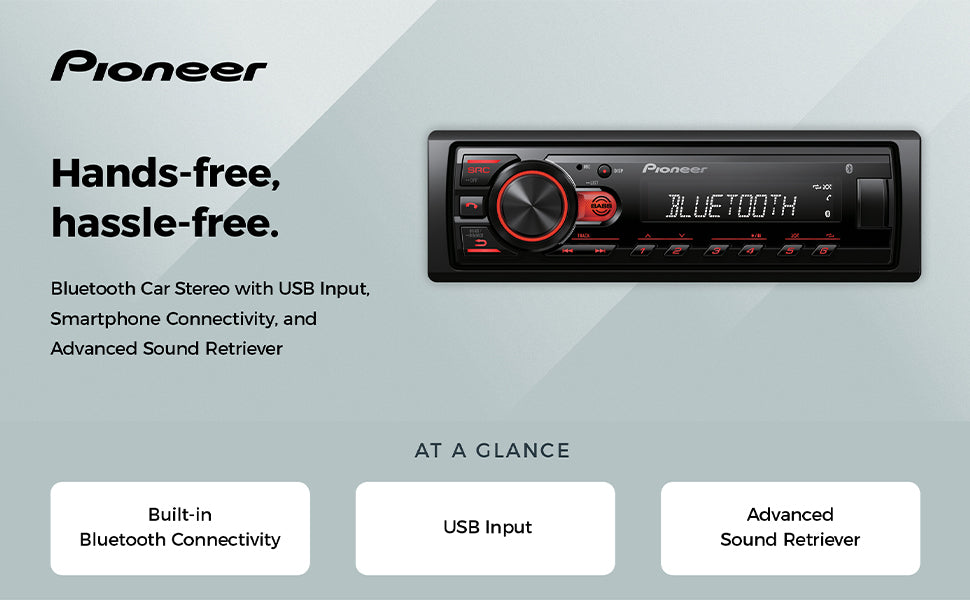
How to Use Pioneer Car Stereo: Ultimate Guide for Perfect Sound
Are you ready to get the most out of your Pioneer car stereo? Whether you’re new to this system or just want to unlock hidden features, this guide is made for you.
Imagine driving with crystal-clear sound, perfect playlists, and easy controls right at your fingertips. You’ll learn simple steps to set up, customize, and enjoy your car stereo like never before. Keep reading, and soon you’ll wonder how you ever drove without it.
Getting Started With Pioneer Stereo
Getting started with your Pioneer car stereo is simple and straightforward. A smooth setup ensures you enjoy clear sound and easy control. Follow the basic steps to get your stereo ready for use quickly and without hassle.
Unboxing And Setup
Open the box carefully and check all items. You should find the stereo unit, wiring harness, mounting hardware, and user manual. Keep the manual handy for detailed instructions.
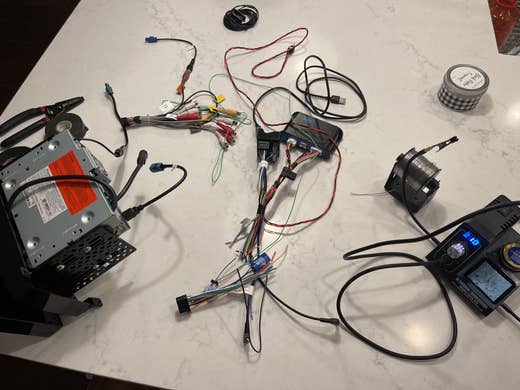
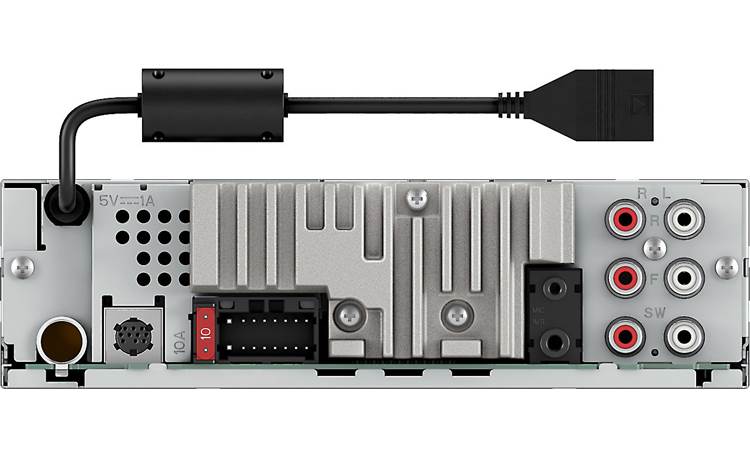
Inspect the stereo for any visible damage before installation. Prepare your car dashboard by removing the old stereo if needed. Connect the wiring harness to the car’s power and speakers. Secure the stereo in place using the mounting hardware provided.
Powering On And Initial Settings
Turn on your car ignition to power the stereo. Press the power button on the stereo face. The screen will light up, indicating the unit is active.
Set the language and time by following the on-screen prompts. Adjust the basic audio settings like bass and treble to your preference. Connect Bluetooth or USB devices for music and calls. Test the stereo to confirm all features work well.
Basic Controls And Navigation
Basic controls and navigation form the foundation for using your Pioneer car stereo. Understanding these controls helps you enjoy music and manage settings easily. The stereo offers a mix of touchscreen features and physical buttons. Each has its role in controlling sound, changing tracks, and accessing menus. Learning these controls makes your driving safer and more enjoyable.
Using The Touchscreen
The touchscreen lets you interact directly with the stereo display. Tap icons to select radio stations, playlists, or apps. Swipe gestures scroll through lists or adjust settings quickly. The screen is responsive and designed for simple use while driving. Brightness and contrast settings improve visibility in different lighting. Touchscreen controls offer a modern and intuitive way to manage your stereo functions.
Physical Buttons And Knobs
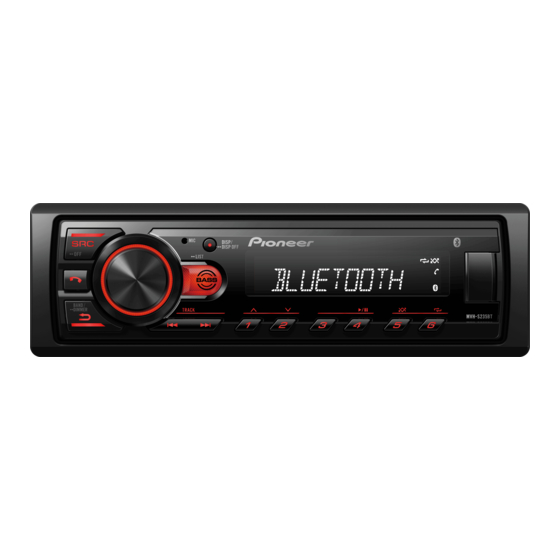
Physical buttons and knobs provide tactile control without looking away from the road. The volume knob adjusts sound levels smoothly. Pressing the knob often mutes or unmutes audio. Buttons around the screen let you switch between modes like radio, Bluetooth, or USB. Track skip buttons jump forward or back through songs. These controls are handy for quick adjustments while driving.
Menu Navigation Tips
Menus organize your stereo’s many features. Use the touchscreen or arrow buttons to move through options. Press “Home” to return to the main screen anytime. Look for icons that represent settings like audio, display, or connectivity. Adjust sound settings such as bass and treble in the equalizer menu. Save your favorite stations for easy access later. Navigation is simple with clear on-screen prompts and logical layouts.
Audio Source Options
Pioneer car stereos offer multiple audio source options. These let you enjoy music in many ways. Each source has simple controls and clear sound quality. Choose the best option for your ride and mood. Here are the main audio sources you can use.
Radio Tuning
Use the radio to listen to local stations. Your Pioneer stereo supports AM and FM bands. Tune stations manually or scan for channels automatically. Save favorite stations for quick access later. Enjoy news, music, and talk shows while driving.
Bluetooth Connectivity
Connect your phone or device wirelessly. Stream music without cables or interruptions. Pair devices easily through the stereo’s settings menu. Control playback and volume from the car stereo or phone. Bluetooth also supports hands-free calls for safety.
Usb And Aux Inputs
Plug in a USB drive or audio device. Play stored music files directly from USB sticks. Use the AUX input to connect phones or MP3 players with a cable. These inputs give you more control over song choice. The stereo reads many file formats for convenience.
Cd And Dvd Playback
Insert CDs or DVDs to play music or videos. The Pioneer stereo supports standard discs for clear audio and video. Navigate tracks or chapters with simple buttons. This option works well for those with a large disc collection. Enjoy classic albums and movies on the go.
Credit: www.manualslib.com
Customizing Sound Setthttps://www.reddit.com/r/CarAV/comments/1djgqwk/best_custom_setting_for_clear_sound/ings
Customizing the sound settings on your Pioneer car stereo lets you tailor the audio experience to your exact taste. It’s not just about louder or softer sounds; it’s about creating a balanced, rich soundscape that suits your music style and driving environment. Adjusting these settings can transform your daily drive into a personal concert.
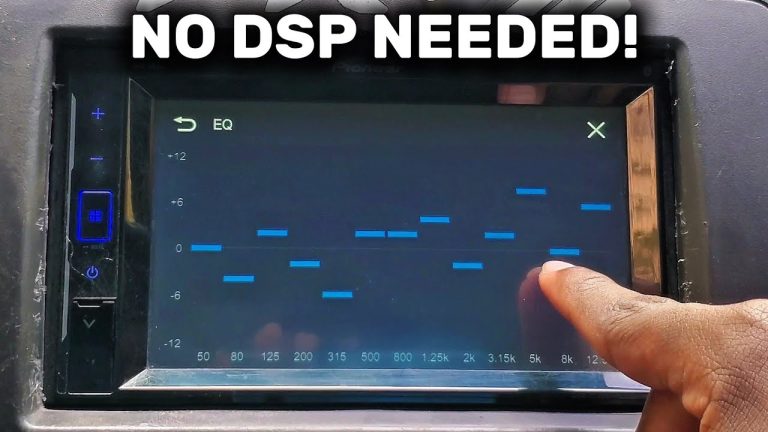
Adjusting Equalizer
The equalizer lets you control different frequency bands of your music. You can boost the highs for clearer vocals or increase the mids to enhance guitars and vocals. If you enjoy electronic music, try raising the lows to make the bass punchier.
Many Pioneer stereos come with preset equalizer options like Rock, Jazz, or Classical. But don’t hesitate to create your own setting that fits your favorite tracks better. Have you noticed how a small tweak in the equalizer can make your playlist sound completely different?
Bass And Treble Controls
Bass and treble controls focus specifically on the low and high ends of the audio spectrum. Increasing the bass adds depth and power to your music, while adjusting the treble can make the sound sharper or softer. It’s useful to dial these in based on the type of car you drive and the speaker quality.
Try lowering the bass if your car’s interior causes too much vibration, or raise the treble slightly if your music sounds muffled. Do you find yourself adjusting these controls often during different times of day or weather conditions?
Balance And Fader Settings
Balance controls the sound between your left and right speakers, while the fader adjusts the sound between front and rear speakers. This is key to making sure everyone in the car hears music clearly. If you often drive alone, pushing the sound towards the driver’s side can improve your listening experience.
For passengers, spreading the sound evenly keeps everyone happy. Think about where your speakers are positioned and try moving the fader and balance until the sound feels natural. Have you ever noticed how uneven sound can distract from your music?
Using Sound Effects
Pioneer stereos often include sound effects like surround sound or vocal enhancer. These effects can add a new dimension to your audio, making it feel more immersive or clearer. Experiment with these to find what suits your favorite genres or voice-heavy podcasts.
Don’t overlook subtle effects like loudness control, which can make music sound fuller at lower volumes. How often do you explore these extras to refresh your listening experience?
Advanced Features
The advanced features of your Pioneer car stereo can transform your driving experience. These options go beyond just playing music—they help you stay connected, control your stereo safely, and enjoy tailored sound in every corner of your vehicle. Let’s look at how you can make the most of these powerful tools.
Using Smartphone Integration
Connecting your smartphone to the Pioneer stereo opens up a world of convenience. You can stream music, access navigation apps, and even check messages without touching your phone.
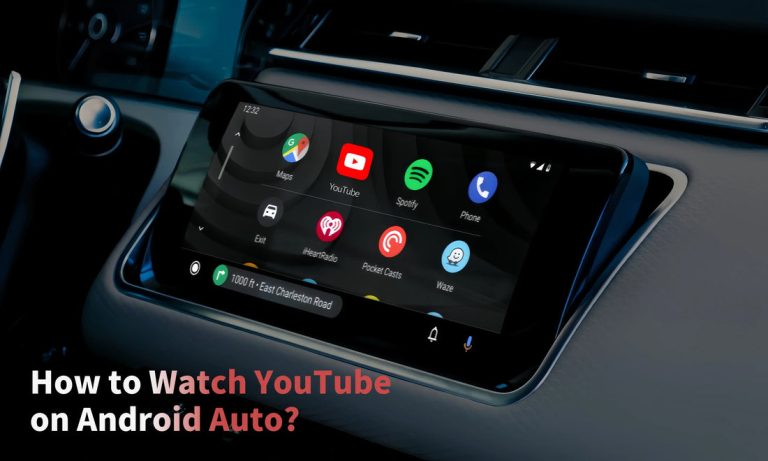
Most Pioneer models support Apple CarPlay and Android Auto. Once connected via USB or Bluetooth, your phone’s interface appears on the stereo screen, making it easy to select apps and control playback.
Have you tried using your favorite playlist directly through the stereo? It saves time and keeps your eyes on the road. Plus, some models allow you to charge your phone while connected, so you never run out of battery during long trips.
Voice Commands
Voice commands let you operate your stereo hands-free, which is safer and more convenient. By simply speaking, you can change songs, make calls, or adjust volume without looking away from the road.
To activate voice commands, press the dedicated button on your stereo or steering wheel. Then say what you want, like “Play jazz playlist” or “Call Mom.”
Have you noticed how much easier it is to focus on driving when you don’t have to fiddle with buttons? Using voice commands can cut down distractions significantly.
Multi-zone Audio Setup
If you often travel with passengers, the multi-zone audio feature is a game-changer. It lets different areas of your car play separate audio sources at the same time.
For example, the driver can listen to a podcast while the backseat passengers enjoy their favorite tunes. You control each zone’s volume and source independently through the stereo’s settings.
Setting this up is straightforward. Just navigate to the audio settings menu and enable multi-zone audio. This feature keeps everyone happy without compromising sound quality.
Troubleshooting Common Issues
Troubleshooting common issues with your Pioneer car stereo can save time and avoid frustration. Many problems have simple fixes you can do yourself. Understanding these fixes helps keep your stereo working smoothly.
Some issues cause no sound at all. Others involve connection errors. Resetting the stereo often clears many problems. Below are key points to help solve these common troubles.
No Sound Problems
Check the volume level first. Make sure it is not muted or too low. Verify that speakers are properly connected and not damaged. Look at the balance and fade settings. They should be centered to send sound to all speakers.
Inspect the wiring harness for loose or broken wires. Test different audio sources like radio, USB, or Bluetooth to find if sound works on any. If no sound occurs on all sources, the stereo may need service.
Connectivity Errors
Bluetooth connection issues are common. Ensure Bluetooth is enabled on both the stereo and your device. Delete old devices from the stereo’s memory to avoid conflicts. Restart your phone or device and try pairing again.
For USB or auxiliary connections, check cables for damage. Use a different cable to test. Confirm the device is compatible with the stereo. Sometimes, software updates for the stereo or phone fix connection problems.
Resetting The Stereo
Resetting can fix many glitches. Locate the reset button or pinhole on the stereo panel. Use a pointed object like a pen to press and hold it for a few seconds. The stereo will restart and restore factory settings.
Remember, resetting clears all saved settings and paired devices. Reconfigure your preferences after the reset. This step often restores normal operation without technical help.
Maintenance And Updates
Keeping your Pioneer car stereo in top shape ensures it performs well and lasts longer. Regular maintenance and timely updates can prevent common issues and enhance your listening experience. Let’s look at some practical ways to care for your stereo.
Cleaning Tips
Dust and dirt can easily accumulate on your stereo’s buttons and screen, affecting its performance. Use a soft, dry microfiber cloth to wipe the surface gently.
Avoid using harsh chemicals or sprays directly on the stereo. Instead, slightly dampen the cloth with water or a mild cleaner if needed.
Don’t forget to clean the CD slot or USB ports carefully. Compressed air can help remove debris without damaging internal parts.
Software Updates
Keeping your stereo’s software updated is essential for smooth operation and new features. Check Pioneer’s official website or the user manual for update instructions.
Updates often fix bugs and improve compatibility with smartphones and apps. If your stereo supports Wi-Fi or USB updates, connect it regularly to get the latest software.
Have you noticed slower response times or glitches? Updating the software might solve these problems before you consider a replacement.
Protecting Your Stereo
Protect your stereo from extreme temperatures by parking in shaded areas or using a windshield sunshade. Excess heat can damage internal components.
Be mindful of moisture and spills inside your car. Avoid eating or drinking near the stereo to prevent accidental damage.
Consider using a screen protector to guard against scratches. When parking, remove any valuables that might tempt theft and secure your stereo if it’s removable.

Credit: usa.pioneer
Credit: www.crutchfield.ca
Frequently Asked Questions
How Do I Connect My Phone To Pioneer Car Stereo?
To connect your phone, enable Bluetooth on both devices. Search for the stereo in your phone’s Bluetooth list. Select it and pair by confirming the PIN. This allows hands-free calls and music streaming.
How Can I Update Pioneer Car Stereo Firmware?
Visit the Pioneer official website and download the firmware update tool. Connect your stereo via USB or SD card. Follow on-screen instructions to complete the update safely. Firmware updates improve performance and add new features.
What Audio Formats Does Pioneer Car Stereo Support?
Pioneer Car Stereos typically support MP3, WMA, AAC, and WAV formats. Some models also support FLAC for high-quality audio. Check your specific model’s manual for exact supported formats to ensure compatibility.
How To Reset Pioneer Car Stereo To Factory Settings?
Press and hold the reset button, usually a small hole, using a pointed tool. Hold for a few seconds until the screen resets. Factory reset clears settings and fixes many operational issues.
Conclusion
Using a Pioneer car stereo can enhance your driving experience. Follow the steps outlined for easy setup and operation. Enjoy clear sound and user-friendly features. Remember to explore all the settings. Adjust them to suit your preferences. Practice using the controls while parked.
This helps you stay focused on the road. A well-adjusted stereo can make every drive enjoyable. Keep your car manual handy for quick reference. Happy driving with your Pioneer stereo!