How to Set Your Car Stereo Equalizer: Ultimate Sound Tuning Guide
Master Automotive Systems Engineer & Performance Vehicle Specialist at CarSpeedNest Automotive Testing Lab · ASE Certified Master Technician, Mobile Electronics Certified Professional (MECP Master), Certified Dyno Diagnostic Specialist · 14+ years in dyno testing, electronic sensor calibration, automotive wiring harnesses, and precision drivetrain maintenance
Do you ever feel like your car stereo just doesn’t sound right? Maybe the music is too bass-heavy or the vocals are muffled.
The good news is, you can fix this by learning how to set your car stereo equalizer properly. Getting the perfect sound isn’t about guessing—it’s about tuning your music to fit your ears and your car’s unique space. In this guide, you’ll discover simple steps to adjust your equalizer so every song feels alive and clear.
Ready to transform your driving soundtrack? Let’s dive in and unlock the full potential of your car stereo.
Car Stereo Equalizer Basics
Understanding the basics of your car stereo equalizer is key to getting the sound just right. Whether you want to boost the bass or clear up the vocals, knowing how the equalizer works gives you full control over your music experience. Let’s break down what an equalizer is, the types you’ll find, and the common controls you’ll use.
What Is An Equalizer
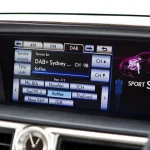
An equalizer, often called EQ, is a tool that adjusts the balance of different sound frequencies in your car stereo. It lets you raise or lower specific tones, like bass, midrange, and treble, to suit your preferences. Think of it as a way to tailor the music so it sounds best to your ears and your car’s acoustics.
Have you ever noticed how a song sounds flat in one car but amazing in another? That’s often because of the equalizer settings. By tweaking these, you can fix sound imbalances caused by your car’s interior or speakers.
Types Of Equalizers
Not all equalizers are the same. The two main types are graphic and parametric equalizers.
- Graphic Equalizersshow a set of sliders for fixed frequency bands. You slide each up or down to boost or cut those frequencies. They’re simple and quick to use.
- Parametric Equalizersoffer more control. You can adjust the frequency, the bandwidth (range of frequencies affected), and the gain (boost or cut). These are perfect if you want precision tuning.
Which type fits your style? If you want fast, easy fixes, graphic is great. If you want detailed control and enjoy experimenting, parametric is the way to go.
Common Equalizer Controls
Most car stereos have controls that you’ll use regularly to shape your sound. Here are the basics:
| Control | What It Does | How to Use It |
|---|---|---|
| Bass | Adjusts the low frequencies (deep sounds) | Boost for more punch; cut if too boomy |
| Midrange | Controls the middle frequencies (vocals, instruments) | Raise to make voices clearer; lower if sounds are harsh |
| Treble | Adjusts high frequencies (sharp sounds like cymbals) | Increase for brightness; reduce if too sharp or hissy |
Experiment with these controls while playing your favorite song. Notice how small changes impact the overall sound. What part of the music do you want to highlight or soften?
Preparing Your Setup
Before you dive into adjusting your car stereo equalizer, it’s crucial to prepare your setup carefully. A well-prepared environment and the right tools make a significant difference in achieving the sound quality you want. Skipping this step often leads to frustration and poor results, so take a moment to get everything ready.
Choose The Right Environment
Pick a quiet place to work on your car’s sound system. Background noise can trick your ears and make it hard to judge the changes you make. Ideally, park your car somewhere without traffic or loud sounds nearby.
Also, consider the time of day. Your ears respond differently depending on the noise around you and even your own energy levels. Are you more alert in the morning or evening? Choose a time when you feel focused and fresh.
Use Quality Audio Tracks
Not all music is created equal for tuning your equalizer. Use high-quality audio files like FLAC or uncompressed WAV rather than low bitrate MP3s. This helps you hear subtle differences as you adjust the settings.
Pick songs you know well and that cover a wide range of frequencies—tracks with clear vocals, deep bass, and crisp highs work best. Do you have a playlist that lets you test every part of your stereo’s range? If not, it’s worth creating one before you start.
Gather Necessary Tools
Have these tools ready before you start tweaking your equalizer:
- A reliable USB drive or phone with your chosen audio tracks.
- A way to measure sound levels, like a smartphone app or a decibel meter if you want precision.
- Pen and paper or a note-taking app to jot down settings and changes.
Bringing these tools together saves you from scrambling mid-session. What tools do you already have, and what could improve your setup? Taking stock now makes the process smoother and more effective.
Adjusting Frequency Bands
Adjusting the frequency bands on your car stereo equalizer shapes how your music sounds. It controls the balance of low, mid, and high tones. Tuning these bands lets you create clear, rich audio that fits your taste. Each frequency range affects different parts of the music, so small changes can make a big difference.
Bass Frequency Tuning
Bass frequencies cover the low sounds, like drums and bass guitars. Boosting bass adds power and warmth to your music. Too much bass can cause distortion or muddy sound. Lower the bass if the sound feels heavy or unclear. Aim for a smooth, deep bass that supports the song without overpowering.
Midrange Frequency Adjustments
Midrange frequencies hold most vocals and instruments. Adjusting midrange changes clarity and presence in music. Increase mids to make voices and guitars clearer. Reduce mids if the sound feels harsh or too forward. Keep midrange balanced for natural and full sound quality.
Treble Frequency Settings
Treble frequencies include high sounds like cymbals and high notes. Raising treble adds brightness and sharpness to music. Too much treble can cause shrill or sharp sounds. Lower treble to soften harshness or reduce hiss. Set treble for crisp, clear highs without strain.

Credit: www.reddit.com
Balancing Sound Levels
Balancing sound levels is key to a great car audio experience. It ensures all parts of your music sound clear and natural. Proper balance prevents any one frequency from overpowering others. This creates a smooth and enjoyable sound inside your car. Adjusting your equalizer carefully helps achieve this perfect balance.
Avoiding Distortion
Distortion happens when sound is too loud or frequencies clash. It makes music sound harsh and unpleasant. Keep volume and gain at moderate levels to avoid this problem. Lower the bass if it causes rattling or crackling. Clear sound means less distortion and better listening comfort.
Setting Volume And Gain
Volume controls overall loudness. Gain adjusts signal strength before the amplifier. Set gain first to prevent clipping or noise. Use a test tone or music track to check levels. Adjust volume after setting gain for the right loudness. Balance both for clean and clear sound without distortion.
Fine-tuning Loudness
Loudness controls enhance bass and treble at low volumes. Use this feature to keep music full and lively when driving quietly. Avoid too much boost, which can cause distortion. Adjust loudness so music sounds natural at all volume levels. This keeps your sound balanced and enjoyable on every trip.
Customizing For Music Genres
Adjusting your car stereo equalizer based on music genres enhances sound quality. Different genres highlight various instruments and vocals. Custom settings bring out the best in each style.
Tailor the equalizer to match the unique sound characteristics of each genre. This improves listening pleasure and clarity. Small tweaks make a big difference in sound experience.
Settings For Rock And Pop
- Boost midrange frequencies for clear vocals and guitars.
- Increase bass slightly for a punchy, energetic feel.
- Raise treble to add brightness to cymbals and high-hats.
- Keep mid-bass balanced to avoid overpowering drums.
Settings For Jazz And Classical
- Reduce bass to preserve natural instrument tones.
- Enhance midrange for smooth saxophones and violins.
- Lower treble slightly to soften sharp sounds.
- Focus on clarity to distinguish complex instrument layers.
Settings For Hip-hop And Electronic
- Increase bass deeply for strong beats and bass lines.
- Boost treble to highlight synths and hi-hats.
- Keep midrange balanced to avoid muddy vocals.
- Use a slight mid-bass boost for fuller sound.

Credit: soundcertified.com
Troubleshooting Sound Issues
Sound issues can really disrupt your driving experience, especially when you’re trying to enjoy your favorite music. Troubleshooting these problems doesn’t have to be complicated. By understanding common sound issues and how to fix them, you can get your car stereo equalizer delivering crisp, clear audio again.
Dealing With Hissing Or Buzzing
If you hear hissing or buzzing, it’s often due to electrical interference or poor connections. Check your wiring first—loose or damaged cables can cause unwanted noise. Also, try turning down the gain or volume on your amplifier to see if that reduces the hiss.
Sometimes, the problem comes from the source device or even a ground loop issue. Ground loops create a constant hum, which can be fixed by ensuring all components share a common ground. Have you checked if your phone or player is causing the noise by disconnecting it and testing the stereo alone?
Fixing Muffled Or Tinny Sound
Muffled sound usually means too much bass or poor speaker quality, while tinny sound suggests too much treble. Adjust your equalizer settings by lowering the bass frequencies and slightly increasing mids to balance the tone. Don’t push any band to extreme levels—that often makes the sound worse.
Another factor is speaker placement and condition. Worn-out speakers or blocked speaker grills can make the sound dull. Inspect your speakers for damage and clean any dust or debris that might be muffling the audio.
Handling Speaker Imbalance
Have you ever noticed one side of your car stereo sounds louder than the other? This is a sign of speaker imbalance, which can ruin your listening experience. Start by adjusting the balance and fade controls on your stereo to center the sound evenly between all speakers.
If the problem persists, check the wiring to each speaker for loose connections. Sometimes one speaker may be blown or damaged, causing the imbalance. Testing each speaker individually can help you spot the faulty one quickly.
Advanced Tuning Tips
Once you’ve mastered the basics of your car stereo equalizer, it’s time to dive deeper. Advanced tuning can dramatically improve your listening experience by allowing you to customize sound beyond the factory presets. These tips will help you get the most out of your setup, whether you’re aiming for crystal-clear vocals or booming bass.
Using External Equalizers
Adding an external equalizer gives you more control over your audio settings. These devices often provide more bands and finer adjustments than your car’s built-in equalizer. You can tweak specific frequencies that the factory system might miss, like reducing harsh highs or boosting midrange clarity.
I once installed a 10-band external equalizer in my car and noticed a huge improvement in sound depth. It allowed me to balance the audio perfectly for my favorite rock albums. Have you checked if your system supports external units? It might be worth the upgrade.
Incorporating Sound Processors
Sound processors, such as digital signal processors (DSPs), can enhance your audio by managing time alignment, crossover settings, and equalization all at once. They help create a more natural and immersive soundstage inside your vehicle. This is especially useful if you have an aftermarket speaker setup.
Setting up a DSP can seem complicated, but many modern units come with software that guides you through calibration. Imagine being able to adjust your sound so that every instrument feels like it’s in the right place around you. Could this be the missing piece in your audio chain?
Saving And Recalling Presets
Once you find the perfect equalizer settings, saving them is key. Many stereos and external devices allow you to store multiple presets for different music genres or driving conditions. This means you can switch from bass-heavy hip-hop to crisp classical music with just a few taps.
Think about your daily drives—do you listen to different music in the morning compared to evening? Having presets ready can save you time and keep your audio experience consistent. Have you saved your favorite settings yet?

Credit: www.reddit.com
Frequently Asked Questions
What Is The Best Equalizer Setting For Car Stereo?
The best setting depends on your music style and car acoustics. Start with a flat profile, then adjust bass, midrange, and treble to your preference. Small tweaks improve clarity and balance sound. Test settings with different songs for optimal results.
How Do I Adjust Bass And Treble On Car Stereo?
Use the equalizer or tone controls on your stereo. Increase bass for deeper low frequencies and treble for sharper highs. Adjust both gradually, avoiding distortion. Proper balance enhances sound quality without overpowering other frequencies.
Can Equalizer Settings Improve Sound Clarity In Cars?
Yes, equalizer settings can enhance clarity by balancing frequencies. Reducing muddiness in mids and boosting highs helps vocals and instruments stand out. Fine-tuning equalizer bands tailors sound to your car’s acoustics and personal taste.
Why Should I Avoid Extreme Equalizer Settings?
Extreme settings can cause distortion and damage speakers. Boosting too much bass or treble overwhelms sound balance. Moderate adjustments preserve audio quality and protect stereo components. Aim for a natural, pleasant listening experience.
Conclusion
Setting your car stereo equalizer enhances your music experience significantly. Start by understanding the basics of sound frequencies. Adjust the bass, midrange, and treble to suit your taste. Listen carefully and make small changes. Test different music genres to find what sounds best.
Ensure the sound is balanced and clear. Don’t hesitate to tweak settings often. Every car interior is different. Experiment until you find the perfect setup. Enjoy your drives with improved sound quality. This process is simple and rewarding. Happy listening!

Similar Posts