Can Bluetooth Be Added to a Car Stereo: Easy Upgrade Tips
Master Automotive Systems Engineer & Performance Vehicle Specialist at CarSpeedNest Automotive Testing Lab · ASE Certified Master Technician, Mobile Electronics Certified Professional (MECP Master), Certified Dyno Diagnostic Specialist · 14+ years in dyno testing, electronic sensor calibration, automotive wiring harnesses, and precision drivetrain maintenance
Have you ever wished your car stereo could connect wirelessly to your phone? Imagine playing your favorite songs, making hands-free calls, and streaming podcasts without fumbling with cables.
The good news is, you don’t have to buy a new car to enjoy Bluetooth features. But can Bluetooth really be added to a car stereo? If you’ve been wondering how to upgrade your ride’s sound system without breaking the bank, keep reading.
This guide will show you simple, effective ways to bring Bluetooth into your car and transform your driving experience.

Credit: www.amazon.com
Benefits Of Adding Bluetooth
Adding Bluetooth to a car stereo brings many useful benefits. It makes driving more enjoyable and safer. This simple upgrade improves how you listen to music and talk on the phone. It also helps keep your focus on the road.
Wireless Music Streaming
Bluetooth allows you to play music from your phone without wires. You can enjoy your favorite songs without fumbling with cables. It connects instantly and works with many apps. This feature keeps your car neat and your music clear.
Hands-free Calling
Bluetooth lets you make calls without holding your phone. You can answer or end calls using buttons on your stereo or steering wheel. This frees your hands and makes conversations easier. It helps you stay connected while driving safely.
Enhanced Safety
Using Bluetooth reduces distractions while driving. You can control music and calls without looking at your phone. This keeps your eyes on the road and hands on the wheel. Bluetooth supports safer driving habits and lowers accident risks.
Types Of Bluetooth Adapters
Bluetooth adapters let you add wireless audio to your car stereo. Different types fit different needs and car setups. Choosing the right adapter improves sound quality and ease of use.
Some adapters plug directly into your car stereo. Others broadcast over FM radio or connect inside the stereo system. Knowing each type helps you pick the best one for your car.
Plug-and-play Dongles
These small devices connect to the aux or USB port in your car. They pair quickly with your phone or tablet. No wiring or installation needed. Just plug in and play music wirelessly.
Plug-and-play dongles work well with newer car stereos. They offer clear sound and easy controls. Most models also support hands-free calling.
Fm Transmitter Models
FM transmitters send audio from your phone to your car radio. They use an unused FM frequency to broadcast sound. Tune your car stereo to this frequency to hear music.
This type works with any car that has an FM radio. No need for cables or special ports. Sound quality may vary depending on signal strength.
Built-in Receiver Modules
Built-in receiver modules install inside your car stereo system. They integrate Bluetooth directly into the stereo hardware. This option often requires professional installation.
These modules offer the best sound quality and stability. They allow full control through the car’s original buttons and display. Ideal for those who want a clean, factory-like setup.
Compatibility Checks
Before adding Bluetooth to your car stereo, it’s crucial to check if your system supports the upgrade. Compatibility checks save you time, money, and frustration by ensuring the new Bluetooth device will work smoothly with your existing stereo setup. Let’s break down the key points you need to verify to make a confident purchase.
Stereo Input Options
Look closely at your car stereo’s input options. Most Bluetooth adapters connect through auxiliary (AUX) ports, USB, or even cassette adapters in older models.
If your stereo lacks an AUX or USB input, adding Bluetooth becomes trickier but not impossible. Some adapters use FM transmitters to broadcast Bluetooth audio through your car’s radio frequency.
Have you checked the back of your stereo or your car’s manual to confirm available inputs? This simple step can narrow down your choices quickly.
Power Requirements
Bluetooth adapters need power to function, usually provided via your car’s 12V outlet (cigarette lighter) or USB port. Confirm your car has a convenient power source near your stereo or dashboard.
Some models draw minimal power and won’t affect your car’s battery significantly. But if you plan to leave the adapter plugged in for long periods, consider power consumption carefully.
Does your car’s power outlet stay active when the engine is off? Knowing this can prevent battery drain surprises.
Device Pairing Limits
Every Bluetooth adapter has a limit to how many devices it can remember or pair with at once. This is important if multiple people use your car regularly.
Most adapters allow pairing with one or two devices simultaneously, but some support more. Check the specs before buying if you want seamless switching between drivers’ phones.
Think about your daily routine—do you share your car? Understanding pairing limits ensures the Bluetooth setup fits your lifestyle perfectly.

Credit: www.amazon.com
Installation Methods
Adding Bluetooth to a car stereo can be done through several installation methods. Each method varies in cost, complexity, and sound quality. Choose the one that fits your needs and technical skills best.
Using Auxiliary Input
Many car stereos have an auxiliary (AUX) input port. This allows you to connect a Bluetooth receiver. The receiver plugs into the AUX jack and pairs with your phone. It sends audio wirelessly to the car stereo. This method is simple and inexpensive. No major changes to the stereo are needed. Sound quality depends on the AUX input and receiver used.
Connecting Via Fm Transmitter
An FM transmitter broadcasts audio from your phone to a radio frequency. You tune your car stereo to that frequency. The transmitter connects to your phone via Bluetooth. It sends music or calls to the car stereo as radio signals. This method works in any car with an FM radio. Sound quality can vary due to interference and signal strength. FM transmitters are easy to install and portable.
Replacing The Head Unit
Replacing the head unit means installing a new stereo system with built-in Bluetooth. These modern units offer wireless music streaming and hands-free calls. Installation requires removing the old stereo and wiring the new one. This method offers the best audio quality and features. It can be done professionally or by those with some technical skills. Costs are higher, but the upgrade is permanent and reliable.
Step-by-step Upgrade Guide
Adding Bluetooth to your car stereo can seem tricky, but breaking it down into simple steps makes the process manageable. This guide walks you through everything you need to do, from gathering the right tools to testing your new Bluetooth functions. You’ll find clear instructions to help you enjoy wireless music and hands-free calls in no time.
Gathering Required Tools
Before you start, make sure you have all the necessary tools at hand. You will typically need:
- A Bluetooth adapter compatible with your car stereo
- Screwdrivers (usually Phillips and flathead)
- Wire strippers and electrical tape or connectors
- A multimeter to check connections (optional but helpful)
Having everything ready will save you time and frustration. Have you ever stopped midway because a tool was missing? Avoid that by preparing in advance.
Connecting The Adapter
Start by disconnecting your car battery to avoid any electrical issues. Remove the stereo unit carefully using screwdrivers, noting how wires are connected. Identify the power, ground, and audio input wires on your stereo.
Attach the Bluetooth adapter’s wiring to the corresponding stereo wires. Some adapters plug directly into the stereo’s auxiliary or CD changer ports, which simplifies the process. If you’re splicing wires, strip the ends, twist them together securely, and cover with tape or connectors to avoid shorts.
Take your time with connections; a loose wire can cause sound problems or damage the unit. Have you checked twice if your connections are secure?
Testing Bluetooth Functions
Reconnect the car battery and power on your stereo. Put your phone in Bluetooth pairing mode and look for the adapter’s name in the device list. Once paired, play some music to check sound quality and volume levels.
Test hands-free calling by making a call and listening for clear audio both ways. Adjust settings on your stereo or phone if necessary to optimize performance.
If something doesn’t work, double-check your wiring and pairing steps. Remember, patience here pays off with seamless Bluetooth integration.
Troubleshooting Tips
Adding Bluetooth to your car stereo can transform your driving experience, but sometimes things don’t work as smoothly as expected. Troubleshooting these issues quickly helps you get back to enjoying hands-free calls and wireless music without frustration. Below are some practical tips to tackle common problems you might face.
Connection Issues
Bluetooth devices can be picky about connections. If your car stereo isn’t pairing with your phone, first check if Bluetooth is enabled on both devices. Restarting your phone or the stereo can clear minor glitches that block pairing.
Make sure your phone isn’t connected to another Bluetooth device nearby. Sometimes multiple devices compete for connection, causing confusion. Also, check if your car stereo is in pairing mode; if not, it won’t show up on your phone’s device list.
Have you tried deleting old paired devices? Too many saved connections can overwhelm the system. Clearing the list often solves mysterious connection drops.
Audio Quality Problems
Poor sound or interruptions can ruin your listening experience. First, check the distance between your phone and stereo. Bluetooth range is limited, so staying within a few feet is best.
Interference from other electronics or physical obstacles can degrade audio quality. Moving your phone away from other devices or placing it where there are fewer obstructions can help.
Another cause could be outdated firmware on your car stereo or phone. Updating software improves compatibility and fixes bugs that affect sound. Have you noticed specific songs or apps cause worse quality? That might point to the source rather than your stereo.
Power And Charging Concerns
Bluetooth adapters or modules often need their own power source. If your device keeps turning off or disconnecting, check if it’s properly plugged into a power outlet or USB port.
Loose connections or faulty cables can interrupt power. Try using a different charging cable or port to rule out hardware problems.
Some Bluetooth units drain your car battery if left plugged in without the engine running. Have you ever found your car won’t start after leaving a Bluetooth device on overnight? Disconnecting the adapter when your car is off can prevent battery drain.
Cost And Budget Considerations
Adding Bluetooth to your car stereo can fit a wide range of budgets, but it’s important to consider how much you’re willing to spend and what features you want. Costs can vary dramatically depending on whether you choose a basic adapter or a fully integrated premium system. Knowing your budget helps you decide which route makes the most sense without overspending.
Affordable Options
If you want to add Bluetooth without breaking the bank, simple plug-and-play adapters are a great choice. These devices usually cost between $20 and $50 and connect via your car’s auxiliary port or cigarette lighter. They provide basic Bluetooth functionality like hands-free calling and music streaming, which may be all you really need.
Keep in mind, these options might lack advanced features such as steering wheel controls or voice commands. But if you’re mostly after convenience and a quick fix, affordable adapters can get the job done efficiently.
Premium Upgrades
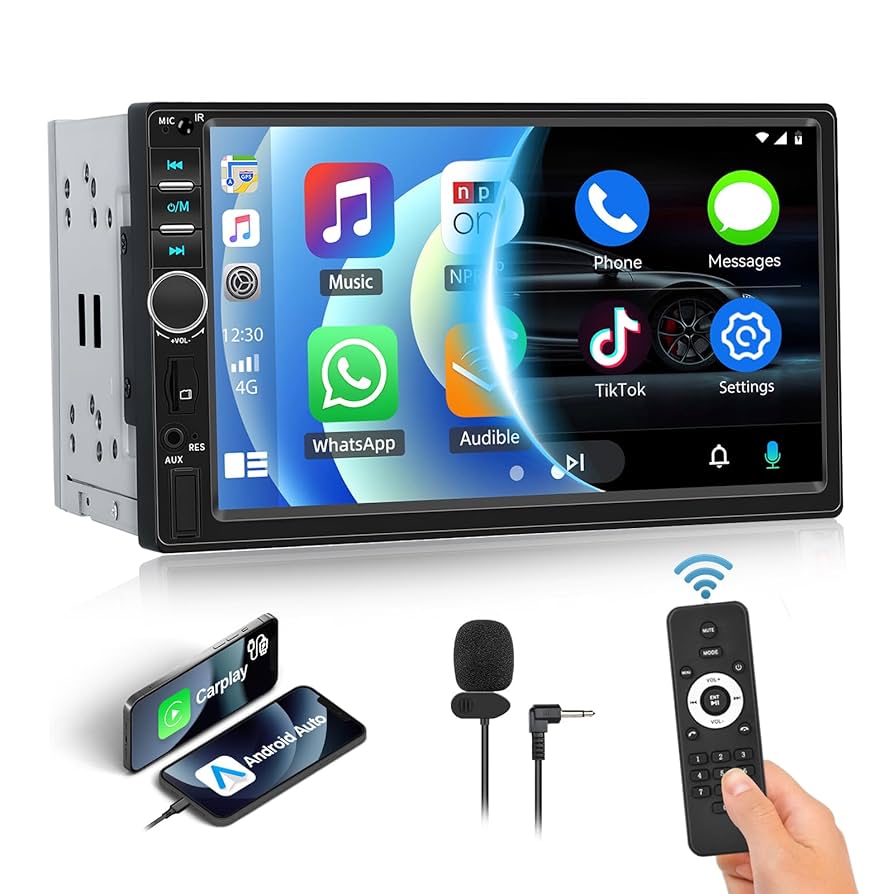
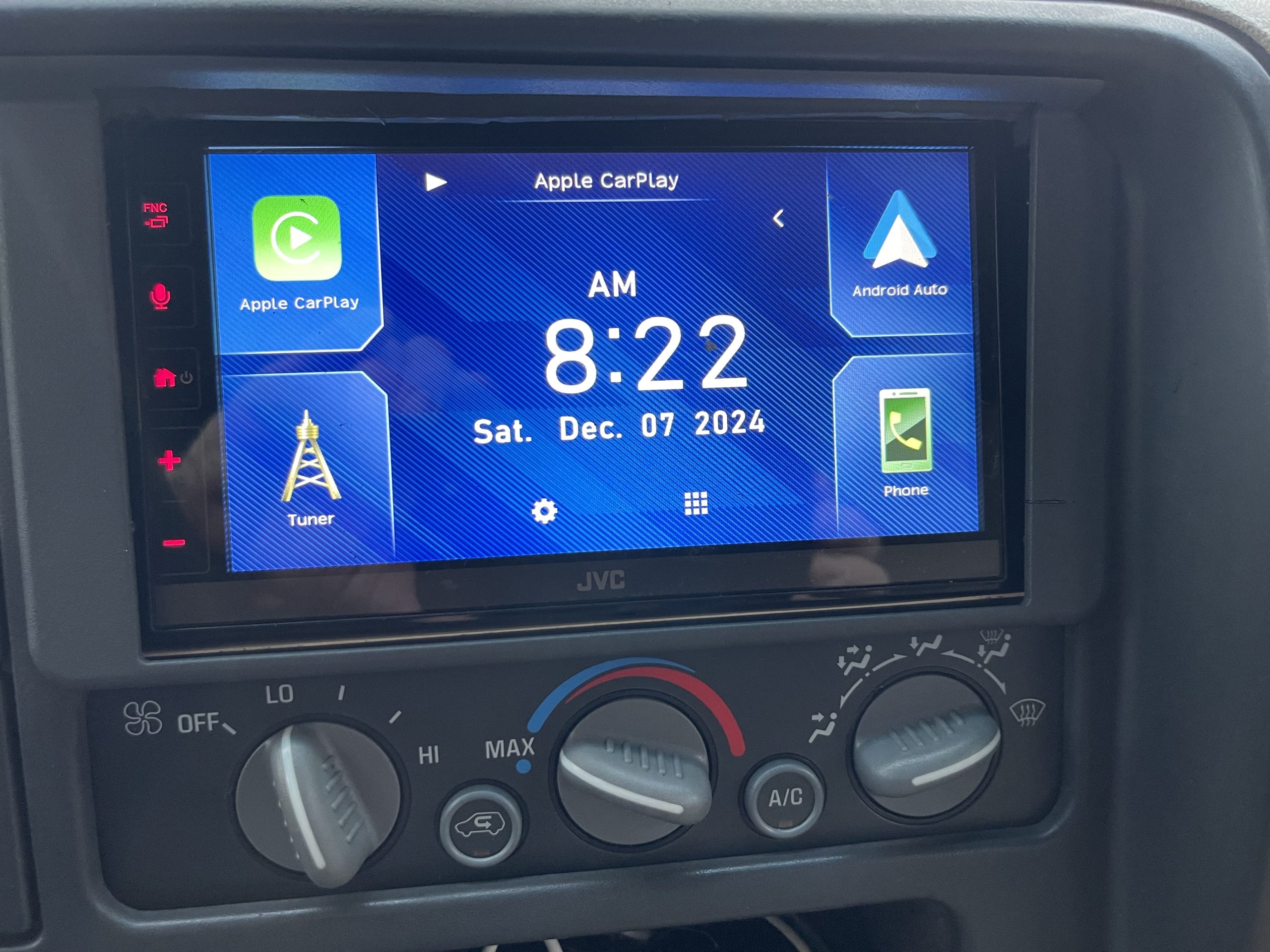
For a seamless experience, consider premium Bluetooth stereo units that can cost anywhere from $150 to $500 or more. These systems often include touchscreen displays, better sound quality, and integration with apps like Apple CarPlay or Android Auto.
Some premium models also support multiple Bluetooth connections and offer advanced hands-free calling features. If you spend a lot of time driving or want your car stereo to feel like an extension of your smartphone, investing in a higher-end upgrade may be worth it.
Diy Vs Professional Installation
Installing Bluetooth yourself can save money but requires some technical know-how. Basic adapters usually plug in easily, but installing a new stereo system often means removing panels, wiring, and programming the unit.
If you’re unsure or want to avoid potential damage, professional installation might be a better choice. Labor costs vary, typically adding $50 to $150, but you gain peace of mind with a clean, correctly installed setup.
Ask yourself: Are you comfortable handling car electronics, or would paying a bit more for expert help save you headaches later?

Credit: www.youtube.com
Frequently Asked Questions
How Can I Add Bluetooth To My Car Stereo?
You can add Bluetooth to your car stereo using a Bluetooth adapter. These adapters connect via the AUX port, FM transmitter, or cassette player. Some options require a simple plug-and-play, while others need professional installation. Choose based on your car’s stereo system compatibility and your budget.
What Are The Benefits Of Bluetooth In A Car?
Bluetooth in a car offers hands-free calling, wireless music streaming, and voice command capabilities. It enhances driving safety by reducing distractions. Additionally, it allows for easy pairing with multiple devices, making your driving experience more convenient and enjoyable.
Are There Specific Bluetooth Adapters For Older Cars?
Yes, there are Bluetooth adapters specifically designed for older cars. These adapters use the car’s cassette player, AUX input, or FM transmitter. They offer a cost-effective solution to add modern technology to vintage vehicles. Ensure compatibility with your car’s stereo system before purchasing.
Does Adding Bluetooth Affect Car Stereo Sound Quality?
Adding Bluetooth can slightly affect sound quality, but it’s often negligible. High-quality adapters minimize this impact, providing clear audio. Wired connections typically offer better sound, but Bluetooth offers convenience. Ensure you choose a reputable adapter for optimal audio performance in your car.
Conclusion
Adding Bluetooth to a car stereo is simple and useful. It lets you play music and make calls without wires. Many devices work well with most car systems. You can choose between adapters, new head units, or built-in solutions. Each option fits different budgets and needs.
Bluetooth brings convenience and safety on the road. Enjoy hands-free calls and wireless sound easily. Your car stereo can work better with just a small upgrade. Try it and feel the difference during your drives.

Similar Posts