How to Add an Aux to a Car Stereo: Easy Steps for Instant Audio
Do you want to play your favorite playlists through your car stereo but don’t know how to connect your device? Adding an aux input to your car stereo is easier than you might think.
With just a few simple steps, you can enjoy crystal-clear sound from your phone, MP3 player, or any other audio device while driving. In this guide, you’ll learn exactly how to add an aux to your car stereo—no complicated tools or tech skills needed.
Keep reading, and you’ll be cruising to your favorite tunes in no time!
Choosing The Right Aux Cable
Choosing the right aux cable is essential for a smooth connection between your device and car stereo. The right cable ensures clear sound quality and a reliable fit. Before you buy, consider the types of cables, their length and quality, and whether they work with your car’s audio system.
Types Of Aux Cables
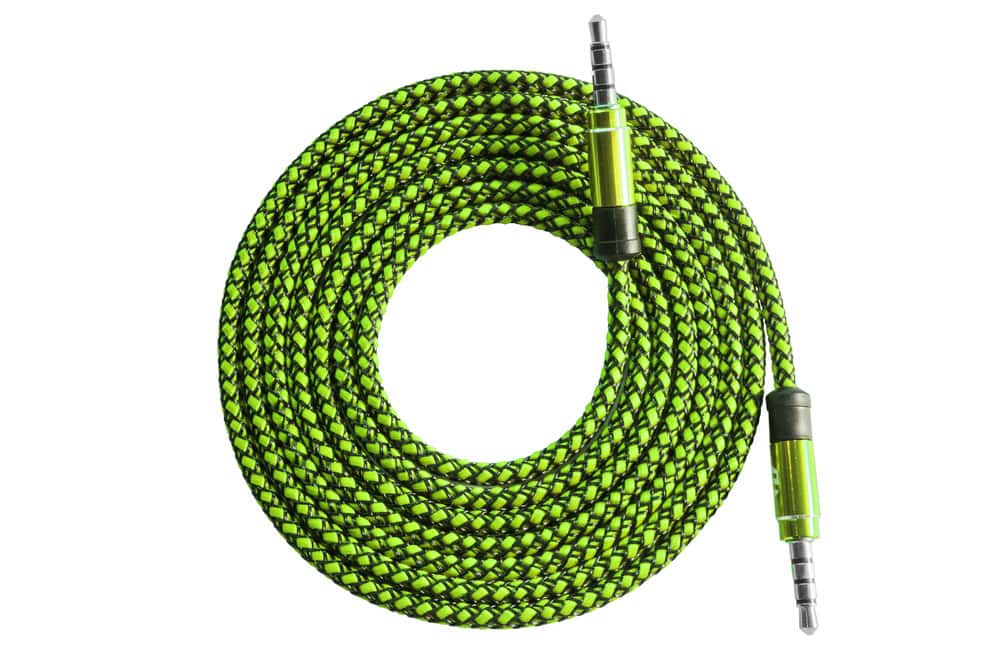
Aux cables come in different types depending on the connectors and design. The most common is the 3.5mm male-to-male cable, perfect for smartphones and most car stereos. Some cars require a cable with a 3.5mm on one end and RCA connectors on the other, especially for older models.
There are also flat aux cables that resist tangling and braided ones that last longer. Choosing the right type can save you from frustration during use and improve durability.
Cable Length And Quality
Think about where you’ll place your device in the car when choosing cable length. Too short, and you might struggle to connect; too long, and the cable can clutter your space and tangle easily. A length between 3 to 6 feet usually works well for most cars.
Cable quality affects sound too. Look for cables with good shielding to reduce interference and thick connectors to prevent wear. I once bought a cheap aux cable that caused static noise and had to replace it quickly, so investing a bit more pays off.
Compatibility With Your Car Stereo
Not all aux cables fit every car stereo. Check your stereo’s aux input type—some use a standard 3.5mm jack, others have unique connectors or require adapters. Your car manual or a quick online search can clarify what fits.
Some newer cars use Bluetooth, making aux cables unnecessary, but having a cable as a backup is smart. Have you checked if your stereo needs a specific cable before buying? It saves you time and money.

Credit: www.youtube.com
Locating The Aux Input
Finding the aux input in your car is the first step to easily connect your device and enjoy your favorite tunes on the road. However, the location isn’t always obvious or the same across different car models. Let’s look at where you might find it and what to do if your car doesn’t have one.
Common Aux Input Locations
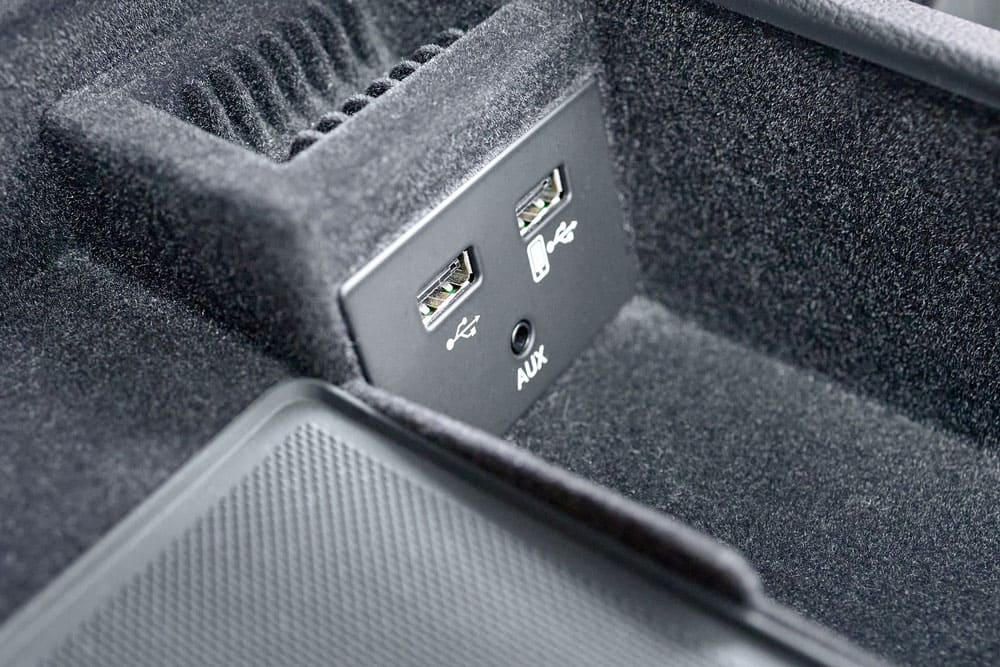
Aux inputs often hide in places you might not expect. Check around the center console, especially near the gear shift or below the climate controls. Sometimes, it’s tucked inside the glove compartment or the armrest storage box.
Look for a small, circular port labeled “AUX” or a headphone icon. If your car has a dashboard touchscreen, the aux port might be located behind a panel or near the USB ports. Have you checked under or around the cup holders? It’s a spot many car makers use.
Using The Car Manual
Your car manual is a valuable resource for finding the aux input. It provides exact details and diagrams showing where this port is located. Don’t just skip this step—manuals often reveal hidden or less obvious locations.
If you’ve misplaced your physical manual, try searching online for a digital version using your car’s make, model, and year. This can save you time and frustration, especially if you’re not familiar with your car’s layout.
When Your Car Lacks An Aux Port
What if your car doesn’t have an aux input at all? Don’t worry, you still have options. Consider using an FM transmitter, which plays audio through your car’s radio frequency.
Another option is Bluetooth adapters that plug into the cigarette lighter or USB port, allowing wireless audio streaming. You might also explore replacing the stereo head unit with one that includes an aux input for a more permanent solution.
Connecting The Aux Cable
Connecting the aux cable is the core step to bring your favorite playlists and podcasts to life through your car stereo. It’s all about making a secure and clear audio link between your device and the stereo system. Let’s break down how to do this efficiently and avoid common connection hiccups.
Plugging Into The Stereo
Locate the aux input on your car stereo; it’s usually a 3.5mm jack labeled “AUX” or with a headphone symbol. Sometimes it’s on the front panel, other times inside the center console—check your car manual if you’re unsure.
Gently insert the aux cable plug straight into the aux port. Avoid forcing it if it feels stuck; the plug should fit snugly without excessive pressure.
Connecting To Your Device
Now, take the other end of the aux cable and plug it into your device’s headphone jack or audio output. If your phone lacks a headphone jack, use an appropriate adapter like a Lightning-to-3.5mm or USB-C-to-3.5mm adapter.
Once connected, play some audio to test the setup. Hearing static or no sound? Try adjusting the volume on both your device and the stereo.
Securing The Connection
To prevent the cable from unplugging during your drive, make sure both ends are firmly seated. You can use a small clip or cable tie to keep the cable stable if it tends to move around.
Consider the cable’s length; too much slack can cause it to tangle or disconnect unexpectedly. Keep it neat and out of the way of gear shifts or seat adjustments.
Configuring The Car Stereo
Configuring the car stereo is an important step after connecting an aux cable. It ensures the audio plays correctly through the car speakers. Proper setup improves sound quality and user experience. This section guides you through switching to aux mode, adjusting sound settings, and fixing common audio problems.
Switching To Aux Mode
Most car stereos have an input button or a mode option on the display. Press the button until the screen shows “AUX” or “Auxiliary.” If the stereo has a touchscreen, select aux from the input menu. Sometimes, you must connect the aux cable first to activate the mode automatically. Check the stereo manual for specific instructions.
Adjusting Volume And Sound Settings
Start with the stereo volume set to a medium level. Adjust the volume on both the car stereo and the connected device for balanced sound. Use equalizer settings if available to improve bass and treble. Avoid setting the volume too high to prevent distortion. Fine-tune the balance and fade settings to direct sound evenly to all speakers.
Troubleshooting Audio Issues
- Ensure the aux cable is fully plugged into both devices.
- Check that the connected device’s volume is not muted or too low.
- Try a different aux cable to rule out a faulty wire.
- Restart the car stereo and the connected device.
- Verify the stereo input is set to aux mode.
- Look for interference or loose connections in the audio system.
Following these tips will help fix common sound problems and improve your listening experience.
Alternative Methods To Add Aux Input
Adding an aux input to your car stereo can seem tricky if your vehicle doesn’t have a built-in port. Fortunately, there are several alternative methods to connect your devices and enjoy your favorite music on the go. These options vary in cost, ease of installation, and sound quality, so you can choose what fits your needs best.
Using Bluetooth Adapters
Bluetooth adapters offer a wireless way to add aux functionality without modifying your car stereo. These devices plug into your car’s existing aux or FM input and connect to your phone or tablet via Bluetooth.
They’re easy to install and perfect if you want to avoid messy wiring. Plus, many adapters come with built-in microphones, allowing you to take calls hands-free. Have you tried one? You might be surprised at how clear the audio can be.
Installing An Aux Adapter Kit
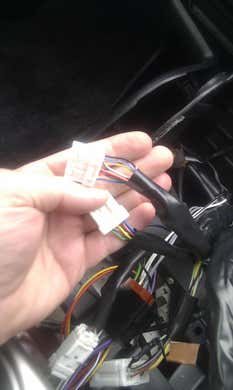
Aux adapter kits provide a direct wired connection to your car stereo’s internal system. These kits usually include a harness that connects to the back of your stereo, adding a standard 3.5mm aux input.
Installation requires some technical know-how, but it often delivers better sound quality than wireless options. If you enjoy DIY projects and want a cleaner setup without visible cables, this might be the route for you.
Upgrading The Car Stereo
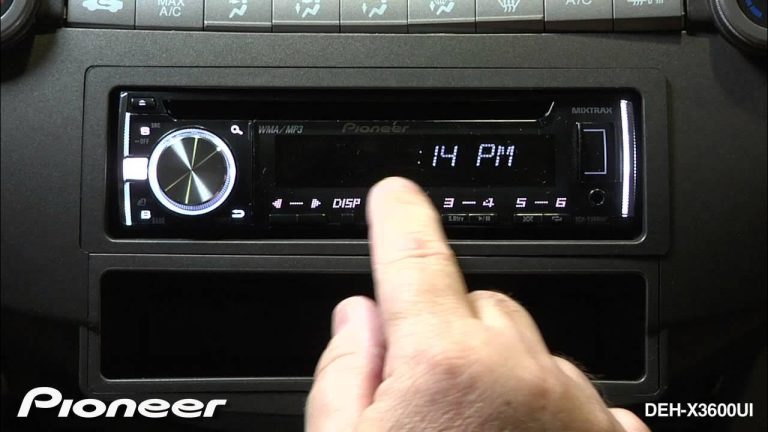
Sometimes the simplest way to add an aux input is by replacing your car stereo with a newer model. Modern stereos come with multiple input options, including aux, USB, and Bluetooth.
This option can be more expensive but offers the most flexibility for future upgrades. Imagine having not just aux input but also smartphone integration and touchscreen controls—doesn’t that sound like a smart investment?

Credit: aluratek.com
Maintaining Your Aux Setup
Keeping your aux setup in good shape ensures you enjoy clear, uninterrupted sound every time you drive. Neglecting simple maintenance can lead to frustrating issues like crackling noises or connection failures. Let’s look at practical ways to keep your cables and ports functioning smoothly so your music never skips a beat.
Caring For Cables And Ports
Your aux cables are the lifeline between your device and car stereo. Treat them gently by avoiding sharp bends or pulling on the cord. Instead, unplug by holding the connector itself to prevent internal wire damage.
Protect the ports by not forcing plugs in or out. Loose or wobbly connections often result from repeated rough handling. Have you noticed how a little care extends the life of your gear?
Regular Cleaning Tips
Dust and dirt easily build up in aux ports, causing poor connections. Use a soft brush or a can of compressed air to clear out debris. Avoid inserting anything sharp that could damage the internal contacts.
Wipe your cables with a damp cloth regularly to remove grime and oils. Clean cables not only look better but also maintain better grip and conductivity.
Avoiding Common Problems
Think about your last experience with crackling audio or sudden cuts in sound. Most of these issues come from loose connections or damaged cables. Inspect your setup periodically for any visible wear or corrosion.
Keep your cables away from heat sources and sharp objects inside the car. Storing your aux cable properly, like coiling it loosely, prevents tangles and internal breaks. What simple habits can you adopt today to avoid these common pitfalls?
Credit: autowiringpro.com
Frequently Asked Questions
How Do I Know If My Car Stereo Supports Aux?
Check your car stereo for an AUX input port. It’s usually labeled “AUX” or “AUX IN” on the front panel. If your stereo has this port, it supports AUX input. Refer to your car manual for detailed specifications. If not available, consider an aftermarket stereo upgrade.
What Tools Are Needed To Add An Aux To A Car?
To add an AUX to your car stereo, you’ll need a screwdriver, an AUX adapter, and an AUX cable. Ensure compatibility with your car model. Some setups might require a wire stripper and crimp connectors for secure connections. Always follow installation instructions for safety.
Can I Install Aux Without Professional Help?
Yes, you can install an AUX input yourself if you have basic DIY skills. Follow detailed instructions specific to your car model. Ensure you have the right tools and adapters. If unsure, consult the car manual or seek assistance from a professional to avoid damage.
Are There Alternatives To Adding An Aux?
Yes, there are alternatives like Bluetooth adapters and FM transmitters. Bluetooth adapters connect wirelessly to your stereo for audio streaming. FM transmitters broadcast audio to your car radio via a specific frequency. These options offer wireless convenience without altering your car’s interior.
Conclusion
Adding an aux to your car stereo is simple and quick. It lets you play music from your phone or other devices easily. You only need a few basic tools and cables. Follow the steps carefully to avoid mistakes. Enjoy better sound and more music choices on the road.
This small upgrade makes your drives more fun and enjoyable. Try it yourself and hear the difference today.