How to Add Aux in Car Stereo: Easy Steps for Instant Music
Want to play your favorite music from your phone or MP3 player through your car’s stereo? Adding an aux input is the easiest way to do that.
Imagine instantly upgrading your car’s sound system without spending a fortune or buying new equipment. In this guide, you’ll learn simple, step-by-step methods to add aux to your car stereo, no matter your skill level. By the end, you’ll be ready to enjoy your playlists on the road with clear, powerful sound.
Keep reading and discover how easy it is to make your drives more enjoyable with just a small upgrade.

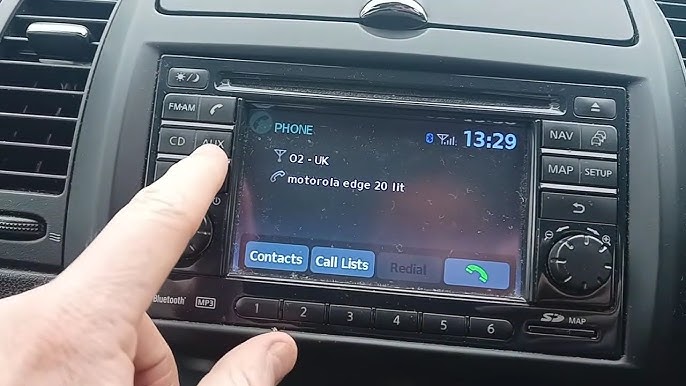
Credit: www.youtube.com
Check Your Car Stereo Compatibility
Before you try to add an aux input to your car stereo, it’s essential to check if your stereo supports it. Not every car stereo has an aux input or the capability to add one easily. Knowing your stereo’s compatibility saves you time, money, and frustration down the road.
Identify Stereo Model
Start by finding the exact make and model of your car stereo. This information is usually on the front panel or inside the unit if you remove it carefully. You can also check your car’s manual or look up the stereo model online.
Once you have the model number, visit the manufacturer’s website or trusted forums to find details about aux compatibility. Some brands clearly list whether an aux input is built-in or if an adapter is required. This step helped me avoid buying the wrong accessories for my old car, saving me a lot of hassle.
Locate Aux Input Options
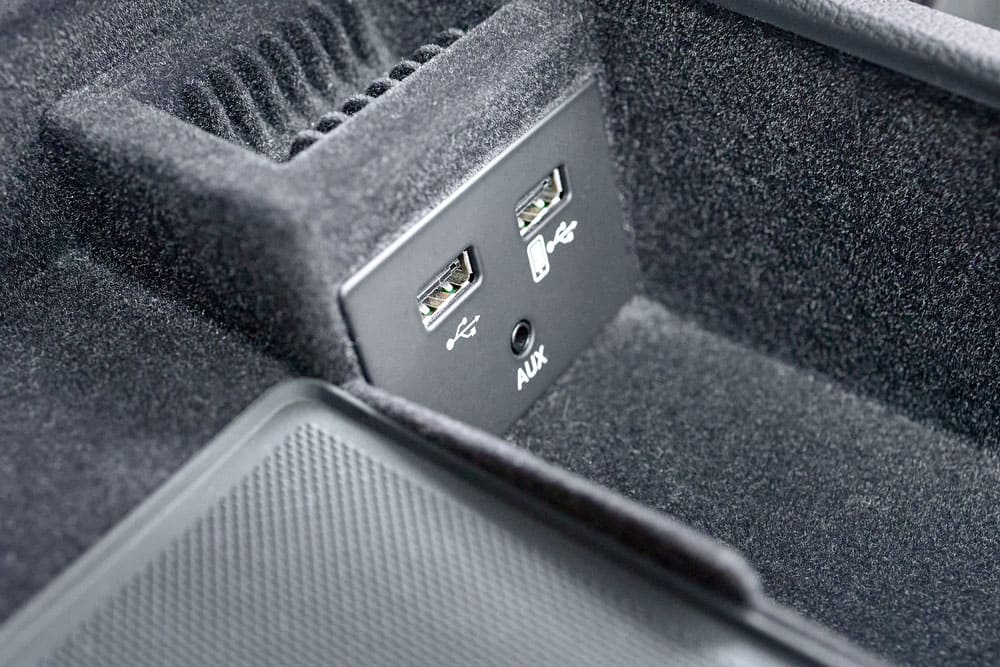
Look around your stereo and dashboard for any small ports labeled “AUX,” “Line In,” or a headphone symbol. If you spot one, you’re in luck—your stereo supports a direct aux connection.
If no visible aux port is present, check the back of the stereo unit or under removable panels. Sometimes, car stereos have aux inputs hidden behind covers or require an adapter cable connected to the CD changer port or USB input.
Ask yourself: Is your stereo ready for a simple plug-and-play aux, or will it need a special adapter or professional installation? Knowing this upfront helps you plan your next steps efficiently.
Gather Required Tools And Materials
Before you start adding an aux input to your car stereo, gathering the right tools and materials is essential. Having everything ready saves time and prevents frustration during the installation process. It also ensures you achieve a clean, professional setup that works smoothly every time you plug in your device.
Aux Cable Types
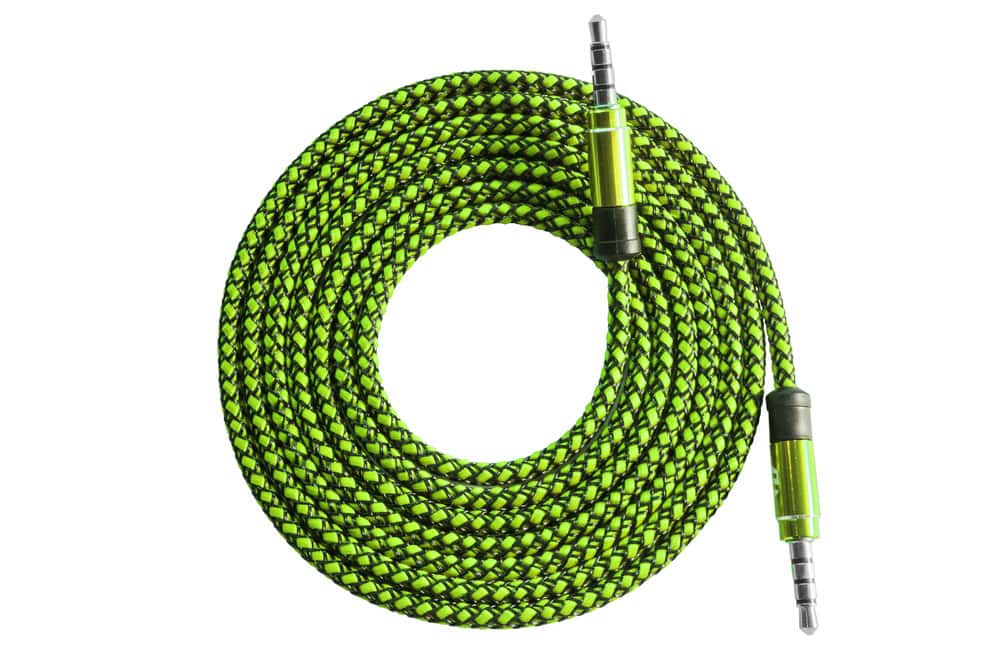
Choosing the correct aux cable can make a big difference in sound quality and ease of use. The most common type is the 3.5mm male-to-male aux cable, which fits most smartphones and car stereos. However, some older car systems may require a different connector, like RCA cables or even a USB-to-aux adapter.
Consider the length of the cable too. Too short means limited movement; too long can create clutter or signal loss. Have you checked your stereo’s input options to pick the best cable type? This small step prevents compatibility issues later on.
Additional Accessories
Besides the aux cable, you might need a few extra items to complete your installation effectively. A wiring harness adapter is often necessary to connect the aux input without cutting your car’s factory wiring. This keeps your setup neat and reversible.
You may also want electrical tape, wire strippers, and a screwdriver handy. These tools help secure connections and remove panels without damage. Don’t forget a multimeter if you want to verify power and ground connections for safety and reliability.
Thinking about your car model and stereo system can guide which accessories you’ll need. Why risk damaging your car’s wiring when a simple adapter can do the job? Having these materials ready makes the installation smoother and protects your vehicle’s integrity.
Prepare Your Car Stereo
Before adding an aux input to your car stereo, you need to prepare the stereo carefully. This preparation helps you avoid damage and makes the installation smoother. Taking time at this stage saves frustration later.
Access Stereo Panel
Start by removing the stereo panel to reach the wiring behind. Depending on your car model, the panel might snap off or require screws to be undone. Keep a small container handy to store screws—you don’t want to lose any during the process.
Be gentle when prying off the panel to avoid cracking the plastic. If you’re unsure, check your car’s manual or look for online tutorials specific to your stereo model. Knowing exactly how to access the panel can save you time and prevent costly mistakes.
Disconnect Power Safely
Once you have the panel off, disconnect the car battery or the stereo’s power source. This step is crucial to prevent short circuits or electric shocks while you work. Safety should always come first when dealing with electrical components.
Use a wrench to loosen the negative terminal on your car battery. This cuts power safely and keeps you protected. Have you ever skipped this step and regretted it? Taking a few minutes now can avoid a lot of trouble later.
Connect The Aux Cable
Connecting the aux cable is a simple but crucial step to enjoy your music on the road. It bridges your device and car stereo, allowing seamless audio playback. Let’s break down how to plug the aux cable into your stereo and connect it to your device effectively.
Plugging Into Stereo
Locate the aux input port on your car stereo. It’s usually labeled “AUX” and looks like a small headphone jack. If you’re unsure, check your car manual or inspect the stereo panel carefully.
Gently insert one end of the aux cable into this port. Make sure it fits snugly to avoid interruptions in sound. You don’t want a loose connection ruining your favorite song during a drive.
Have you ever struggled with a cable that just wouldn’t fit? Taking a moment to align the plug properly can save you that frustration.
Connecting To Device
Now take the other end of the aux cable and plug it into the headphone jack or audio output of your phone, tablet, or music player. This connection sends the audio signal directly to your car stereo.
If your device lacks a headphone jack, consider using an adapter compatible with your model. For example, many newer phones require a Lightning to 3.5mm or USB-C to 3.5mm adapter.
Once connected, select the AUX input on your car stereo to start playing audio. Hearing your playlist instantly after plugging in is always satisfying, isn’t it?
Test The Aux Connection
Testing the aux connection is important to ensure sound quality and proper setup. This step confirms your car stereo and device communicate well. It helps find and fix any connection issues early. Follow simple checks to verify the aux input works as expected.
Play Audio
Start by connecting your device to the aux cable securely. Open a music app or audio player on your device. Choose a song or sound file to play. Listen carefully to hear if the sound comes through the car speakers. No sound may mean a loose cable or wrong input. Try unplugging and plugging back to fix loose connections.
Adjust Volume And Settings
Set your device volume to a medium level first. Adjust the car stereo volume to a comfortable level next. Avoid maxing out volume on either device to prevent distortion. Check car stereo settings for the correct aux input selection. Some stereos may need you to enable aux mode manually. Tweak bass, treble, or balance settings to improve sound quality if available.

Credit: www.hollyland.com
Troubleshooting Common Issues
Adding an aux input to your car stereo can transform your driving experience, but sometimes things don’t go as planned. Troubleshooting common issues can save you time and frustration. Let’s look at some typical problems and straightforward ways to fix them so your music plays smoothly.
No Sound Output
If you plug in your device but hear nothing, start by checking the volume on both your car stereo and the connected device. Sometimes the volume on your phone or MP3 player is muted or too low.
Also, make sure the aux cable is fully inserted into both the stereo and your device. A loose connection often causes no sound.
Try a different aux cable to rule out a faulty wire. If nothing works, test the aux port with another device to confirm if the problem is the stereo or your device.
Static Or Noise Problems
Static or crackling sounds can ruin your music. This often happens due to a poor cable or interference from other electronic devices.
Try swapping your aux cable with a high-quality, shielded one to reduce noise. Avoid running the aux cable parallel to power cables, as this can introduce interference.
Sometimes cleaning the aux port gently with a dry cotton swab removes dust or debris that causes static.
Device Not Recognized
If your car stereo doesn’t recognize your device, check if your stereo supports the type of device you’re connecting. Some older models only work with specific gadgets.
Restart your device and the stereo system to refresh the connection. Sometimes a simple reset clears glitches.
Ensure your device’s software is updated, as outdated software can cause compatibility issues. If the problem persists, try using a different device to isolate the issue.
Alternative Methods To Add Aux
Adding an auxiliary input to a car stereo can enhance your music experience. Some car stereos lack a built-in aux port. Alternative methods offer practical solutions to connect your devices. These methods vary in cost and installation complexity. Choose one that fits your needs and budget.
Using Bluetooth Adapters
Bluetooth adapters provide a wireless way to add aux functionality. They plug into the car’s existing aux or cassette input. Once connected, they pair with your phone or music player. This method avoids running cables and keeps the dashboard tidy.
Bluetooth adapters are easy to install and use. Most models draw power from the cigarette lighter socket. Sound quality depends on the adapter and car stereo system. It is a convenient option for older cars without Bluetooth.
Installing Aftermarket Stereo
Replacing the factory stereo with an aftermarket model adds modern features. New stereos often include built-in aux inputs, USB ports, and Bluetooth. This upgrade improves sound quality and connectivity options.
Installation may require professional help or basic tools. Aftermarket stereos fit standard car dashboard sizes. They come with detailed instructions and wiring harnesses for easier setup. This option suits those who want a full stereo upgrade.
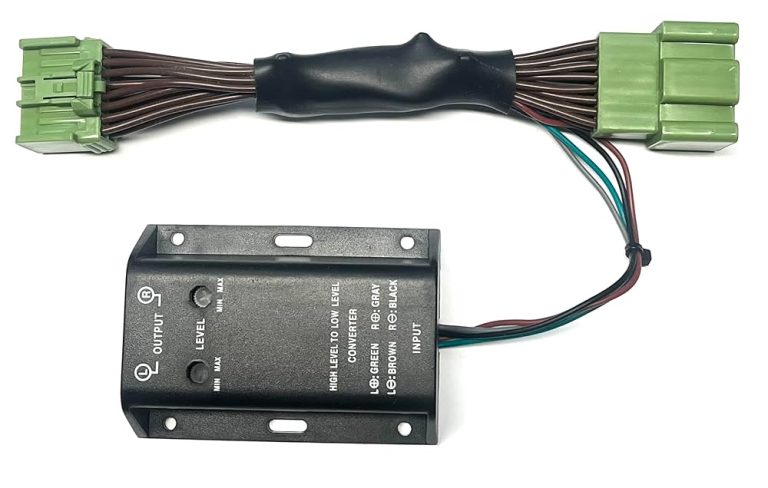
Credit: autowiringpro.com
Frequently Asked Questions
How Do I Know If My Car Supports Aux Input?
Check your car stereo’s manual or look for an AUX port. Usually, it’s labeled “AUX” or “AUX IN. ” If you can’t find it, consult the manufacturer’s website or contact customer support for confirmation.
Can I Install Aux In An Older Car?
Yes, you can install AUX in an older car. Use an FM transmitter, cassette adapter, or install a new stereo. Each option varies in cost and installation complexity, so choose the one that best suits your needs and budget.
What Tools Are Needed To Add Aux To My Car?
You’ll need a screwdriver, AUX cable, and possibly a wire stripper. The specific tools depend on your car model and installation method. Check your car’s manual or installation guide for any additional tools required for the process.
Is Professional Installation Recommended For Aux?
Professional installation is recommended if you’re unfamiliar with car audio systems. It ensures proper setup and avoids potential damage. However, if you’re confident in your skills, DIY installation can be a cost-effective option.
Conclusion
Adding an aux to your car stereo is simple and quick. You only need a few tools and a little time. This guide helps you connect your phone or music player easily. Enjoy better sound and more music choices on the road.
Remember to check compatibility before starting. Now, you can listen to your favorite songs anytime you drive. No more limits with your car’s music system. Give it a try and enjoy your ride with great sound.