
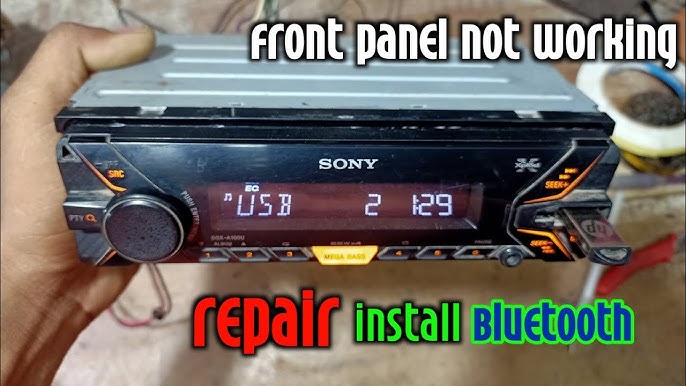
Are you ready to upgrade your driving experience with a Sony car stereo? Installing it yourself might sound tricky, but with the right steps, you can do it quickly and confidently.
Imagine enjoying your favorite music, podcasts, and calls with crystal-clear sound every time you hit the road. In this guide, you’ll find simple, step-by-step instructions that make the process easy—even if you’re not a tech expert. Stick with me, and by the end, your car will have the fresh, powerful audio system it deserves.
Let’s get started!
Preparing For Installation
Preparing for the installation of a Sony car stereo is crucial for a smooth and safe process. Taking time to organize tools and select the right model saves effort later. It also protects your car’s electrical system from damage.
Gathering Necessary Tools
Collect all tools before starting. Common tools include:
- Screwdrivers (flathead and Phillips)
- Wire strippers
- Electrical tape
- Panel removal tools
- Socket wrench set
- Multimeter (optional but helpful)
Having everything ready avoids interruptions during installation.
Choosing The Right Sony Stereo Model
Select a Sony stereo that fits your car’s dashboard and audio needs. Check the size and compatibility with your vehicle. Consider features like Bluetooth, USB ports, and sound quality. Reading reviews helps find reliable models that match your budget.
Disconnecting The Car Battery
Safety first. Disconnect the negative terminal of your car battery before installation. This step prevents electrical shorts and shocks. Use a wrench to loosen the terminal clamp. Keep the terminal away from the battery post to avoid accidental contact.
Credit: www.clubwrx.net
Removing The Old Stereo
Removing the old stereo is the first big task before installing your new Sony car stereo. This process needs care to avoid damage to your dashboard or wiring. Follow these clear steps to take out the old unit safely and prepare for the new one.
Removing Dashboard Panels
Start by gently prying off the dashboard panels around your stereo. Use a plastic trim removal tool to avoid scratches. Work slowly and carefully. Panels can snap out with light pressure. Set the panels aside in a safe place.
Disconnecting Wiring Harness
Locate the wiring harness behind the stereo. Press the release tab on the connector and pull it out. Do not pull on the wires themselves. Disconnect any antenna cables or additional plugs attached to the unit. Make sure all connections are free before removing the stereo.
Taking Out The Old Unit
Check for screws or bolts holding the stereo in place. Remove them using the correct screwdriver or socket. Slide the old stereo out of the dashboard carefully. Keep a firm grip to avoid dropping it. Place the old unit on a soft surface to protect it.
Connecting The New Stereo
Connecting your new Sony car stereo is a crucial step that ensures everything works smoothly and sounds great. It’s not just about plugging wires; it’s about making the right connections that match your car’s electrical system. If you’ve ever struggled with tangled wires or poor sound quality, paying close attention here will save you time and frustration.
Matching Wiring Harnesses
Start by identifying the wiring harnesses from both your car and the new Sony stereo. These harnesses carry power, speakers, and ground wires and need to align perfectly for your stereo to function.
Look for color-coded wires—red usually means power, black is ground, and other colors correspond to speakers. If your car’s harness colors don’t match the stereo’s, check the manual or online guides specific to your car model. Have you noticed how a single wrong wire can make your stereo silent? Matching these harnesses correctly prevents that headache.
Using Wiring Adapters
Wiring adapters act as bridges between your car’s factory harness and the Sony stereo’s wiring. They save you from cutting and splicing wires, which can be risky if not done properly.
Adapters come pre-wired and plug directly into your car’s harness, making installation cleaner and safer. If your car is newer or has a complex wiring system, an adapter might be the only way to connect everything without damaging the electrical system.
Think about the last time you tried to force a connection—it rarely ends well. Investing in the right adapter ensures a secure fit and protects your car’s wiring.
Securing Connections
Once wires are matched or adapters are in place, securing the connections is essential to avoid loose wires that cause static or power loss. Use crimp connectors, wire nuts, or soldering for the best results.
Wrap all connections with electrical tape or heat shrink tubing for insulation and durability. You don’t want your wires to come loose while driving, disrupting your music or even causing shorts.
Have you ever had your stereo cut out unexpectedly? Securing connections tightly prevents that annoying problem and keeps your Sony stereo performing perfectly on every drive.

Credit: trailgridpro.com
Installing The Sony Stereo
Installing the Sony stereo requires careful handling to ensure it fits perfectly and works well. Follow these steps to place the stereo securely inside your car’s dashboard. Proper installation helps avoid damage and ensures good sound quality.
Fitting The Stereo Into The Dash
Slide the Sony stereo gently into the dash opening. Align the unit with the mounting brackets inside. Make sure the wires stay connected and do not get pinched. The stereo should fit snugly without forcing it. Check if the front panel is flush with the dashboard surface.
Securing The Unit With Screws
Use the screws provided with the stereo kit to secure the unit. Insert screws into the mounting holes on each side of the stereo. Tighten them evenly to keep the stereo stable. Avoid over-tightening, which can damage the dash or stereo frame. Confirm the stereo is firmly held in place and does not move.
Reattaching Dashboard Panels
Place the dashboard panels back over the stereo area carefully. Align clips and screw holes properly before pressing panels into place. Snap or screw the panels back securely to restore the dashboard’s original look. Double-check that all buttons and vents are unobstructed and functional after reassembly.
Testing The Stereo
Testing the stereo after installation is crucial to ensure it works correctly. This step confirms the connections are secure and the unit functions as expected. Proper testing helps avoid future issues on the road.
Reconnecting The Car Battery
Before testing, reconnect the car battery carefully. Attach the negative terminal securely to avoid sparks. Make sure the connection is tight to provide stable power to the stereo. Double-check for any loose wires near the battery area.
Powering On And Checking Functions
Turn on the car ignition to power the stereo. Listen for startup sounds and look for display lights. Test the radio, CD player, Bluetooth, and other features. Adjust the volume and check if all speakers work. Use different audio sources to confirm full functionality.
Troubleshooting Common Issues
Identify common problems if the stereo does not work properly. Check these points:
- Verify all wiring connections are correct and secure.
- Ensure the fuse for the stereo is not blown.
- Confirm the stereo is compatible with your car model.
- Reset the stereo unit if it freezes or shows errors.
Address these issues step-by-step to fix most problems quickly.
Final Adjustments
After installing your Sony car stereo, final adjustments ensure the best audio experience. These tweaks help customize sound and features to fit your preferences. Fine-tuning settings makes your new stereo enjoyable and easy to use.
Setting Audio Preferences
Adjust bass, treble, and balance to match your taste. Use the equalizer presets or create your own sound profile. Check the fader to balance front and rear speakers. Small changes can improve sound clarity and depth.
Pairing Bluetooth Devices
Connect your phone or other devices via Bluetooth for hands-free calls and music. Activate Bluetooth on both devices. Select your Sony stereo from the device list. Confirm the connection with a code or prompt. This step allows wireless control and audio streaming.
Updating Firmware
Keep your stereo’s software up to date for new features and fixes. Visit Sony’s official website to download updates. Use a USB drive or memory card to transfer the update. Follow on-screen instructions carefully. Regular updates improve performance and compatibility.

Credit: www.youtube.com
Frequently Asked Questions
How Do I Prepare My Car For Sony Stereo Installation?
Start by disconnecting the car battery to prevent electrical issues. Remove the existing stereo carefully. Gather all necessary tools and the Sony stereo kit. Ensure your car’s wiring matches the Sony stereo connectors for a smooth installation.
What Tools Are Needed To Install A Sony Car Stereo?
You’ll need a screwdriver set, wire strippers, electrical tape, and a wiring harness adapter. A panel removal tool helps avoid damaging the dashboard. Having these tools ready ensures a quick and safe Sony stereo installation.
How To Connect Wiring For Sony Car Stereo Properly?
Match the Sony stereo wires to your car’s wiring harness by color codes. Use wire connectors or solder for secure connections. Insulate all connections with electrical tape to prevent shorts. Double-check all connections before powering on the stereo.
Can I Install A Sony Stereo Without Professional Help?
Yes, if you follow the instruction manual carefully and have basic tools. Ensure all wiring connections are secure and correct. Take your time removing and installing components to avoid damage. DIY installation can save money and boost your confidence.
Conclusion
Installing a Sony car stereo is simple with the right steps. Follow the guide carefully, and soon you’ll enjoy great sound. Make sure all tools are ready before starting. Double-check connections to avoid issues. Remember, patience is key. Each step requires careful attention.
Enjoy the new sound experience in your car. A perfect stereo makes every drive better. Stay safe and enjoy your music. Now, hit the road with confidence and great tunes.

