How to Add USB Input to Car Stereo: Easy DIY Guide
Master Automotive Systems Engineer & Performance Vehicle Specialist at CarSpeedNest Automotive Testing Lab · ASE Certified Master Technician, Mobile Electronics Certified Professional (MECP Master), Certified Dyno Diagnostic Specialist · 14+ years in dyno testing, electronic sensor calibration, automotive wiring harnesses, and precision drivetrain maintenance
Are you tired of fumbling with CDs or tangled aux cables every time you want to play your favorite music in the car? Adding a USB input to your car stereo can change the way you enjoy your drives, making it easier and faster to connect your devices.
Imagine plugging in your phone or USB drive and instantly having access to all your playlists and podcasts. In this guide, you’ll discover simple steps to upgrade your car stereo with a USB input, even if you’re not a tech expert.
Keep reading to learn how you can bring your car audio system into the modern age with ease.
Choosing The Right Usb Adapter
Choosing the right USB adapter for your car stereo is important. It ensures smooth music playback and device compatibility. A good adapter connects your phone or USB drive to the stereo easily. This section guides you through the types, compatibility, and features to find the best adapter for your car.
Types Of Usb Adapters For Cars
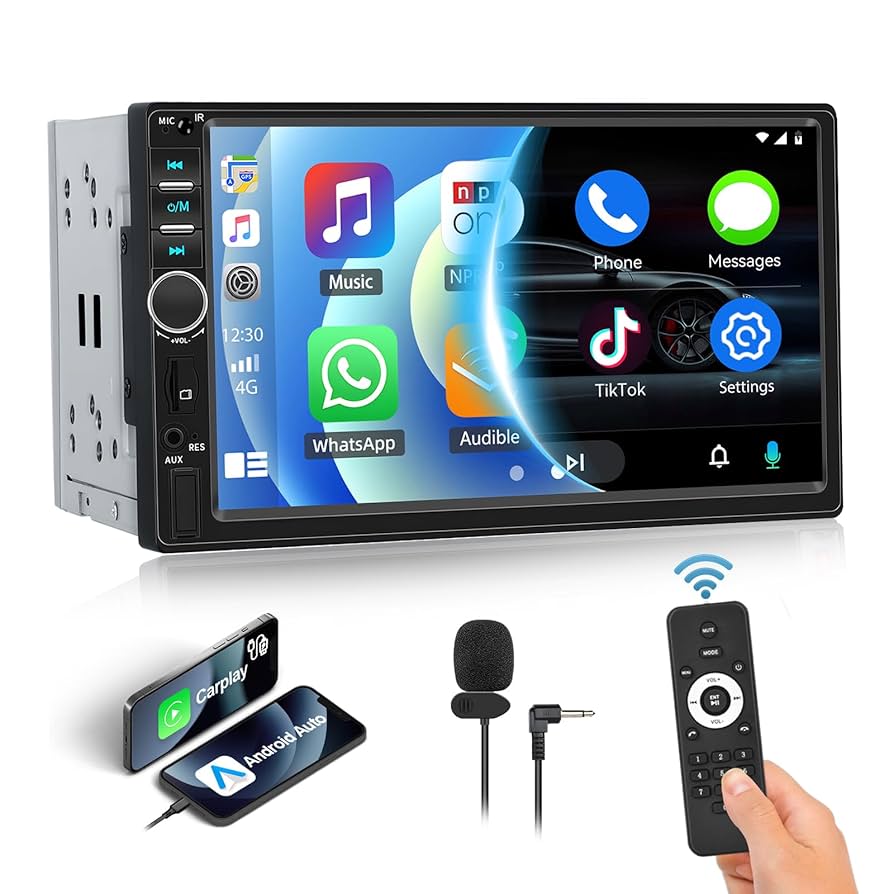
Car USB adapters come in various types. Some plug directly into the stereo’s USB port. Others connect through the auxiliary input or the cigarette lighter socket. Wireless USB adapters use Bluetooth to link your device. There are also adapters that replace the CD player with a USB input. Choose the type based on your car stereo setup and personal preference.
Compatibility With Car Stereo Models
Not all USB adapters work with every car stereo. Check the stereo’s model and make before buying. Some adapters support only specific brands or years. Make sure the adapter matches the stereo’s input options. Read product descriptions and user reviews for compatibility details. A compatible adapter avoids connection issues and sound problems.
Features To Look For
- Fast charging support for phones and tablets.
- Plug-and-play design for easy installation.
- Support for common audio formats like MP3 and WAV.
- Multiple USB ports for connecting several devices.
- Built-in controls for track skipping and volume adjustment.
- Durable build to withstand car vibrations and heat.
Choosing an adapter with these features improves your in-car music experience. It makes music control simple and keeps your devices powered.

Credit: www.amazon.ca
Gathering Necessary Tools
Before you start adding a USB input to your car stereo, gathering the right tools is crucial. Having everything at hand saves time and spares you from interruptions. It also helps avoid mistakes that could damage your stereo or car wiring.
Basic Tools Needed
- Screwdrivers:Both flat-head and Phillips screwdrivers are essential for removing panels and screws.
- Wire Strippers:These help you strip the insulation off wires cleanly without causing damage.
- Electrical Tape:Use this to insulate and secure wire connections safely.
- Multimeter:A multimeter is handy for checking voltage and ensuring correct wiring.
- Socket Wrench Set:Needed for loosening bolts that hold the stereo or dash components in place.
Having these basic tools ready can make the process smoother and safer. You don’t want to realize halfway through the job that you need a particular screwdriver or wire stripper.
Optional Accessories
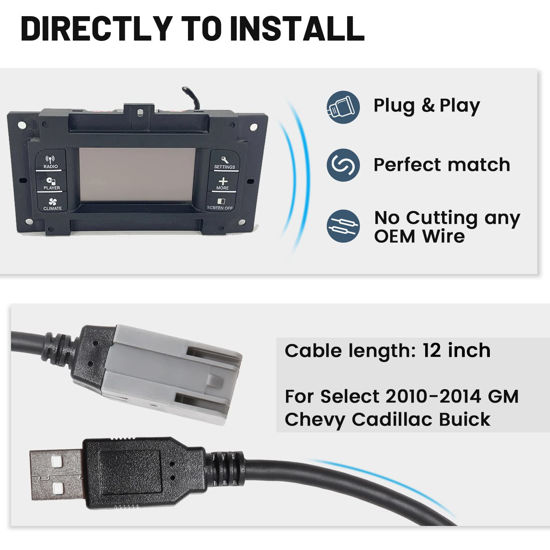
- USB Adapter Cable:A specific USB adapter cable designed for your stereo model can simplify the connection.
- Soldering Kit:If you want a more secure and permanent connection, soldering the wires is a good option.
- Heat Shrink Tubing:This provides better insulation than electrical tape and looks neater.
- Trim Removal Tools:Plastic pry tools help you remove car panels without scratching or damaging them.
- Cable Ties:These keep wiring neat and prevent loose cables from interfering with moving parts.
Do you prefer a quick fix or a long-lasting professional setup? Choosing optional accessories depends on how much effort and time you want to invest.
Preparing Your Car Stereo
Preparing your car stereo is the first step to adding a USB input. This process ensures a smooth installation and prevents damage to your vehicle’s electronics. Knowing where your stereo unit is located and how to remove it safely is essential.
Locating The Stereo Unit
Most car stereos sit in the dashboard center. Look for a rectangular panel with buttons and a display screen. Some vehicles may have a removable faceplate. Consult your car manual to find exact stereo location. Identifying the stereo unit helps plan the removal process.
Removing The Stereo Safely
Before removing the stereo, disconnect the car battery. This step avoids electrical shorts or shocks. Use the right tools, such as screwdrivers or trim removal tools. Gently pry surrounding panels without forcing them. Unscrew mounting bolts securing the stereo. Carefully pull the stereo out to access wiring behind it.

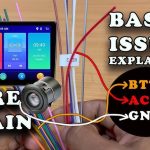
Credit: bashisautoelectrics.com.au
Installing The Usb Adapter
Installing a USB adapter in your car stereo can transform your driving experience by allowing you to play music directly from a flash drive or charge devices effortlessly. This process requires careful attention to wiring, securely mounting the USB port, and ensuring everything works correctly before hitting the road. Let’s break down these crucial steps to help you add a USB input confidently.
Connecting To The Stereo Wiring
Start by locating the stereo wiring harness behind your car stereo. You’ll need to identify the power, ground, and audio input wires to connect the USB adapter properly.
Use a multimeter to verify the correct wires if you’re unsure. Connecting the USB adapter’s power wire to the stereo’s accessory power ensures it turns on only when your car does.
Remember to secure all connections with wire nuts or solder and cover them with electrical tape to avoid shorts. Have you checked if your stereo supports line-in audio inputs? This step is vital for the adapter to transmit sound correctly.
Securing The Usb Port
Choosing a convenient and accessible spot for the USB port is key. Many people mount it near the dashboard or center console for easy reach.
Use a mounting bracket or double-sided tape to hold the USB port firmly in place. Make sure the cable has enough slack to avoid strain when plugging and unplugging devices.
If your car’s interior panels allow, consider routing the USB cable through existing gaps for a cleaner look. What’s the easiest spot for you to access your phone while driving?
Testing The Connection
Before reassembling your dashboard, test the USB adapter’s functionality. Plug in a flash drive or device and see if the stereo recognizes the input.
Check that the audio plays clearly without interference and the device charges if your adapter supports it. If you encounter issues, recheck your wiring connections and ensure the stereo input settings are correct.
Once everything works perfectly, you can put the panels back and enjoy your new USB input without worry.
Alternative Installation Methods
Adding USB input to your car stereo can be tricky without direct wiring. Alternative installation methods offer simple solutions. These options avoid complex installations and save time. They use wireless or indirect connections to play music from USB devices. Explore these easy ways to upgrade your car audio.
Using Fm Transmitters
FM transmitters send audio from a USB device through a radio frequency. Plug your USB device into the transmitter. The transmitter broadcasts the sound on an unused FM channel. Tune your car stereo to that channel to hear your music.
- No need to open your car stereo or dashboard
- Works with any car that has an FM radio
- Simple plug-and-play setup
- Sound quality depends on signal strength and interference
FM transmitters are affordable and portable. They let you use your existing stereo without modifications.
Bluetooth Adapters With Usb Support
Bluetooth adapters connect wirelessly to your car stereo. Many models have USB ports for charging or music playback. Connect your USB drive to the adapter, which pairs with your stereo via Bluetooth.
- Wireless connection reduces cable clutter
- Supports hands-free calls and music streaming
- Easy to install with minimal setup
- Compatible with most car stereos with auxiliary input
Bluetooth adapters provide flexible USB input without hardwiring. They improve convenience and keep your car tidy.
Troubleshooting Common Issues
Adding a USB input to your car stereo can significantly improve your music experience. But sometimes, things don’t work as smoothly as expected. Troubleshooting common issues will save you frustration and get your tunes playing faster.
Usb Not Recognized
If your car stereo doesn’t recognize the USB device, start by checking the format of your USB drive. Most car stereos support FAT32 or exFAT formats, so using NTFS might cause problems.
Try plugging the USB into your computer and reformatting it. Also, ensure the drive isn’t overloaded with too many files or folders; some systems struggle with large libraries.
Damaged or low-quality USB cables can cause connection issues. Swap the cable with a known good one to rule out hardware problems.
Poor Audio Quality
Low sound quality can come from several sources. Check if your audio files are compressed too heavily; MP3s with very low bit rates lose clarity and depth.
Another culprit might be the USB port itself. Dirt or debris can disrupt the connection, so clean the port carefully with compressed air or a soft brush.
Sometimes, the stereo settings affect sound quality. Experiment with equalizer settings or turn off any sound enhancement features that might be distorting playback.
Power Supply Problems
If the USB input fails to power your device or charges slowly, the issue might be with your car’s power supply to the stereo. Some older models provide limited current through USB ports.
Try using a powered USB hub or a dedicated car charger connected to the cigarette lighter socket. This often solves power-related issues effectively.
Also, check all wiring connections behind the stereo. Loose or corroded wires can cause intermittent power loss.
Maintaining Your Usb Setup
Keeping your USB input working smoothly in your car stereo means regular care and attention. Small actions can prevent frustrating connection issues and ensure your music plays without interruption. Let’s look at simple ways to maintain your USB setup so it stays reliable on every drive.
Cleaning Usb Ports
Dust and dirt can easily build up inside USB ports, causing poor connections or no connection at all. You don’t need fancy tools—just a can of compressed air or a soft brush can do the trick. Gently blow or brush out debris from the port to keep it clear.
Be careful not to insert sharp objects that might damage the pins inside the USB port. Have you noticed your USB device sometimes disconnecting? A quick clean might be all it needs to work perfectly again.
Updating Firmware If Applicable
Some car stereos allow firmware updates that improve USB compatibility and fix bugs. Check your stereo’s manual or manufacturer’s website to see if updates are available. Installing the latest firmware can enhance performance and add support for newer USB devices.
Make sure your car is parked and the stereo is powered properly during updates to avoid interruptions. If you haven’t checked for updates before, could this be the reason your USB input isn’t working as expected?
Credit: theraleighbeergarden.com
Frequently Asked Questions
How Do I Add Usb Input To My Car Stereo?
You can add USB input by installing a USB adapter or replacing the stereo with a USB-compatible model. Some adapters plug into the AUX port, while others connect behind the stereo. Choose based on your car’s make and stereo system for the best fit.
Can I Use A Usb Flash Drive With Any Car Stereo?
Not all car stereos support USB flash drives. You need a stereo with a USB port or a compatible adapter. Check your stereo’s manual for USB compatibility, supported file formats, and maximum storage size for smooth playback.
Is Professional Installation Needed For Usb Car Stereo Input?
Professional installation is recommended for complex setups to avoid wiring mistakes. Simple plug-and-play USB adapters can be installed by users. If unsure about wiring or stereo compatibility, consult a professional to ensure safe, proper installation.
Will Adding Usb Input Affect My Car Stereo Sound Quality?
Adding USB input usually improves sound quality by enabling direct digital audio playback. It avoids analog conversion and interference found in AUX inputs. Quality depends on the adapter or stereo model, so choose reliable products for clear sound.
Conclusion
Adding a USB input to your car stereo is simple and useful. It lets you play music directly from your devices. Follow the steps carefully and choose the right equipment. This upgrade improves your driving experience with better sound options.
Enjoy your favorite songs without extra hassle. Keep your car stereo modern and easy to use. Small changes make a big difference on the road. Start your project today and hear the difference.

Similar Posts