How to Fix a Kenwood Car Stereo Protect Mode: Quick, Easy Solutions
Master Automotive Systems Engineer & Performance Vehicle Specialist at CarSpeedNest Automotive Testing Lab · ASE Certified Master Technician, Mobile Electronics Certified Professional (MECP Master), Certified Dyno Diagnostic Specialist · 14+ years in dyno testing, electronic sensor calibration, automotive wiring harnesses, and precision drivetrain maintenance
Is your Kenwood car stereo stuck in protect mode, leaving you frustrated and without your favorite tunes? You’re not alone, and the good news is that this problem is often fixable without needing a costly replacement.
In this guide, you’ll discover simple, step-by-step solutions to get your stereo back to normal quickly. Whether you’re a tech newbie or just want a clear, easy approach, you’ll find the answers you need right here. Keep reading to take control of your car audio and enjoy your drive again.
Identify Protect Mode Causes
Identifying the causes of protect mode in a Kenwood car stereo is crucial for fixing it. Protect mode activates to prevent damage to the stereo or speakers. Pinpointing the exact reason helps avoid unnecessary repairs or replacements. Common causes involve wiring problems, speaker issues, and amplifier mismatches. Careful inspection in these areas can reveal the root cause.
Check Wiring Issues
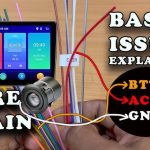
Loose or damaged wires often trigger protect mode. Inspect the power and ground wires for secure connections. Look for frayed or exposed wires that may cause shorts. Ensure the fuse is intact and properly rated. Use a multimeter to test continuity and voltage. Correct wiring problems before powering the stereo again.
Inspect Speaker Connections
Faulty speaker wiring can activate protect mode. Verify all speaker wires are connected tightly and correctly. Check for broken or shorted speaker cables. Make sure no wires touch the car’s metal frame. Inspect speakers for damage or blown cones. Replace or repair any damaged speakers or wires found.
Review Amplifier Compatibility
Amplifier issues may cause protect mode activation. Confirm the amplifier matches the stereo’s specifications. Check for correct impedance and power ratings. Mismatched equipment can cause overload and protect mode. Inspect amplifier wiring for shorts or loose connections. Adjust settings or replace incompatible amplifiers to fix the issue.
Credit: www.diymobileaudio.com
Reset The Stereo Unit
Resetting your Kenwood car stereo is often the quickest way to clear the protect mode error and get your music playing again. This action refreshes the stereo’s system and can eliminate minor glitches causing the issue.
Before jumping into more complex fixes, try resetting the unit first. It’s simple, doesn’t require tools, and might save you a lot of time.
Soft Reset Steps
- Locate the Reset Button:Most Kenwood stereos have a small reset button, often recessed, on the front panel.
- Press the Button:Use a pointed object like a pen tip to gently press and hold the reset button for about 5 seconds.
- Release and Restart:Let go and wait for the stereo to power down and restart automatically.
- Check the Display:If the display clears and the unit powers up normally, the reset was successful.
Have you noticed how often a simple reset fixes electronic glitches? Sometimes, we overlook the easiest solutions because we expect complex problems to need complex answers.
Hard Reset Procedures
- Turn Off the Ignition:Make sure your car is off before disconnecting any power.
- Disconnect the Car Battery:Remove the negative terminal cable to cut power completely.
- Wait a Few Minutes:Leaving the battery disconnected for 5 to 10 minutes lets the stereo’s internal memory clear.
- Reconnect the Battery:Attach the negative terminal back securely.
- Power On the Stereo:Turn on your car and then the stereo to see if the protect mode is gone.
This approach is more thorough than a soft reset and can fix deeper software issues. Have you tried disconnecting power to reset other electronics? The same principle applies here and can often revive your stereo’s normal function.
Fix Wiring And Connection Problems
Wiring and connection problems often cause your Kenwood car stereo to enter protect mode. This safety feature activates to prevent damage when the stereo detects electrical issues. Fixing these wiring problems can bring your stereo back to life quickly and safely.
Secure Loose Wires
Loose wires can cause intermittent signals or shorts, triggering the protect mode. Start by checking the wiring harness behind your stereo. Gently tug each wire to see if it’s firmly connected.
Look for any wires that feel wobbly or disconnected. If you find loose wires, push them back into the connectors firmly until they click. Sometimes, simply tightening these connections restores proper function.
Have you noticed a loose wire causing trouble in your car before? Securing it early can save you from bigger electrical headaches later.
Replace Damaged Cables
Wires that are frayed, cut, or burnt can cause shorts and force your stereo into protect mode. Inspect all visible cables for any signs of damage. Pay close attention to areas where wires bend or pass through tight spaces.
If you spot any damaged cables, replace them promptly. Using cables that match the original specifications is important to avoid further issues. You can find replacement cables at car audio stores or online.
Think about how a single damaged wire disrupted your stereo’s performance. Replacing it not only fixes the problem but also prevents future electrical faults.

Credit: www.youtube.com
Address Speaker And Load Issues
Addressing speaker and load issues is key to fixing a Kenwood car stereo stuck in protect mode. Problems with speakers or wiring can cause the stereo to shut down to prevent damage. Checking the speaker impedance and fixing any short circuits helps restore normal function. This ensures the stereo runs smoothly and delivers clear sound without interruptions.
Test Speaker Impedance
Speaker impedance must match the stereo’s specifications. Use a multimeter set to measure ohms. Disconnect the speaker wires from the stereo to avoid false readings. Place the multimeter probes on the speaker terminals. A healthy speaker usually shows 4 to 8 ohms. Values far outside this range can cause protect mode. Replace speakers with incorrect impedance to prevent damage.
Fix Short Circuits
Short circuits in speaker wires cause the stereo to enter protect mode. Inspect wires for cuts, frays, or exposed metal. Check connections at the stereo and speakers. Use electrical tape or heat shrink tubing to cover exposed wires. Replace damaged wires to avoid shorts. A clean, secure wiring setup keeps the stereo safe and working.
Update Firmware And Software
Updating the firmware and software of your Kenwood car stereo can fix the protect mode error. This process improves the stereo’s performance and removes bugs. Keeping your device updated ensures smooth operation and prevents future issues.
Check For Updates
Start by visiting the official Kenwood website. Search for your stereo model in the support or downloads section. Look for the latest firmware version available.
Compare the version on the website with your current firmware. You can find your stereo’s firmware version in the settings menu. If the website has a newer version, you need to update.
Install Latest Firmware
Download the firmware file to your computer. Prepare a USB drive formatted to FAT32 or exFAT. Copy the firmware file onto the USB drive’s root folder.
Insert the USB drive into your Kenwood stereo’s USB port. Access the update option in the stereo’s settings menu. Follow the on-screen instructions carefully to install the update.
Do not turn off the car or stereo during the update. After completion, the stereo will restart automatically. Check if the protect mode error is resolved.
Use Diagnostic Tools
Using diagnostic tools helps find the exact cause of Kenwood car stereo protect mode. These tools test electrical parts and circuits for faults. Proper diagnosis saves time and avoids unnecessary repairs.
Multimeter Testing
A multimeter measures voltage, current, and resistance in the stereo system. It helps check if power reaches the stereo correctly. Testing speaker wires with a multimeter shows if any wires are shorted or broken.
- Set the multimeter to the correct measurement type.
- Test the stereo’s power supply wires for voltage presence.
- Check speaker wires for continuity and shorts.
- Measure resistance to detect damaged speakers or wiring.
Multimeter testing identifies simple electrical problems causing protect mode. It works well for basic troubleshooting at home.
Professional Diagnostic Equipment
Professional diagnostic tools offer deeper analysis of the stereo’s electronics. These tools connect to the stereo system to read error codes and system status. Technicians use this equipment to find hidden faults or software issues.
- Scan the stereo system for fault codes.
- View real-time data on voltage and current flow.
- Perform software resets or updates if needed.
- Test internal amplifier and circuit board functions.
Using professional tools ensures accurate diagnosis and precise repair guidance. This approach is ideal for complex problems beyond basic multimeter testing.
Prevent Protect Mode Activation
Preventing your Kenwood car stereo from entering protect mode saves you time and frustration. Protect mode is a safety feature triggered by issues like overheating, short circuits, or speaker problems. You can avoid these triggers by keeping your stereo system well-maintained and ensuring it’s installed correctly.
Routine Maintenance Tips
Regularly check your stereo system for dust and dirt buildup, especially around vents and connectors. Dust can cause overheating or poor connections, leading to protect mode activation.
Inspect speaker wires for any signs of wear or damage. Frayed or exposed wires might cause short circuits that trip the protect mode.
- Clean connectors gently with a dry cloth to maintain good contact.
- Check speaker impedance matches the stereo’s specifications to avoid overload.
- Ensure the stereo’s ventilation is clear to prevent overheating.
Have you ever noticed your music cutting out after a long drive in the heat? That might be your stereo overheating. Keeping vents clear and avoiding excessive volume levels can make a big difference.
Proper Installation Practices
Correct installation is crucial to prevent protect mode. Always follow Kenwood’s wiring guidelines strictly to avoid wiring mistakes that could cause shorts.
Use quality connectors and avoid forcing wires into tight spots. Poor connections often lead to intermittent faults triggering protect mode.
- Double-check polarity when connecting speakers; reversing wires can cause problems.
- Secure all wiring away from sharp edges or moving parts to prevent damage over time.
- Consider professional installation if you’re unsure about wiring or mounting.
Think about the last time you installed a device yourself. Did you take your time with the wiring? Sometimes rushing leads to small mistakes that cause big headaches later.

Credit: www.youtube.com
Frequently Asked Questions
What Causes Kenwood Stereo To Enter Protect Mode?
Kenwood stereos enter Protect Mode to prevent damage from overheating or short circuits. This usually happens due to faulty wiring, blown speakers, or amplifier issues. It’s a safety feature designed to protect both the stereo and your car’s electrical system.
Identifying the root cause is crucial for resolving the issue.
How Do I Reset Kenwood Protect Mode?
To reset Kenwood Protect Mode, first turn off the stereo. Disconnect the power source by removing the car’s battery cables. Wait a few minutes, then reconnect the cables. Turn the stereo back on to check if the issue persists. This process often resolves minor glitches.
Can A Blown Speaker Trigger Protect Mode?
Yes, a blown speaker can trigger Protect Mode in Kenwood stereos. Damaged speakers create electrical imbalances, leading the system to activate Protect Mode as a precaution. Inspect all speakers for physical damage or unusual sounds. Replacing faulty speakers often resolves the problem.
How Can I Prevent Protect Mode Issues?
Regular maintenance can prevent Protect Mode issues. Check all wiring connections for signs of wear or damage. Ensure speakers and amplifiers are functioning properly. Avoid overloading the system with excessive volume. These precautions help maintain optimal performance and reduce the risk of Protect Mode activation.
Conclusion
Fixing a Kenwood car stereo protect mode is often simple. Check wiring and connections carefully. Reset the unit to clear errors. Avoid playing music too loudly for long. Keep the stereo clean and dry. Small steps can stop protect mode issues.
Enjoy clear sound and better music now. Stay patient and follow these easy tips. Your car stereo will work like new.

Similar Posts