How to Reset Your Car Stereo: Easy Steps for Quick Fixes
Master Automotive Systems Engineer & Performance Vehicle Specialist at CarSpeedNest Automotive Testing Lab · ASE Certified Master Technician, Mobile Electronics Certified Professional (MECP Master), Certified Dyno Diagnostic Specialist · 14+ years in dyno testing, electronic sensor calibration, automotive wiring harnesses, and precision drivetrain maintenance
Is your car stereo acting up or refusing to turn on? You’re not alone, and the good news is that you don’t always need a costly repair.
Sometimes, a simple reset can bring your stereo back to life and restore your favorite tunes. In this guide, you’ll learn easy, step-by-step methods to reset your car stereo quickly and safely. Keep reading, and you’ll be back to enjoying your music in no time.
Reasons To Reset Your Car Stereo
Resetting your car stereo can solve many problems and improve its performance. It clears errors and restores settings to default. This process helps when your stereo behaves oddly or stops working properly.
Common Issues That Require Reset
- The stereo freezes or becomes unresponsive.
- Bluetooth or wireless connection fails to pair.
- Sound quality suddenly drops or distorts.
- The display shows incorrect or no information.
- Radio stations do not save or update.
- Buttons or touchscreen stop working correctly.
- Settings reset without your action.
Benefits Of Resetting
- Fixes many common glitches quickly.
- Restores original factory settings.
- Improves overall system performance.
- Helps reconnect Bluetooth and other devices.
- Clears temporary files or cache issues.
- Prevents further problems by refreshing software.
- Easy and fast way to troubleshoot.
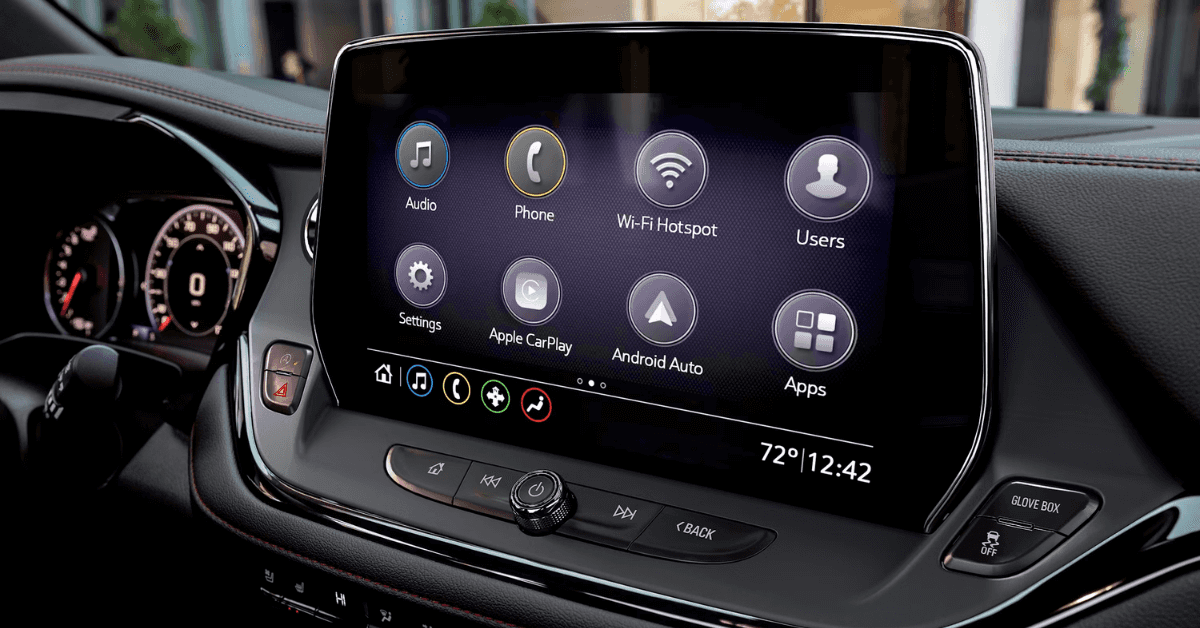
Credit: www.applegatechev.com
Tools You Might Need
Resetting your car stereo often requires a few simple tools. Having these ready makes the process smoother and safer. The right tools help avoid damage to your stereo or vehicle.
Gathering basic tools ensures you can handle most reset tasks. Also, following safety steps protects you and your car from harm.
Basic Tools For Reset
- Screwdrivers (Phillips and flathead) for removing panels
- Trim removal tools to avoid scratching dashboard parts
- Owner’s manual to find reset procedures and codes
- Paper and pen to note security codes or settings
- Small flashlight to see in tight or dark spaces
- Multimeter for checking electrical connections (optional)
Safety Precautions
- Disconnect the car battery before starting work
- Wear gloves to protect your hands from sharp edges
- Keep metal tools away from battery terminals to avoid sparks
- Work in a well-lit area to see clearly
- Follow instructions in the car’s manual carefully
- Do not force parts; gentle handling prevents damage
Reset Methods For Different Stereo Types
Resetting your car stereo can feel tricky because different models require different approaches. Knowing the right reset method ensures you avoid unnecessary frustration and potential damage. Let’s look at some straightforward ways to reset various types of car stereos so you can get back to enjoying your music without a hitch.
Factory Reset Via Buttons
Many car stereos have a built-in factory reset option accessed by pressing a combination of buttons. This method often involves holding down the power button along with another key like “Eject” or “Reset” for several seconds.
If you’re not sure which buttons to press, check your stereo’s manual or look for small reset holes that require a paperclip. This quick reset clears minor glitches without messing with your car’s electrical system.
Using The Stereo Menu
Modern stereos usually have a digital menu where you can find a reset option. Navigate through settings like “System,” “Setup,” or “Audio,” and look for choices labeled “Reset,” “Restore Defaults,” or “Factory Settings.”
This method is user-friendly and lets you reset without pressing physical buttons or fiddling with hardware. Just remember, this often erases your saved stations and preferences, so be ready to set them up again.
Resetting Through Fuse Removal
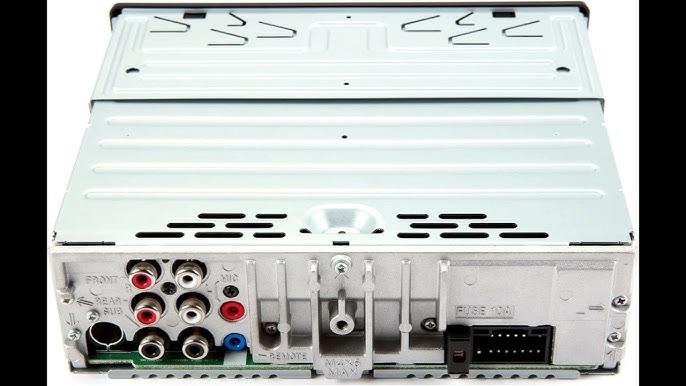
If your stereo is completely unresponsive, removing the fuse can cut power and force a reset. Locate the fuse box in your vehicle—commonly under the dashboard or in the engine compartment—and find the fuse linked to the stereo.
Pull the fuse out, wait about a minute, then reinsert it. This method is a bit more hands-on but effective for stubborn issues that software resets can’t fix.
Disconnecting The Car Battery
Disconnecting your car’s battery is a last-resort reset method that cuts all power to the stereo and vehicle systems. Disconnect the negative terminal first, then wait for 10-15 minutes before reconnecting.
This forces the stereo’s internal memory to clear, but it also resets other vehicle settings like clock and radio presets. Are you ready to spend a few minutes reprogramming your car’s systems in exchange for a full reset?
Step-by-step Reset Guide
Resetting your car stereo can fix many common issues like frozen screens or lost settings. This step-by-step guide shows how to reset your stereo safely and easily. Follow each part carefully to avoid any problems and get your system back to normal.
Preparing Your Vehicle
Start by turning off the car engine and removing the key. This ensures no power is running through the stereo. Open the car door to prevent the battery from draining. Check your car manual for any specific instructions about your stereo model.
Performing The Reset
Locate the reset button on your stereo. It is often small and recessed, requiring a pen or paperclip to press. Hold the button down for about 10 seconds. You may see the screen flash or hear a beep, indicating the reset is complete. If no reset button exists, disconnect the car battery for a few minutes, then reconnect it.
Reconfiguring Settings After Reset
Turn the car back on and switch the stereo on. You will need to enter your radio code if your system asks for it. Set the date, time, and language preferences. Reconnect Bluetooth devices and adjust sound settings like bass and treble. Save your favorite stations again to finish setup.
Troubleshooting After Reset
Resetting your car stereo can often fix common glitches, but sometimes the system might not behave as expected afterward. Troubleshooting after a reset is key to getting your music and settings back on track. Let’s dive into what to do if your stereo isn’t responding or if problems persist even after a reset.
When The Stereo Doesn’t Respond
If your car stereo remains unresponsive after a reset, the first thing to check is the power source. Make sure the ignition is on and the stereo is properly connected to the car’s power supply.
Sometimes, the stereo’s fuse might be blown. Locate the fuse box in your car and inspect the fuse related to your stereo. Replacing a blown fuse can often restore power and responsiveness immediately.
Another cause might be the anti-theft system locking your stereo. If you see a “CODE” prompt, you’ll need to enter the security code, usually found in your car’s manual or by contacting the dealer. Have you ever been stuck without this code? It’s frustrating but necessary to unlock your system.
Dealing With Persistent Issues
If problems continue after a reset and power checks, it’s time to look deeper. Sometimes the firmware might be corrupted. Check if your stereo manufacturer offers a firmware update that can be installed via USB or SD card.
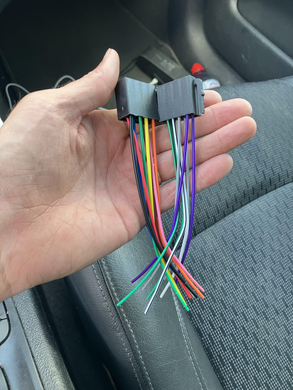
Loose wiring can also cause erratic behavior. Gently inspect the wiring harness behind the stereo. If you’re not comfortable doing this, seeking a professional’s help is a safer bet.
Think about the last time your stereo worked perfectly. Did you recently install a new device or accessory that might interfere? Disconnect any recent additions and test the stereo again.
- Try a second reset after addressing these factors.
- Test different audio sources like radio, Bluetooth, and USB.
- Note any error messages and look them up online for model-specific advice.
Persistent issues can be a sign that your stereo needs servicing or replacement parts. Don’t ignore repeated malfunctions; they often get worse over time. What’s the longest you’ve dealt with a stubborn car stereo problem?

Credit: jerry.ai
Preventive Tips To Avoid Future Resets
Keeping your car stereo running smoothly avoids the hassle of frequent resets. Small, regular efforts can prevent many common issues. These preventive tips help maintain your stereo’s performance and extend its life.
Regular Maintenance
Clean the stereo and its buttons regularly to prevent dirt buildup. Dirt can cause buttons to stick or malfunction. Check all wiring connections to ensure they are secure. Loose wires may cause power interruptions. Avoid exposing the stereo to extreme heat or moisture. Use a soft, dry cloth for cleaning. Handle the stereo gently when adjusting settings or changing CDs.
Software Updates
Check for software updates from the stereo’s manufacturer. Updates fix bugs that may cause resets. Follow instructions carefully to install updates correctly. Use a reliable USB drive or app if needed. Keep the stereo connected to the car’s power during updates. Outdated software can cause crashes and errors. Regular updates improve functionality and stability over time.
Credit: autorepairlebanontn.com
Frequently Asked Questions
How Do I Reset My Car Stereo System?
To reset your car stereo, first turn off the vehicle. Then, disconnect the car battery’s negative terminal. Wait for about 5 minutes before reconnecting it. This will reset the system to its factory settings, resolving most minor issues.
What Should I Do If The Stereo Won’t Reset?
If your stereo won’t reset, check the manual for a reset button. It’s usually a small, pinhole-sized button on the unit’s front or side. Use a paperclip to press it for a few seconds. If this doesn’t work, consult a professional technician.
Why Isn’t My Car Stereo Working?
Your car stereo might not work due to a blown fuse, loose wires, or software issues. Check your vehicle’s fuse box for any blown fuses. Ensure all connections are secure. If the issue persists, a software update or professional assistance may be necessary.
Can A Reset Fix Audio Problems?
Yes, resetting your car stereo can resolve minor audio issues. It refreshes the system, clearing any temporary glitches. If problems like distorted sound persist after a reset, there might be a deeper issue. Consider checking speaker connections or seeking professional help.
Conclusion
Resetting your car stereo can fix many common issues. Follow the steps carefully to avoid mistakes. Keep your car manual handy for specific instructions. A simple reset often restores sound and settings quickly. Take your time and stay patient throughout the process.
Now, enjoy clear music and smooth radio signals again. Remember, regular care helps your stereo last longer. Try resetting before seeking professional help to save time and money. Small actions can make a big difference in your driving experience.

Similar Posts