

Have you ever found yourself stuck with a locked Android car stereo, unable to enjoy your favorite music or use important features? It’s frustrating, but unlocking your Android car stereo doesn’t have to be a headache.
In this guide, you’ll discover simple, step-by-step methods to get your stereo working again quickly and safely. Whether you accidentally entered the wrong code or bought a second-hand car, this article will help you regain control and enhance your driving experience.
Keep reading, and unlock the full potential of your Android car stereo today!
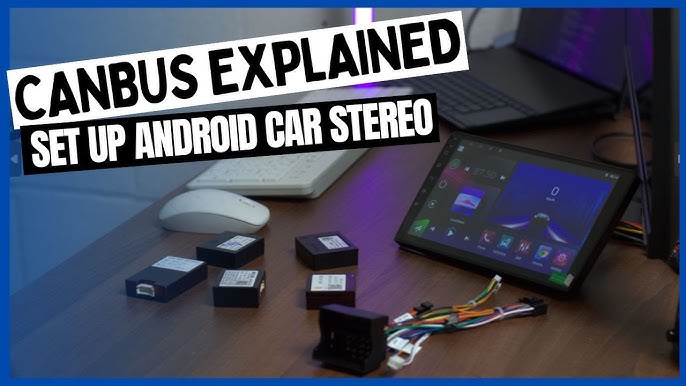
Credit: www.youtube.com
Reasons For Android Car Stereo Lock
Android car stereos lock for several reasons. This security measure protects your device and data. It keeps your stereo safe from theft and unauthorized use. Understanding why your stereo locks helps to handle the situation better.
Common Lock Causes
- Entering the wrong password multiple times
- Battery disconnection or replacement
- Software updates or glitches
- Attempting to reset the stereo incorrectly
- Factory reset without proper credentials
These actions trigger the stereo’s security to lock itself. The lock prevents access until the correct information is entered.
Security Features Explained
Android car stereos have built-in security to protect users. These include:
- PIN or password protection
- Anti-theft lock after wrong attempts
- Device linking to the car’s unique ID
- Data encryption to protect user information
- Remote lock features in some models
These features ensure only authorized users can access the stereo. They help secure your device and personal data inside the car.
Tools Needed To Unlock
Knowing what tools you need to unlock your Android car stereo is crucial before you begin. The right equipment can save you time and prevent damage to your device. Without proper tools, you might end up frustrated or even worse, cause permanent issues to your stereo system.
Required Equipment
To start, you’ll need a few physical tools that help you access the stereo unit safely.
- Trim removal tools:These plastic or metal tools help you pry open the dashboard without scratching or breaking any parts.
- Screwdrivers:Usually, a set of Phillips and flathead screwdrivers will do the job to remove screws holding the stereo in place.
- Wire cutters or strippers:Sometimes, you may need these to handle any wiring during the unlocking process.
- Multimeter:This device helps check electrical connections to avoid shorts or wrong wiring.
Having these tools ready means you won’t be stuck halfway through the process. Think about your last DIY project—didn’t having the right tools make all the difference?
Software And Apps
Physical tools are just one part of the puzzle. The right software or app can communicate with your car stereo to remove security locks or reset codes.
- OBD-II scanner apps:These connect to your car’s diagnostic port and can sometimes reset stereo locks.
- Manufacturer-specific unlocking software:Some brands provide official tools to reset or unlock their stereo units safely.
- Third-party Android apps:Apps like “Car Stereo Unlocker” or “Code Reader” can help retrieve security codes or bypass locks.
But here’s a question: do you know if your stereo’s software supports these tools? Checking compatibility first can save you from unnecessary headaches.
Combining both physical tools and the right software makes unlocking your Android car stereo a smoother, more manageable task. Without one or the other, the process can get tricky fast.
Step-by-step Unlocking Process
Unlocking your Android car stereo can feel tricky, but breaking it down into clear steps makes the process manageable. Whether you’re dealing with a forgotten code or a locked system after a power loss, knowing the right approach can save you time and frustration. Let’s walk through practical ways to get your stereo back up and running smoothly.
Basic Reset Methods
Sometimes, a simple reset is all your stereo needs. Try pressing and holding the power button for about 10 seconds to reboot the system. This quick action can clear minor glitches that cause the lock.
If that doesn’t work, look for a small reset hole on the stereo’s faceplate. Use a paperclip to press the button inside gently. This resets the device without erasing your settings.
Have you checked your car manual? It often lists specific button combinations to reset or unlock the stereo without complicated steps. Trying these first can save a lot of hassle.
Using Manufacturer Codes
Each car stereo brand has unique security codes meant to protect your system. These codes are usually found in the user manual or on a card that came with your vehicle. If you don’t have the physical copy, you can often find the code by entering your car’s VIN on the manufacturer’s website.
Enter the code carefully using the stereo’s keypad. Be mindful—too many incorrect attempts might permanently lock the system. If you’re unsure about your code, contacting the dealer can provide the exact number tied to your stereo.
Ever wondered why these codes exist? They prevent theft but can be a headache if lost. Keeping a digital copy of your code can be a lifesaver when you least expect it.
Factory Reset Options
If other methods fail, a factory reset restores your stereo to its original settings. This wipes all saved data, including paired devices and radio presets, so be prepared to set everything up again.
Access the stereo’s settings menu by navigating through the touchscreen or buttons. Look for options labeled “Factory Reset” or “Restore Defaults.” Confirm your choice to start the process.
Remember, some models require a security code even after a factory reset. If prompted, enter the manufacturer code to complete the reset. This step ensures only authorized users can restore the system.

Credit: www.youtube.com
Troubleshooting Common Issues
Troubleshooting common issues with your Android car stereo can save you time and frustration. Many users face roadblocks that seem complex but often have straightforward solutions. Understanding these issues helps you regain control without unnecessary stress.
Failed Unlock Attempts
Repeatedly entering the wrong code can lock your stereo permanently. Some models disable the input after a few incorrect tries, requiring a waiting period before you try again.
If you’ve tried multiple times, pause and double-check the code. Sometimes, the code might be on a card in your car’s glove box or in the owner’s manual.
Have you ever felt stuck because your stereo wouldn’t accept the code you were sure was correct? That’s a common experience. Take a deep breath, then try these steps:
- Wait for the lockout timer to expire before trying again.
- Verify the code from your car’s documentation or contact the dealer.
- If you cannot find the code, consider using the stereo’s serial number to request it from the manufacturer.
Error Messages And Fixes
Seeing an error message like “ERR” or “CODE” can be alarming. These messages often indicate that the stereo is locked or that the code entry failed multiple times.
One common fix is to reset the stereo by disconnecting the car battery for a few minutes. This sometimes clears the error and allows you to enter the code again.
Another practical tip is to consult your car’s manual for specific error codes. Different manufacturers use different messages, so knowing what yours means can guide you better.
If the error persists, try this checklist:
- Ensure you are entering the correct code with the right sequence.
- Check if the stereo requires a special reset procedure before accepting the code.
- Contact customer support with your stereo’s model and serial number for tailored advice.
Have you noticed that some errors vanish after a simple reset while others need professional help? Knowing the difference can save you a trip to the mechanic.
Preventing Future Locks
Dealing with a locked Android car stereo can be frustrating, especially when you’re in a hurry or on a trip. The good news is, you can take simple steps to avoid getting locked out in the future. Focusing on prevention not only saves time but also protects your device and your peace of mind.
Best Practices
Set a memorable but secure PIN or password for your car stereo. Avoid using obvious combinations like “1234” or your birth year, as these are easy to guess. Instead, think of a number that has personal meaning but isn’t widely known.
Make sure your stereo’s firmware is updated regularly. Updates often include security patches that reduce the risk of accidental locks or hacking attempts. Check the manufacturer’s website or app for notifications about new updates.
Consider using a secondary authentication method if your stereo supports it, such as a fingerprint or pattern lock. This adds an extra layer of protection and can help you regain access faster if you forget your PIN.
Backup And Recovery Tips
Keep a physical copy of your stereo’s default security code or unlock key in your glove compartment or another safe place in your car. It’s easy to forget these codes, but having them handy can save hours of frustration.
Regularly back up your stereo settings and preferences if the system allows it. Some models let you save this data to a USB drive or cloud account. This way, if you ever need to reset the stereo, you won’t lose all your customizations.
Ask your dealer or manufacturer if there’s an official recovery process. Some brands offer a master reset service or a recovery app that can help you regain access without professional help. Knowing this can make a big difference when you’re locked out.

Credit: deanauto.in
Frequently Asked Questions
How Do I Reset My Android Car Stereo?
To reset your Android car stereo, locate the reset button, usually a small pinhole. Use a pointed object like a paperclip to press it for about 10 seconds. This will restore factory settings. Always refer to your stereo’s manual for specific instructions, as models may vary.
Can I Unlock My Car Stereo Without A Code?
Yes, some Android car stereos can be unlocked without a code. Try disconnecting the car battery for a few minutes, which may reset the stereo. However, this method isn’t guaranteed to work for all models. Always consult your user manual or contact customer support for guidance.
Why Is My Car Stereo Asking For A Code?
Your car stereo may require a code as a security feature. This typically happens after battery disconnection or power loss. The code ensures only authorized users can access the stereo. Check your vehicle’s manual or contact the manufacturer for the code if you don’t have it.
Where Can I Find My Stereo’s Unlock Code?
The stereo’s unlock code is often found in your vehicle’s manual or paperwork. It may also be recorded on a card provided by the dealer. If unavailable, contact the car manufacturer or dealer with your stereo’s serial number for assistance in retrieving the code.
Conclusion
Unlocking your Android car stereo does not have to be hard. Follow clear steps carefully and stay patient. Always check your car’s manual for specific instructions. Using the right tools makes the process easier and safer. Remember to keep your security codes handy.
Take your time to avoid mistakes. This way, you can enjoy your music and apps again quickly. Keep these tips in mind for a smooth experience. Simple actions lead to great results. Stay safe and enjoy your drive with your stereo working well.

