How to Add Bluetooth in Car Stereo: Easy Steps for Instant Upgrade
Master Automotive Systems Engineer & Performance Vehicle Specialist at CarSpeedNest Automotive Testing Lab · ASE Certified Master Technician, Mobile Electronics Certified Professional (MECP Master), Certified Dyno Diagnostic Specialist · 14+ years in dyno testing, electronic sensor calibration, automotive wiring harnesses, and precision drivetrain maintenance
Want to enjoy hands-free calls and stream your favorite music without messy wires? Adding Bluetooth to your car stereo can make your drives safer and more fun.
But you might wonder, how exactly do you do it? Don’t worry—this guide will show you simple, step-by-step ways to upgrade your car stereo with Bluetooth. By the end, you’ll have all the tips you need to connect your phone effortlessly and take your driving experience to the next level.
Keep reading to discover how easy it is to bring wireless convenience to your car.
Benefits Of Adding Bluetooth To Car Stereo
Adding Bluetooth to your car stereo brings many useful benefits. It upgrades your driving experience by making communication and entertainment easier. You get wireless access to your phone without distractions. This improves both comfort and safety on the road.
Improved Hands-free Communication
Bluetooth lets you make and receive calls without holding your phone. Your car stereo acts as a speaker and microphone system. This keeps your hands on the wheel and eyes on the road. It reduces the risk of accidents caused by phone handling. Clear voice quality helps you hear and speak better during calls.
Wireless Music Streaming
Bluetooth connects your phone or music player to the stereo wirelessly. You can play any song from your device without cables. Changing tracks or adjusting volume is simple through your car controls. This freedom allows you to enjoy your favorite music anytime. No need to carry extra wires or adapters.
Enhanced Safety And Convenience
Bluetooth reduces distractions by enabling voice commands for calls and music. You can focus on driving while controlling your phone by voice. It also prevents tangled cables and clutter in the car. Quick connection to your device saves time when you start driving. This technology adds ease and safety to your daily trips.
Types Of Bluetooth Car Stereo Upgrades
Adding Bluetooth to a car stereo can improve driving safety and entertainment. Different upgrade options suit various budgets and skills. Some upgrades are simple and affordable. Others require more effort and cost but offer better sound and features. Understanding these types helps pick the right choice.
Bluetooth Adapters And Receivers
Bluetooth adapters and receivers connect to an existing car stereo. They plug into the auxiliary input or the cigarette lighter. These devices let you stream music and make calls wirelessly. They are easy to install and low cost. Perfect for cars without advanced stereo systems.
Replacing The Head Unit
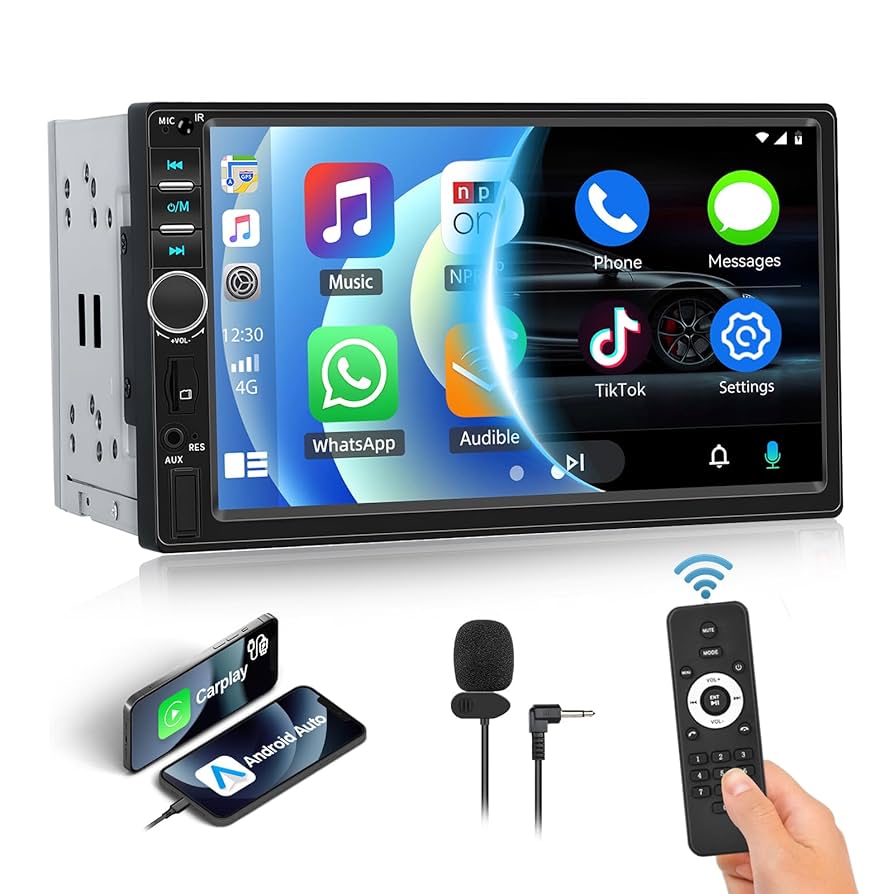
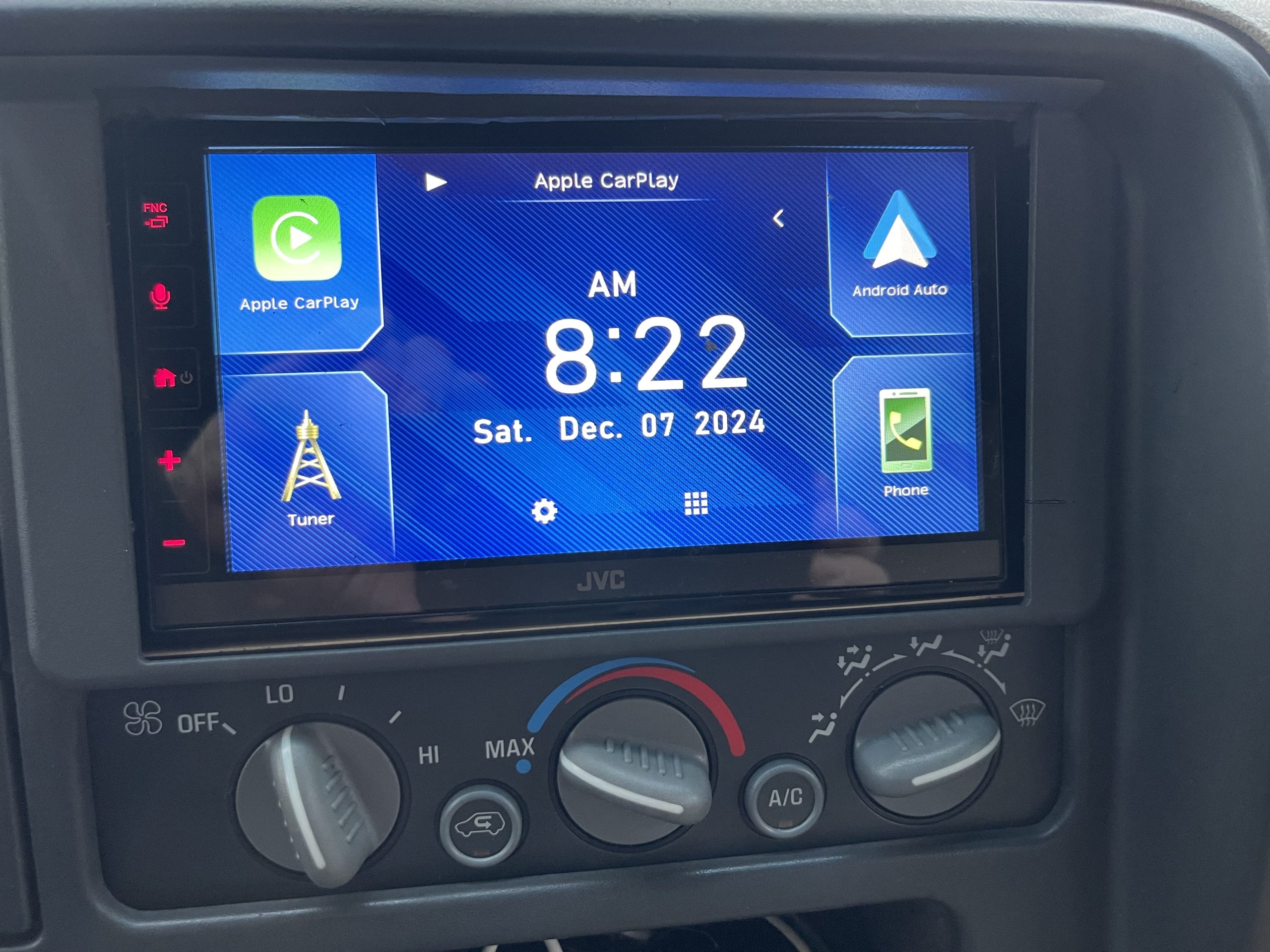
Replacing the head unit means installing a new stereo with built-in Bluetooth. This option offers the best sound quality and features. New head units may support hands-free calls, music streaming, and app control. Installation takes more time and skill. It also costs more than adapters.
Using Fm Transmitters
FM transmitters send Bluetooth audio to the car radio via an FM frequency. They are simple devices that plug into the cigarette lighter. The radio tunes to the transmitter’s frequency to play music. This method works in older cars without aux input. Audio quality may vary depending on signal strength.
Tools And Materials Needed
Adding Bluetooth to your car stereo can transform your driving experience, giving you hands-free calling and wireless music streaming. But before you start, make sure you have the right tools and materials on hand. Having everything ready will save time and avoid frustration during installation.
Basic Tools Required
You’ll need a few simple tools to get the job done. Most Bluetooth kits require basic hand tools that you probably already have at home.
- Screwdrivers:Both Phillips and flathead screwdrivers help remove panels and screws from your dashboard.
- Wire strippers and cutters:These are essential for preparing wires for connection.
- Electrical tape or heat shrink tubing:Use these to safely insulate your wire connections.
- Multimeter:Useful for checking voltage and ensuring proper wiring.
- Trim removal tools:Plastic pry tools protect your car’s interior from scratches when removing panels.
Have you checked if your car stereo’s manual suggests any special tools? Knowing this upfront can prevent surprises.
Choosing The Right Bluetooth Device
Bluetooth adapters come in many forms, and picking the right one depends on your car stereo type. Some devices plug into the auxiliary input, while others replace the head unit entirely.
Consider these factors:
| Bluetooth Device Type | Best For | Installation Effort |
|---|---|---|
| Auxiliary Bluetooth Receiver | Stereos with AUX input | Minimal – plug and play |
| FM Transmitter | Older stereos without AUX | Easy – plugs into cigarette lighter |
| Bluetooth Head Unit | Replacing entire stereo system | Advanced – requires wiring and mounting |
Think about your comfort level with installation. Would you rather a quick fix or are you ready to upgrade your stereo completely? Your choice here shapes the tools and materials you’ll need next.

Credit: www.hollyland.com
Preparing Your Car For Installation
Preparing your car for a Bluetooth stereo installation is a crucial step that sets the foundation for a smooth upgrade. Taking the time to get your vehicle ready can save you from unexpected issues during the process. Knowing exactly where to find your stereo and ensuring your car’s electrical system is safe to work on will make the whole experience less stressful and more efficient.
Locating The Stereo System
First, you need to find your car’s stereo system. Most car stereos are located in the center dashboard, but some models hide them behind panels or under the dash. If you’re unsure, check your vehicle’s manual or look for online guides specific to your car make and model.
Once you locate the stereo, observe how it’s secured. Some are held in place with screws, while others use clips or brackets. Knowing this helps you prepare the right tools and avoid damage to your dashboard.
Disconnecting The Battery
Before touching any electrical components, disconnect your car’s battery. This step prevents short circuits and protects both you and your vehicle’s electronics. Simply locate the negative terminal of the battery and use a wrench to loosen and remove the cable.
Leaving the battery connected during installation can cause sparks or damage your new Bluetooth device. Have a friend hold a flashlight if you need extra light, and keep metal tools away from the battery terminals to stay safe. Do you know what could happen if you skip this step?
Step-by-step Installation Guide
Adding Bluetooth to your car stereo lets you enjoy wireless music and hands-free calls. Follow this step-by-step guide to install Bluetooth with ease. Choose the best method based on your car and budget. Each option improves your driving experience.
Installing A Bluetooth Adapter
Bluetooth adapters are small devices that connect to your car stereo’s AUX or USB port. They are affordable and easy to install.
- Plug the adapter into the AUX or USB input of your stereo.
- Power the adapter using your car’s 12V socket or USB port.
- Pair your phone with the adapter via Bluetooth settings.
- Play music or make calls through your car speakers.
No wiring or tools needed. Perfect for quick Bluetooth addition.
Replacing The Head Unit With Bluetooth Capability
Replacing the head unit means swapping your old stereo for a new one with built-in Bluetooth. This option offers better sound and extra features.
- Remove the old stereo by loosening screws or clips.
- Disconnect wiring harness and antenna cable carefully.
- Connect new Bluetooth head unit to wiring harness.
- Secure the new unit in the dashboard and test it.
- Pair your phone via the head unit’s Bluetooth menu.
This method requires some tools and basic knowledge of car electronics.
Setting Up An Fm Transmitter
An FM transmitter broadcasts audio from your phone to your car radio via FM frequencies. It is simple but may face signal interference.
- Plug the FM transmitter into your car’s 12V socket.
- Connect your phone to the transmitter via Bluetooth.
- Tune your car radio to the FM frequency shown on the transmitter.
- Play music or calls from your phone through car speakers.
This is a low-cost option without any installation needed.

Credit: www.amazon.com
Connecting And Pairing Your Devices
Connecting and pairing your devices is the key step to enjoy Bluetooth in your car stereo. It allows your phone to communicate with the stereo system wirelessly. This process is simple and takes only a few minutes to set up. Once paired, you can play music, make calls, and use voice commands easily.
Follow these clear instructions to activate Bluetooth on your phone and link it with your car stereo. Troubleshooting tips help fix common issues that may arise during connection.
Activating Bluetooth On Your Phone
Open the settings menu on your phone. Look for the Bluetooth option and tap it. Turn on Bluetooth by sliding the switch or tapping the button. Your phone will start searching for nearby devices automatically. Keep the phone screen on to stay visible to other devices.
Pairing With The Car Stereo
Turn on your car stereo and access its Bluetooth menu. Choose the option to add or pair a new device. Your car stereo will start scanning for Bluetooth devices nearby. On your phone, select your car stereo name from the list of available devices. Confirm any code or PIN if prompted on both devices. Wait for a confirmation message that the devices are paired successfully.
Troubleshooting Connection Issues
- Make sure Bluetooth is enabled on both your phone and car stereo.
- Restart your phone and car stereo if the devices do not find each other.
- Delete old Bluetooth connections from your phone’s list to avoid conflicts.
- Keep your phone close to the car stereo during pairing.
- Check if your car stereo supports your phone’s Bluetooth version.
- Consult the car stereo manual for device-specific pairing instructions.
Tips For Optimal Bluetooth Performance
Ensuring the best Bluetooth performance in your car stereo enhances sound quality and connection reliability. Simple steps help keep your Bluetooth working smoothly and avoid common issues. Focus on signal strength, interference, and firmware updates to enjoy seamless audio streaming and calls.
Maintaining Signal Strength
Keep your phone close to the car stereo for a strong Bluetooth signal. Avoid placing devices in thick bags or behind metal objects. Remove obstacles between your phone and stereo to reduce signal loss. A clear line of sight improves connection stability and sound quality.
Avoiding Interference
Turn off other Bluetooth devices not in use around your car. Electronic gadgets and Wi-Fi routers may cause signal interference. Avoid parking near large metal structures or crowded wireless areas. Minimizing interference helps maintain clear audio and reduces dropouts.
Regular Firmware Updates
Check for updates on your car stereo and phone regularly. Firmware updates fix bugs and improve Bluetooth performance. Use the manufacturer’s official app or website to download updates safely. Staying updated ensures compatibility and better connection features.

Credit: www.hollyland.com
Common Problems And Fixes
Adding Bluetooth to your car stereo can transform your driving experience, but it’s not always smooth sailing. You might face some common issues that can interrupt your music or calls. Understanding these problems and knowing how to fix them will save you time and frustration.
Audio Quality Issues
Poor sound quality can ruin your enjoyment. Sometimes, static or crackling noise appears during playback. This often happens because of interference or low signal strength.
Try these fixes:
- Move your phone closer to the Bluetooth receiver to boost signal strength.
- Check for any physical obstructions like metal objects between the devices.
- Ensure your car stereo’s firmware is up to date, as updates often improve audio handling.
- Adjust audio settings on both your phone and car stereo for optimal balance.
Have you noticed certain apps causing worse sound? Sometimes specific apps compress audio more, so testing different players can help identify the issue.
Connection Drops
Nothing is more annoying than your music cutting out randomly. Connection drops happen when the Bluetooth link between your phone and stereo breaks.
To stop this:
- Restart both your phone and car stereo to clear temporary glitches.
- Delete old Bluetooth pairings on both devices and reconnect fresh.
- Avoid pairing too many devices at once; multiple connections can cause interference.
- Check your phone’s battery saver settings, as they may limit Bluetooth performance.
Think about when these drops occur—do they happen near certain locations or after long use? Spotting patterns can help pinpoint the cause.
Compatibility Concerns
Not all Bluetooth adapters or car stereos work well with every phone. Compatibility issues can block pairing or limit features like hands-free calling.
Here’s what you can do:
- Verify your car stereo supports the Bluetooth profiles your phone uses (like A2DP for music or HFP for calls).
- Consult the user manual or manufacturer’s website for a list of compatible devices.
- Consider upgrading your stereo or adapter if it’s too old to support modern Bluetooth versions.
- Look into third-party Bluetooth adapters designed specifically for your car model.
Have you checked if your phone’s software version is current? Sometimes, updates fix hidden compatibility bugs.
Frequently Asked Questions
How Do I Install Bluetooth In My Car Stereo?
To install Bluetooth, you need a Bluetooth adapter compatible with your stereo. Connect it to the auxiliary input or use a Bluetooth FM transmitter. Ensure your car’s stereo is on, pair it with your phone, and test the connection for seamless audio streaming.
Can Any Car Stereo Have Bluetooth?
Not all car stereos come with built-in Bluetooth. However, you can add Bluetooth to most car stereos using Bluetooth adapters, FM transmitters, or replacing the stereo with a Bluetooth-compatible unit. Check compatibility before purchasing an adapter or new stereo.
What Are The Benefits Of Adding Bluetooth To My Car?
Adding Bluetooth allows hands-free calling, wireless music streaming, and navigation prompts directly from your phone. It enhances safety by reducing distractions and offers convenience by eliminating the need for cables. Bluetooth also allows multiple device connections, making it ideal for family use.
Is Professional Installation Necessary For Bluetooth?
Professional installation ensures correct setup, especially for complex systems. However, many Bluetooth adapters and transmitters are user-friendly. They typically require minimal installation steps. Follow the manufacturer’s instructions carefully if you choose to install it yourself.
Conclusion
Adding Bluetooth to your car stereo makes driving safer and more fun. You can enjoy music and calls without wires. The process is simple with the right tools and steps. Once installed, connect your phone quickly and easily. This small upgrade improves your car experience a lot.
Give it a try and enjoy hands-free convenience today.

Similar Posts