
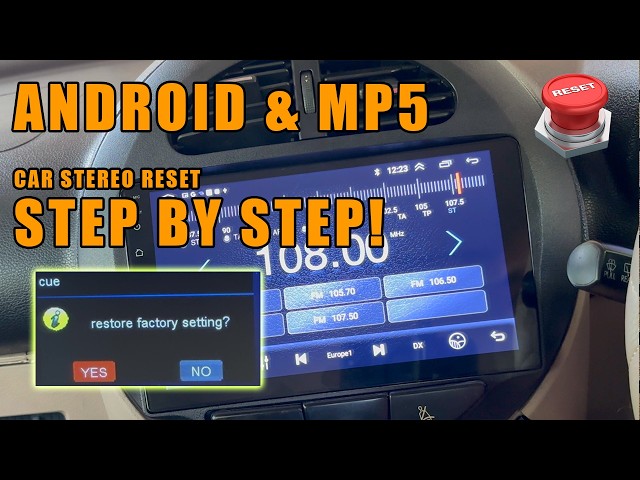
Is your Dual car stereo acting up or stuck on the wrong settings? You’re not alone, and the good news is that resetting it can often fix common issues quickly.
Whether the sound is glitchy, the controls aren’t responding, or you just want to start fresh, knowing how to reset your stereo can save you time and frustration. In this guide, you’ll find simple, step-by-step instructions to get your Dual car stereo back to normal—no tech expertise needed.
Keep reading, and you’ll be enjoying clear, smooth tunes in no time.

Credit: www.youtube.com
Reasons To Reset A Dual Car Stereo
Resetting your Dual car stereo might seem like a simple task, but it often addresses a range of frustrating issues. Knowing why you should reset your stereo can save you time and prevent unnecessary expenses. It’s not just about fixing problems—resetting can also improve your system’s performance in surprising ways.
Common Issues Requiring Reset
Your Dual car stereo might act up for several reasons that a reset can fix quickly. Have you noticed the screen freezing or buttons not responding? These glitches often stem from software hiccups that a reset clears out.
Other common problems include:
- Audio cutting out unexpectedly
- Bluetooth connectivity problems
- Lost radio presets or erratic tuning
- Slow startup or unresponsive menus
When these issues appear, resetting your stereo can restore normal function without diving into complicated repairs.
Benefits Of Resetting
Resetting your Dual car stereo does more than just fix problems. It clears temporary data and glitches that slow down the system. This often leads to faster response times and smoother operation.
Here’s what you gain from a reset:
- Restored default settings for easier troubleshooting
- Improved Bluetooth and audio connections
- Cleared memory space for better performance
- Reduced chances of future software errors
Have you ever noticed how your stereo feels sluggish after a long trip? A quick reset can bring it back to peak condition, almost like giving it a fresh start.

Credit: mobileaudio.com.au
Preparations Before Resetting
Resetting a Dual Car Stereo requires some important preparations. These steps help avoid data loss and make the process smooth. Taking time to prepare saves frustration later.
Gathering Necessary Tools
Start by collecting all tools needed for the reset. This usually includes a small flathead screwdriver or a similar tool. Some models may require a pin or paperclip to press a hidden reset button.
Keep your car manual nearby. It has specific instructions for your stereo model. Also, have a clean cloth to avoid scratches when handling the stereo faceplate.
Backing Up Your Settings
Your stereo may have saved settings like radio stations, equalizer preferences, and Bluetooth connections. Losing these settings can be frustrating.
Write down important information such as preset channels and device pairings. Some stereos allow saving settings to a USB drive. Check if your model supports this feature.
Backing up ensures you can quickly restore your favorite settings after the reset. It saves time and keeps your driving experience comfortable.
Methods To Reset Dual Car Stereo
Resetting your Dual Car Stereo can solve many common problems like frozen screens, unresponsive buttons, or connectivity issues. There are several ways to reset your unit, each suited for different situations. Understanding these methods helps you quickly restore your stereo without unnecessary hassle or visits to a mechanic.
Soft Reset Via Reset Button
Many Dual Car Stereos have a small reset button hidden on the front panel or behind a tiny hole. You usually need a pointed object like a paperclip to press it.
Press and hold this button for a few seconds until the screen goes blank or the unit restarts. This action clears minor glitches but won’t erase your settings or presets.
Have you ever had your stereo freeze right in the middle of your favorite song? A soft reset often fixes that instantly without losing your personalized settings.
Factory Reset Through Menu
If the soft reset doesn’t work, try a factory reset from the stereo’s settings menu. This option wipes all custom settings and returns the stereo to its original state.
Navigate through the menu by pressing the “Settings” or “Setup” button, then look for “Factory Reset” or “Restore Defaults.” Confirm your choice, and the stereo will reboot.
Keep in mind that this will erase saved radio stations, Bluetooth pairings, and equalizer settings. Make sure you note down any important information before proceeding.
Disconnecting The Car Battery
Disconnecting your car’s battery can force a full reset of the stereo system and other electronic components. Start by turning off your vehicle and opening the hood.
- Use a wrench to disconnect the negative terminal of the battery first.
- Wait for about 10-15 minutes to ensure the system fully powers down.
- Reconnect the terminal and start your car.
This method works well when software resets don’t help. However, it may also reset other vehicle settings like clock and radio presets, so be prepared to set those up again.
Step-by-step Reset Guide
Resetting your Dual car stereo can solve many common issues like freezing, unresponsive controls, or sound glitches. A clear, step-by-step guide helps you avoid unnecessary frustration and ensures you don’t accidentally lose important settings. Let’s walk through the main ways to reset your stereo safely and effectively.
Locating The Reset Button
Most Dual car stereos have a small reset button, usually recessed to prevent accidental presses. Check around the front panel or near the USB and auxiliary ports. You might need a pointed object like a pen tip or paperclip to press it.
If you can’t find it immediately, refer to your stereo’s manual or look for a tiny hole labeled “Reset.” Finding this button is the quickest way to perform a reset without navigating menus.
Performing A Soft Reset
A soft reset refreshes your stereo without deleting settings like radio presets or Bluetooth pairings. To do this, simply press and hold the power button for about 10 seconds until the unit turns off and restarts.
This approach often fixes minor glitches without the hassle of a full factory reset. Have you noticed your stereo freezing after a long drive? A soft reset might be all it needs to get back on track.
Navigating The Menu For Factory Reset
If issues persist, a factory reset restores the stereo to its original settings, erasing all customizations. Use the stereo’s menu button to access the settings menu. Navigate to “System” or “Setup” and look for “Factory Reset” or “Initialize.”
Confirm your choice when prompted, but remember this will remove saved stations and paired devices. If you rely heavily on presets, consider backing up important info before proceeding.
Battery Disconnection Procedure
Disconnecting the car battery cuts power to the stereo, forcing a hard reset. Before attempting this, make sure your car is off and you have the right tools to safely disconnect the negative terminal.
Leave the battery disconnected for about 10–15 minutes. This method can clear deeper system errors but also resets other electronic systems in your vehicle. Is this worth it for a stubborn stereo problem? Weigh the pros before you try it.
After Resetting Your Stereo
After resetting your Dual car stereo, some key tasks need your attention. The reset clears all customized settings and paired devices. Taking a few moments to reconfigure and test your stereo ensures it works perfectly again.
Reconfiguring Settings
Start by setting your preferred language and time. Adjust sound settings like bass, treble, and balance to your taste. Re-enter radio presets for your favorite stations. Check any display preferences and customize screen brightness. This step helps restore a familiar and comfortable user experience.
Reconnecting Bluetooth Devices
Resetting deletes all saved Bluetooth connections. Open your phone or device Bluetooth menu and search for your stereo. Select the stereo name and follow pairing instructions. Enter a PIN if required, often “0000” or “1234.” Ensure your device is within range and Bluetooth is active. After pairing, test the connection by playing audio or making a call.
Testing Audio And Features
Play music from different sources: radio, USB, or Bluetooth. Check if sound quality meets your expectations. Test microphone functions if your stereo supports calls. Use volume and track controls to confirm they work smoothly. Confirm all buttons and touchscreen features respond correctly. This final check guarantees your stereo runs as it should.
Troubleshooting Reset Issues
Resetting your Dual car stereo is usually straightforward, but sometimes issues pop up that can test your patience. Troubleshooting reset problems requires a bit of patience and a clear approach. Let’s break down common reset issues and what you can do when things don’t go as planned.
Reset Not Working
If your stereo won’t reset, first check the power source. Is the car battery fully charged? A weak power supply can prevent the reset from triggering.
Next, ensure you’re using the correct reset method. Some Dual models require holding down specific buttons for a certain number of seconds, while others need a pin to press a tiny reset hole. Have you tried consulting your user manual to confirm these details?
Sometimes, a simple disconnect of the car battery for a few minutes can force a reset. But be cautious—this might erase saved settings or radio presets.
Persistent Software Problems
Software glitches that don’t disappear after a reset can be frustrating. If you notice the stereo freezing or not responding to commands, it might be due to outdated firmware.
Check Dual’s official website for firmware updates. Updating the software can fix bugs and improve performance. Do you know how to safely update your device without risking further issues?
If updates don’t help, try a factory reset if your model supports it. This deeper reset wipes all settings but can resolve stubborn software faults.
When To Seek Professional Help
If you’ve tried resets, power checks, and software updates but your stereo still misbehaves, it’s time to get expert help.
Professional technicians have diagnostic tools that can pinpoint hardware failures or complex software issues. Have you considered how much time and frustration you might save by consulting a pro?
Also, attempting repairs beyond your skill level can cause more damage. If your stereo is under warranty, contacting Dual’s support is often the safest bet.
Tips To Maintain Your Car Stereo
Keeping your dual car stereo in good shape helps it work longer and sound better. Simple care steps make a big difference. Small efforts keep your music clear and your system reliable.
Regular Firmware Updates
Check for updates often. Firmware updates fix bugs and add features. They improve stereo performance and compatibility with devices. Visit the manufacturer’s website or use the stereo’s settings menu to update. Keeping software current reduces errors and boosts sound quality.
Avoiding Common User Errors
Handle your stereo gently. Avoid pressing buttons too hard or too fast. Don’t change settings while driving to prevent mistakes. Protect the system from sudden power cuts by turning off the car correctly. Use correct cables and connections to avoid damage. Careful use extends your stereo’s life.
Proper Cleaning And Care
Keep the stereo clean from dust and dirt. Use a soft cloth to wipe the screen and buttons. Avoid sprays or harsh chemicals. Clean air vents around the stereo to prevent overheating. Remove debris from USB or AUX ports carefully. Regular cleaning helps the stereo run smoothly and look good.

Credit: mobileaudio.com.au
Frequently Asked Questions
How Do I Reset My Dual Car Stereo?
To reset a Dual car stereo, locate the small reset button. Use a pointed object like a pen to press and hold it for a few seconds. This will reboot the system and restore factory settings, resolving common glitches and improving performance.
Why Is My Dual Stereo Not Working?
A Dual stereo might not work due to a power issue, faulty wiring, or software glitches. Resetting the stereo often resolves these problems. Ensure all connections are secure, and check the fuse box for any blown fuses to restore functionality.
Where Is The Reset Button On Dual Stereo?
The reset button on a Dual stereo is usually located on the front panel. It’s a small, recessed button that requires a pointed object to press. Refer to your stereo’s user manual for the exact location if you have trouble finding it.
Will Resetting My Stereo Erase Saved Settings?
Yes, resetting your Dual car stereo will erase all saved settings. It restores the stereo to its original factory settings. This includes radio presets, equalizer settings, and Bluetooth pairings. Ensure you back up any important data before performing a reset.
Conclusion
Resetting a dual car stereo can fix many common problems. Follow the steps carefully to avoid mistakes. Always check your stereo’s manual for specific instructions. A reset often clears errors and restores settings. Keep your stereo working well by resetting it when needed.
Simple and quick. Now, you can enjoy your music without interruptions. Remember, patience helps during the process. Try these tips next time your stereo acts up. Easy to do and saves time.

