How to Turn on the Back Speakers in a Car: Easy Steps Revealed
Master Automotive Systems Engineer & Performance Vehicle Specialist at CarSpeedNest Automotive Testing Lab · ASE Certified Master Technician, Mobile Electronics Certified Professional (MECP Master), Certified Dyno Diagnostic Specialist · 14+ years in dyno testing, electronic sensor calibration, automotive wiring harnesses, and precision drivetrain maintenance
Have you ever felt like your car’s sound system is missing something? Maybe the music sounds flat or the surround effect isn’t quite there.
The secret to an immersive audio experience often lies in your back speakers—but what if they’re not turned on? You’re about to discover simple steps that will bring your back speakers to life, making every drive feel like a concert.
Keep reading, and you’ll learn how to unlock the full power of your car’s sound system easily and quickly.
Check Your Car Audio System
Checking your car audio system is the first step to activate the back speakers. This process helps you understand what kind of setup your car has. It also points out where controls are to adjust the sound. Knowing these details saves time and avoids confusion.
Identify Speaker Configuration
Begin by finding out how many speakers your car has. Some cars come with just front speakers. Others include rear or back speakers as part of the system. Look for speaker grills on the rear doors or back shelf. Your car manual can also show the speaker layout. This information tells you if back speakers exist and how they connect.
- Check door panels for speaker covers.
- Look behind the rear seats for speakers.
- Refer to the car’s audio system guide.
Locate Audio Controls
Next, find the controls to adjust speaker settings. Most cars have a sound or audio menu on the dashboard screen. This menu lets you change balance and fade. Balance shifts sound left or right. Fade adjusts sound front to back. To turn on back speakers, move the fade control towards the rear. Some cars have physical knobs or buttons for this. Knowing control locations makes it easier to customize sound quickly.
- Check the infotainment screen for audio settings.
- Look for physical sound adjustment buttons.
- Use your car manual to understand the controls.

Credit: www.youtube.com
Access The Audio Settings Menu
Accessing the audio settings menu is your first move to turn on the back speakers in your car. This menu controls all sound-related features, allowing you to customize how your music or calls sound. Knowing exactly where to find and how to use this menu saves you time and improves your listening experience instantly.
Use The Infotainment Screen
Your car’s infotainment screen is usually the central hub for all audio settings. Tap the “Settings” or “Audio” icon on the touchscreen to open the menu. From there, look for options labeled “Speaker Settings,” “Sound,” or “Balance/Fader.”
Adjust the fader controls to shift sound towards the back speakers. Often, dragging the control towards the rear will activate those speakers and increase their volume. It’s a simple tweak that makes a big difference in sound distribution.
Have you noticed how some infotainment systems allow you to save profiles? Creating a custom audio profile can let you switch between front and back speaker preferences easily. This feature is handy if you often carry passengers and want a quick audio adjustment.
Navigate Physical Buttons
If your car doesn’t have a touchscreen, physical buttons on the dashboard or center console are your next option. Look for a button labeled “Audio,” “Sound,” or something similar. Pressing this usually cycles through sound settings until you reach the speaker balance menu.
Use the directional buttons or a rotary knob to move the balance control towards the rear speakers. This action turns on and boosts the back speakers’ output. It’s a manual process but just as effective as using a touchscreen.
Sometimes, the manual for your car will offer specific instructions for these buttons. Keep it handy or search online if you get stuck. Trying these controls yourself helps you understand your car’s sound system better, making future adjustments easier.
Adjust Speaker Balance And Fader
Adjusting the speaker balance and fader is key to enjoy sound from your car’s back speakers. This setting controls how audio spreads between front and rear speakers and from left to right sides. Proper adjustment creates a richer, more immersive listening experience inside your vehicle.
Most car audio systems offer simple controls for balance and fader. You can find these options on your car’s head unit or infotainment screen. Taking a few moments to fine-tune these settings will activate the back speakers and improve overall sound quality.
Set Fader Towards Rear
The fader control moves sound between front and rear speakers. Slide the fader towards the rear to boost sound from the back speakers.
- Access the audio settings menu on your car stereo.
- Locate the fader control, often labeled as “FAD” or “Fade.”
- Move the slider or dial slowly towards the rear until you hear sound from the back speakers.
- Stop adjusting once the rear speakers produce clear, balanced sound without overpowering the front.
Setting the fader correctly spreads the music evenly, filling your car cabin with sound from all directions.
Balance Left And Right Speakers
Balance controls adjust sound between the left and right speakers. This ensures even audio distribution across your car’s width.
- Find the balance setting in your audio menu, often marked as “BAL.”
- Move the control left or right to equalize sound output on both sides.
- Listen carefully and adjust until the sound feels centered and natural.
Correct balance helps every passenger enjoy clear audio, whether sitting on the left or right side.

Credit: www.reddit.com
Enable Surround Sound Features
Enabling surround sound features in your car can dramatically improve your listening experience, making every drive more enjoyable. Surround sound activates the back speakers, creating a richer and more immersive audio environment. It’s not just about turning on the speakers; it’s about adjusting settings that balance sound perfectly throughout your vehicle.
Activate Rear Speaker Mode
Most modern car audio systems have a specific mode to activate the rear or back speakers. This mode might be labeled as “Rear Speaker,” “Surround Sound,” or “Multi-Channel” in your car’s audio settings menu.
To activate it, start by accessing the audio setup screen on your dashboard display. Look for sound or speaker settings, then find the option for rear speakers and switch it on.
Keep in mind, some systems require you to disable “Front Only” or “Driver Focus” modes first. This ensures audio is distributed evenly to the back seats, not just the front.
Explore Dsp Options
DSP, or Digital Signal Processing, controls how sound is shaped and distributed inside your car. Tweaking DSP settings can make a huge difference in how well your rear speakers perform.
Check if your car stereo offers DSP presets like “Theater,” “Concert,” or “Surround.” Try switching between these to hear which one enhances the rear speakers the best.
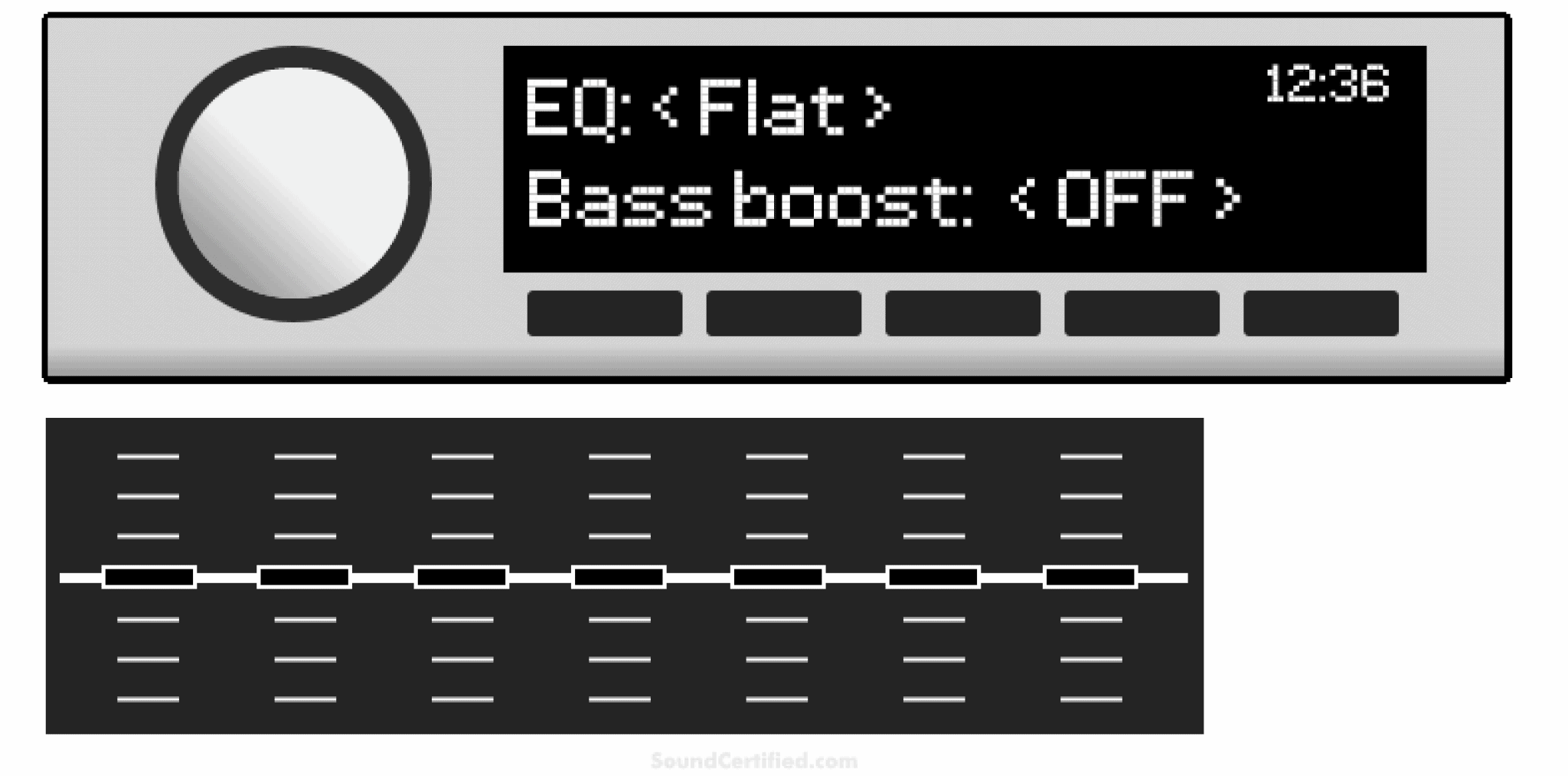
If your system allows manual DSP adjustments, experiment with settings like balance, fade, and equalizer controls. Moving the fade control towards the rear can increase the volume and clarity of your back speakers.
Have you noticed that some songs sound flat or dull in the car? Adjusting DSP can bring out hidden details and depth, making your favorite tracks feel brand new.
Check Wiring And Connections
Before you dive into complicated settings or software tweaks, it’s crucial to check the wiring and connections of your car’s back speakers. Faulty or loose wiring can easily cause the speakers to remain silent, even if your system is otherwise working perfectly. Taking a moment to inspect these physical components might save you a lot of frustration and time.
Inspect Speaker Wires
Start by locating the wires that connect your back speakers to the car’s audio system. Look for any signs of wear, such as cracks, frays, or exposed copper. Damaged wires can interrupt the audio signal and prevent the speakers from turning on.
Gently tug each wire to make sure it’s firmly attached at both ends. Have you ever noticed how a simple loose wire can cause the entire system to fail? Checking these connections can be a quick fix that often gets overlooked.
Confirm Proper Connections
After inspecting the wires, verify that each wire is connected to the correct terminals. Most speaker wires have color-coded insulation—matching positive and negative terminals is key to proper function. Reversed connections can cause speakers to perform poorly or remain silent.
If your car stereo or amplifier has a wiring diagram, use it as a guide to confirm each connection. Are all wires inserted fully without any loose strands? Double-checking these details can ensure your back speakers receive the right signals to work correctly.
Use Aftermarket Solutions
Use aftermarket solutions to activate the back speakers in your car. These options work well if your factory system lacks support for rear audio. They offer flexibility and better sound control without complex wiring changes.
Install External Amplifiers
External amplifiers boost audio signals to the back speakers. They improve sound quality and volume significantly. Choose an amplifier designed for car audio systems. Connect it between your head unit and rear speakers. This setup ensures clear, powerful sound in the back of your vehicle.
Many amplifiers come with adjustable settings. You can balance audio levels for a perfect listening experience. Installation usually requires basic wiring skills or professional help. The result is a noticeable upgrade in rear speaker performance.
Add Rear Speaker Adapters
Rear speaker adapters allow connection of aftermarket speakers to the existing wiring. They fit between the car’s factory harness and new speakers. This avoids cutting or splicing factory wires, preserving original wiring integrity.
Adapters come in different shapes and sizes for various car models. They make adding or upgrading rear speakers simpler and faster. Using adapters keeps installation clean and reversible. This solution suits those who want to enhance sound without major modifications.
Troubleshooting Common Issues
Troubleshooting common issues with your car’s back speakers can save you time and frustration. Problems like no sound or distorted audio often have simple fixes. Understanding these issues helps you enjoy a fuller, richer sound experience while driving.
No Sound From Rear Speakers
If your rear speakers are silent, start by checking the audio settings on your car stereo. Sometimes, the balance or fade controls might be set to favor the front speakers only.
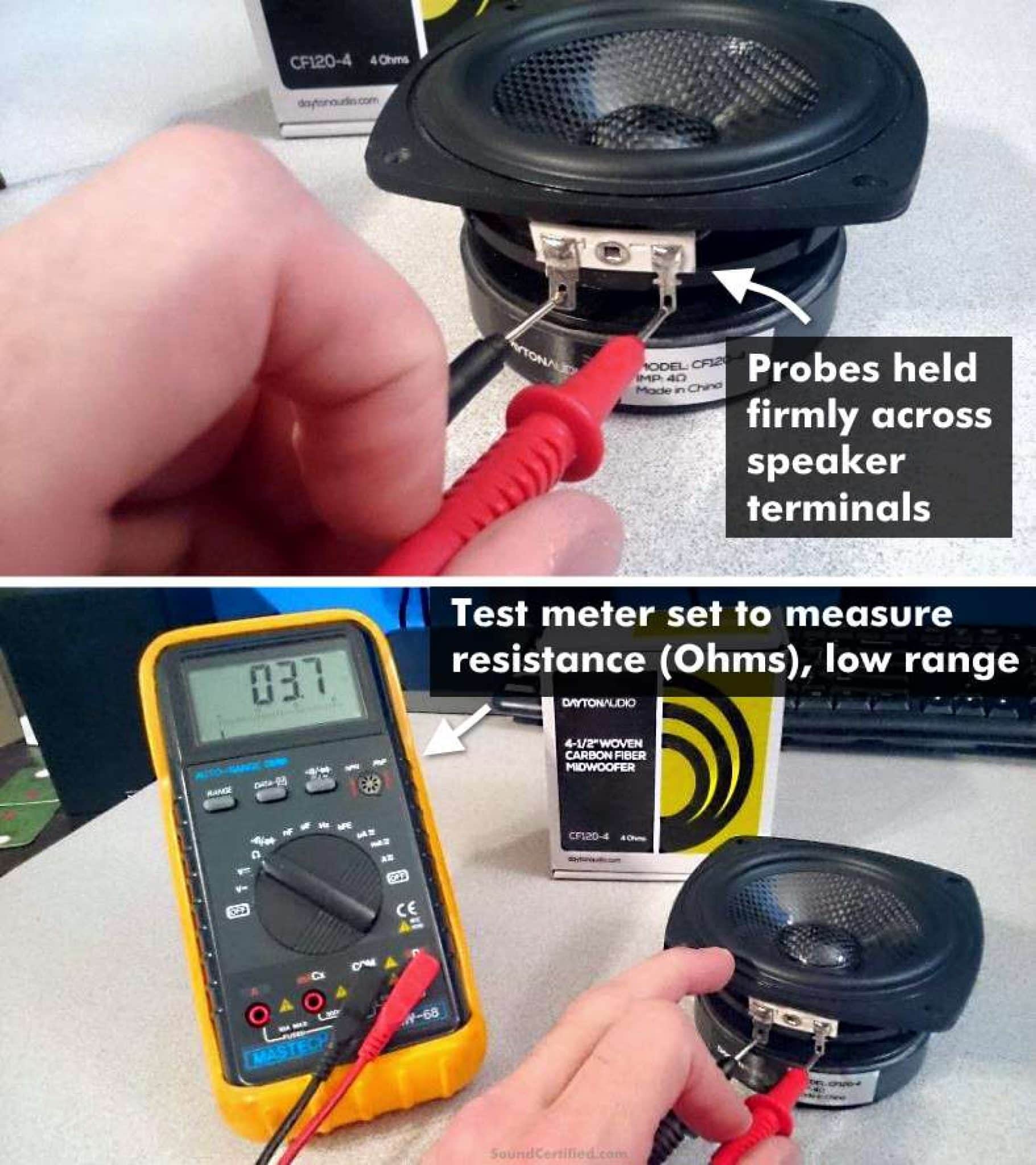
Make sure the rear speakers are enabled in the system menu. If the settings look fine, inspect the speaker wires for any loose connections or damage. A quick tug test on the wiring harness behind the panel can reveal if a wire has come undone.
Have you checked the speaker itself? A blown speaker won’t produce sound, so swapping it with a known working one can confirm if the speaker is faulty.
Distorted Audio Output
Distortion from back speakers often means the audio signal is being overloaded or the speakers are damaged. Start by lowering the bass and treble settings; too much boost can cause distortion.
Check if the distortion happens only at high volumes. If so, the amplifier might be clipping, or the speakers aren’t capable of handling the power output. Try turning the volume down slightly to see if the distortion clears up.
Sometimes, dirt or moisture inside the speaker can cause crackling or muffled sounds. Cleaning the speaker grille or drying out the area can help. If distortion persists, consider testing with a different audio source to rule out issues with your media player or Bluetooth connection.
Credit: www.maverickchat.com
Frequently Asked Questions
How Do I Activate The Rear Speakers In My Car?
To activate the rear speakers, first check the car’s audio settings. Navigate through the audio menu on your car’s infotainment system. Locate the balance and fade settings. Adjust the fade control towards the rear speakers. This ensures that sound is distributed to the back speakers properly.
Why Are My Back Car Speakers Not Working?
If your rear speakers aren’t working, check the balance and fade settings first. Ensure they are adjusted properly to direct sound to the back. Next, inspect speaker wires for any damage or loose connections. If issues persist, consult a professional to examine the audio system.
Can I Adjust Rear Speaker Volume Separately?
Yes, you can adjust the rear speaker volume separately using the fade control. Access your car’s audio settings through the infotainment system. Locate the fade option and adjust it towards the rear. This increases or decreases the volume specifically for the back speakers, enhancing sound distribution.
Do All Cars Have Rear Speaker Controls?
Most modern cars come equipped with rear speaker controls. These are usually accessible through the car’s audio settings. However, some older models may not have this feature. It’s best to check your car’s manual or infotainment system for specific instructions regarding speaker adjustments.
Conclusion
Turning on the back speakers in your car is simple and quick. Just follow the steps carefully. Adjust the settings until the sound feels right. Good sound makes every drive more enjoyable. Try different volumes and balances for best results.
Remember, your car’s manual can help too. Enjoy clear, full music from all speakers. Simple changes bring big improvements to your ride. Now, your back speakers are ready to play.

Similar Posts